


Today while developing an existing Logic App Consumption in Visual Studio 2019, yes, we still don’t have support for Visual Studio 2022, I realized that for some unknown reason, one of the actions, in my case a For each action, didn’t have the normal arrow – that indicates the precedence of the previous step in the Logic App designer as you can see in the picture above – for some unknown reason it evaporated:
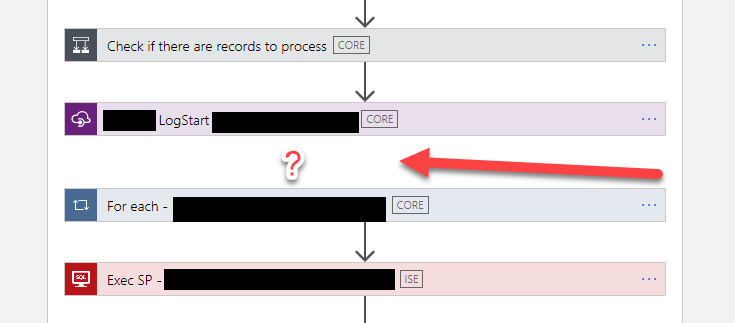
I tried to re-order (or move) the For each action in the designer to see if I could fix this issue, without success. A good option that you should always try is to close that file and open it again to force a refresh on the designer – that solves many issues – but it didn’t do the trick on this issue.
I couldn’t, by Designer, solve this issue because the property Configure run after settings were disabled:
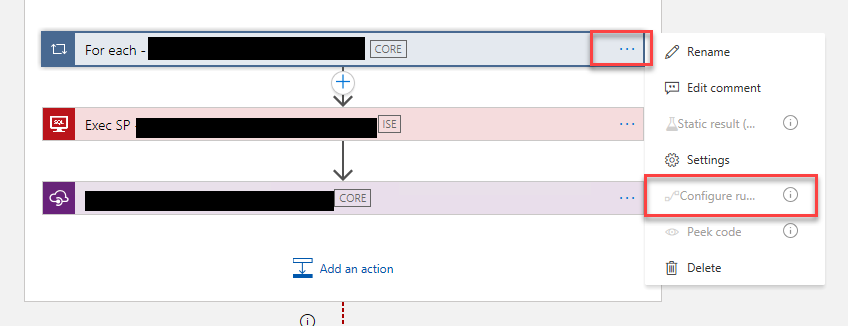
I honestly don’t know what would happen if I tried to deploy this Logic App in this situation, but it shouldn’t be good. And this situation was causing me inconvenience when moving and reordering the actions. So I have no other option than to try to fix it.
📝 One-Minute Brief
Explains why the Run After settings are disabled or missing in Azure Logic Apps Consumption and how this behavior affects workflow configuration. The article clarifies the root cause and guides users toward understanding and resolving this UI limitation.
Cause
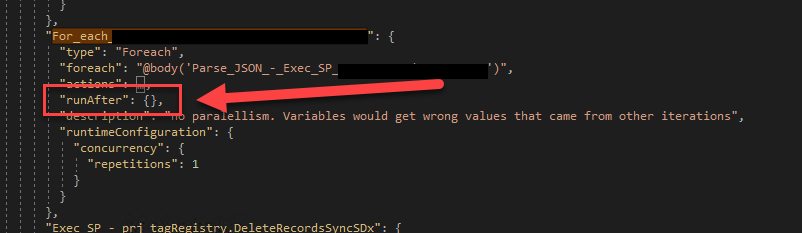
When inspecting the Code view, I realized that, again, for some unknown reason, the runAfter property was empty. The Logic App designer normally fills this value to run if the previous action succeeded.
Solution
To fix this issue or behavior, we need to manually configure the runAfter property like:
"runAfter": {
	"Name_Previous_Action": [
		"Succeeded"
	]
}
Where the Name_Previous_Action is the name of the previous action on the workflow, the spaces in the action name are replaced by underscores.
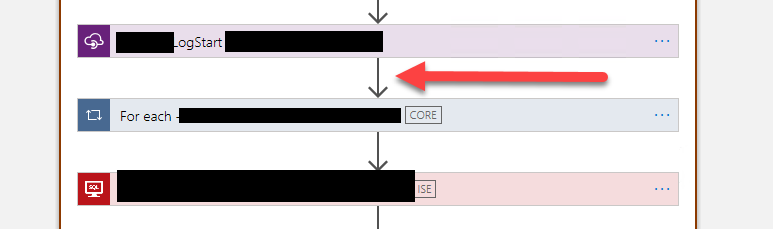
After that, if you return to the designer, you will see everything back to normal:
Hope you find this useful! So, if you liked the content or found it useful and want to help me write more content, you can buy (or help buy) my son a Star Wars Lego!




I am getting error for deprecated method, The same solution worked for a week and now not working.
The Soln in VS Code Statefull Logic Apps. Recurrence Trigger, Called Stored Proc from SQL on Premise. Writing outout in Json format to a folder.
Error Details
[error] [Extension Host] (node:18860) [DEP0005] DeprecationWarning: Buffer() is deprecated due to security and usability issues. Please use the Buffer.alloc(), Buffer.allocUnsafe(), or Buffer.from() methods instead.