


Why deploy Logic Apps disabled by default
Sometimes I need to deploy Logic Apps in a disabled state instead of having them start automatically. This approach is especially important in Production, where I prefer to double‑check every configuration before allowing executions.
Deploying Logic Apps disabled gives me control and avoids unexpected behavior during release.
Avoiding unintended executions
In many scenarios, Logic Apps use a Recurrence trigger, which starts running immediately after deployment. If a connector has an incorrect configuration, a dependency is broken, or a downstream system is offline, the workflow fails right away.
These failures can generate unnecessary errors, alerts, and noise. Other edge cases may also occur, but that’s a different discussion.
By deploying Logic Apps disabled, I can validate connectors, endpoints, and dependencies first—and only enable the workflow when everything is ready.
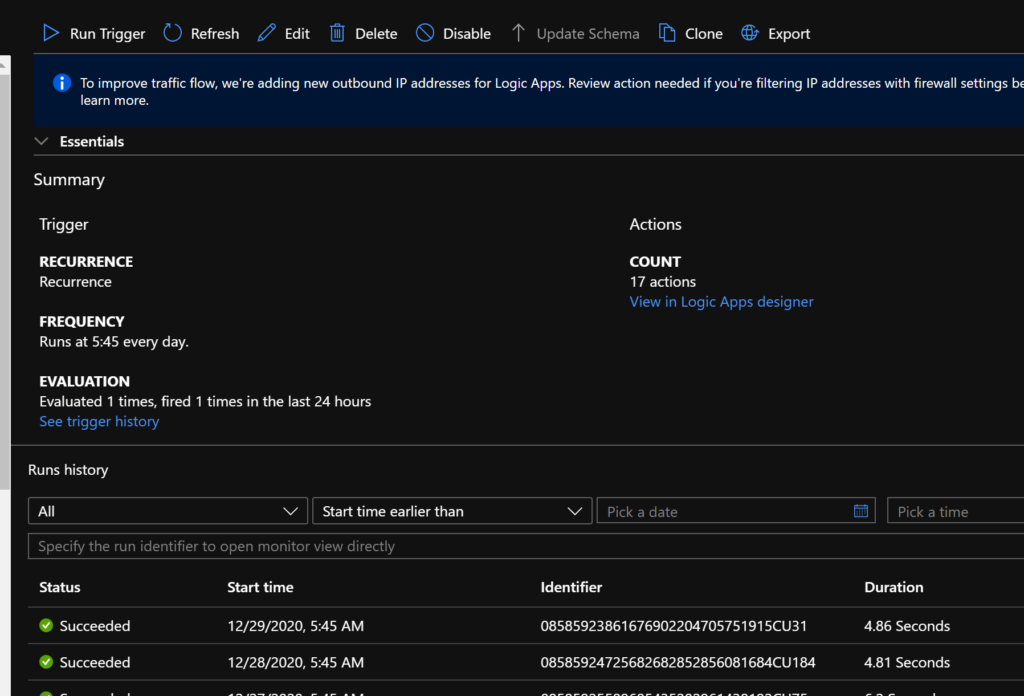
An interesting fact is that you don’t have a proper way to control this in the Portal. You can add the control line to the code, but you won’t be able to control it with CI/CD.
📝 One-Minute Brief
Explains how to control the initial state of an Azure Logic App Consumption by configuring the state property in the ARM template, allowing workflows to be deployed disabled by default and safely activated through CI/CD pipelines.
So, in comes Rocket science (or not).
The resource code includes a property that lets you to control the state of an LA, and it’s quite easy to set. If you do not specify this property, the LA will start enabled and will trigger if it can.
The property is called “state” and lies within the “properties” node. Setting this property as a global parameter allows you to prepare your CI/CD pipeline, also allowing you to parameterize this in your release.
This is quite an easy and simple insert that should take no more than 5 minutes for you to configure.
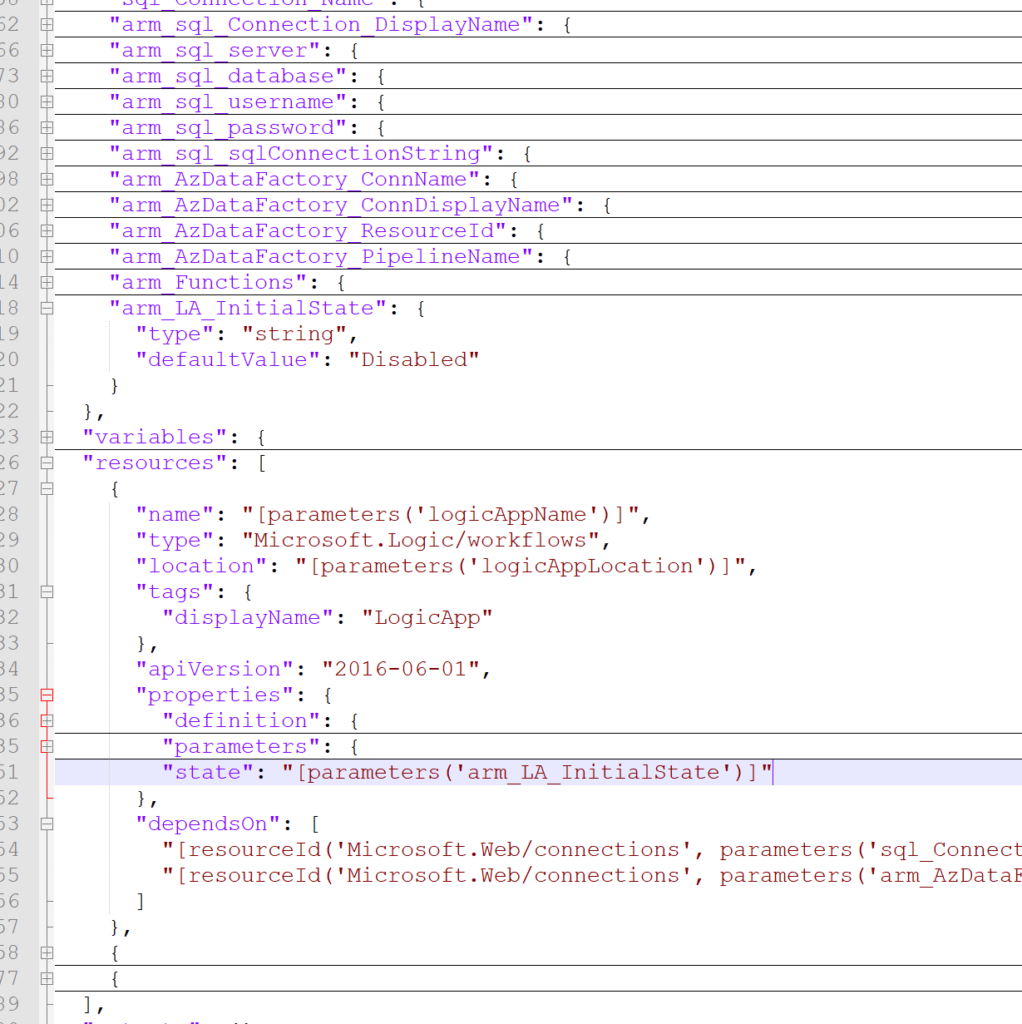
If you choose the “Disabled” state, the LA will not start unless you specifically activate it.
Happy coding!
Hope you find this helpful! If you liked the content or found it useful and would like to support me in writing more, consider buying (or helping to buy) a Star Wars Lego set for my son.




4 thoughts on “Controlling the initial state of a Logic App”