


It’s very common for orchestrations to access databases or execute stored procedures. Whether this access is done by SQL Adapter, WCF-SQL adapter, or through C # code, if we are not careful to set the user permissions properly in the database, we can get one of these errors:
Cannot open database ‘…’ requested by the login. The login failed
or:
The EXECUTE permission was denied on the object ‘…’, database ‘…’, schema ‘dbo’
📝 One-Minute Brief
This troubleshooting guide solves the common SQL Server permission errors encountered when BizTalk Server or a .NET application attempts to access a database. It covers two scenarios: failing to open the database due to incorrect login mappings and the “EXECUTE permission denied” error when calling stored procedures. Sandro explains how to resolve these by correctly mapping users to database roles and granting specific execution rights to the db_owner or custom roles.
Cause
This problem occurs because the user account that you used to access the database or that tries to execute the stored procedure does not have sufficient permissions.
Solution
You need to grant permission to the user to access the database and/or to execute the stored procedure.
Normally, orchestrations are running under the BizTalk Application Users group, but you have to check the Windows group configured on the host instance that runs the orchestrations that want to access the database.
How to grant reader/writer access to SQL database:
- In SQL Server Management Studio, open Object Explorer and expand it to the database that you want to give access to.
- Right-click the Security folder, point to New, and then click User.
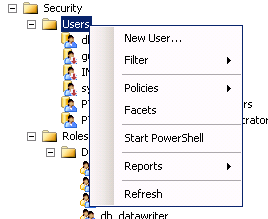
- On the General page, enter your username and log in in the Login name box.
- Set the following Database role membership:
- db_datareader
- db_datawriter
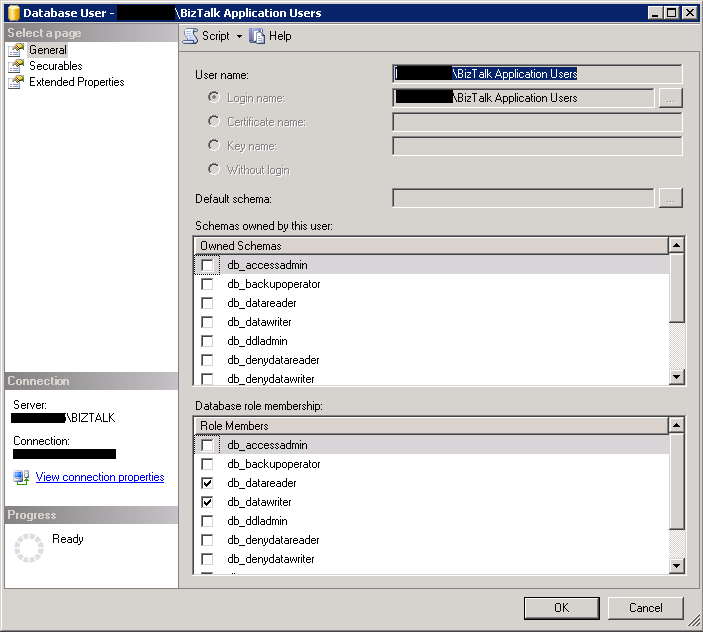
- Click OK.
Granting execute permissions to all stored procedures in a database:
- In SQL Server Management Studio, open Object Explorer and expand it to the database that you want to give execute access to.
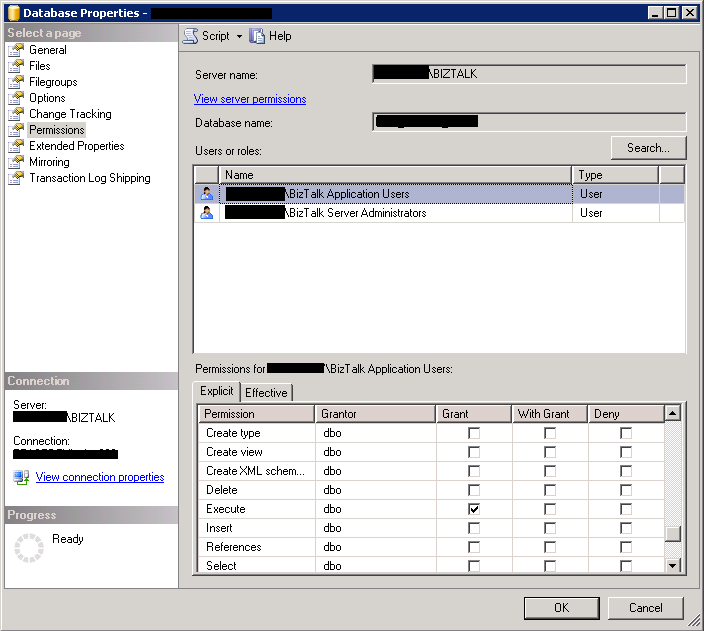
- Right-click the database name and then click Properties.
- In the Permissions tab
- Select the user inthe Users or roles panel
- And on Permissions for the user panel, check the grant for the Execute permission.

Hope you find this helpful! If you liked the content or found it useful and would like to support me in writing more, consider buying (or helping to buy) a Star Wars Lego set for my son.




Really helpful, Thank you for sharing this information.
Hello There. I found your blog the use of msn. That is a very well written article. I’ll make sure to bookmark it and return to read more of your useful info. Thanks for the post. I will certainly comeback.
thanks..!! it helped.
it worked for me thanks a lot
Hi,
These common SQL Server errors usually occur when user accountor permissions are not configured properly. The first error, Cannot open database requested by the login, indicates that the login doesn’t have access to the specified database. The second error, The EXECUTE permission was denied, points to missing execute rights on a stored procedure or function. Both issues can be fixed by granting the required permissions or assigning the correct database role.