

Monitoring a BizTalk Server environment can sometimes be a complex task due to the infrastructure and complexity layers behind the BizTalk Server. Apart from that, the administrator teams need to monitor all the applications deployed to the environment.
Ideally, the administration team should use all monitoring tools at their disposal, whether they are included with the product, such as BizTalk Server Administrative console, Event Viewer, HAT, or BAM. But the main problem with these tools is that:
- They need manual intervention.
- Almost all of them require remote access to the environment.
When an administrator must manually check each server or application for events that may have occurred, that is not a very efficient and effective way to allocate the team’s time, nor to monitor the environment.
Of course, they can also use other Microsoft monitoring tools, such as Microsoft System Center Operations Manager (SCOM), or third-party solutions such as BizTalk360. These tools should be able to read events from all layers of the infrastructure and help the administration team to take preventive measures, notifying them when a particular incident is about to happen, for example, when the free space of a hard drive is below 10%. Furthermore, they should allow the automation of operations when a specific event occurs, for example, restarting a service when the amount of memory used by it exceeds 200MB, thereby preventing incidents or failures, without requiring human intervention.
But the question is: and if you don’t have these tools?
You can archive these tasks in several ways. Many people create custom web portals to emulate some of the most basic admin console tasks. One of my favorite options is to use a mix of PowerShell, scheduled tasks, and/or Azure Services like Logic Apps and Functions. But today I will show you a different or alternative way:
- Create a Windows Service to monitor suspended Instances and automatically terminate them
Note: of course, this solution can be extended to other kinds of content or to add new functionality.
📝 One-Minute Brief
Learn how to automatically monitor and terminate suspended BizTalk Server service instances using a lightweight Windows Service. This approach helps administrators maintain a healthier environment without relying on remote access, manual checks, or third‑party monitoring tools.
BizTalk Monitor Suspend Instance Terminator Service
This is a Windows Service that will continually monitor BizTalk Server for specific suspended messages (with an interval defined in the code) and terminate them automatically.
This tool allows you to configure:
- The type of suspended messages you want to terminate
- Terminate without saving the messages or saving them to a specific folder before terminating them.
These configurations are made on the app config of the service:
<ServiceFilter>
    <add key="ServiceClass" value="64"/>
    <add key="ServiceStatus" value="32"/>
    <add key="ErrorId" value="0xC0C01B4E"/>
    <add key="Action" value="Terminate"/>
    <add key="SaveLocation" value="C:\Archive\Error1\"/>
</ServiceFilter>
<ServiceFilter>
    <add key="ServiceClass" value="4"/>
    <add key="ServiceStatus" value="4"/>
    <add key="ErrorId" value="0xc0c01680"/>
    <add key="Action" value="SaveAndTerminate"/>
    <add key="SaveLocation" value="C:\Archive\Error2\"/>
</ServiceFilter>
You can also define in the app config file:
- Database name, which by default is already BizTalkMgmtDb.
- and the Database Server Host Name, by default, localhost.
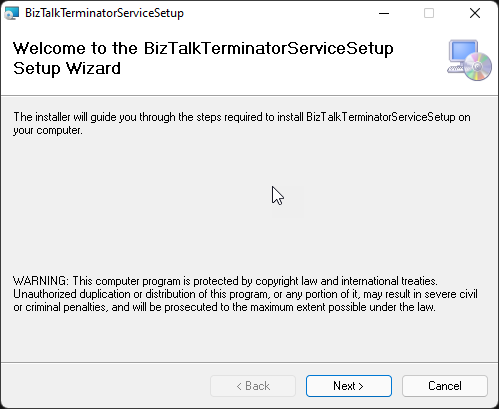
The solution available on GitHub already provides a straightforward setup file.
Download
THIS TOOL IS PROVIDED “AS IS”, WITHOUT WARRANTY OF ANY KIND.
You can download the BizTalk Server GetTrackedMessage tool from GitHub here:
Hope you find this helpful! If you liked the content or found it useful and would like to support me in writing more, consider buying (or helping to buy) a Star Wars Lego set for my son.




Hi Sandro,
Thanks for a wonderful solution! 2 questions to this solution:
1) Where exactly do you set the timing of how often this service checks for suspended instances and deletes them?
2) Does this service have to run exclusively on the server that the DB is installed on? For example if your app and DB are on different servers.