

In BizTalk Server projects, developers often sprinkle diagnostics into the Windows Event Logs—pipeline components (IPipelineContext error handling), custom adapters, orchestrations, or admin scripts. Over time, that creates a jungle of sources (BizTalk Server, BAM, custom component names, adapter sources, like MSFTS or FTP and so on), spread across classic logs and Microsoft “Applications and Services” channels. When an incident hits, the first blocker is simple: Which log does this source actually write to?
The quickest way (modern providers)
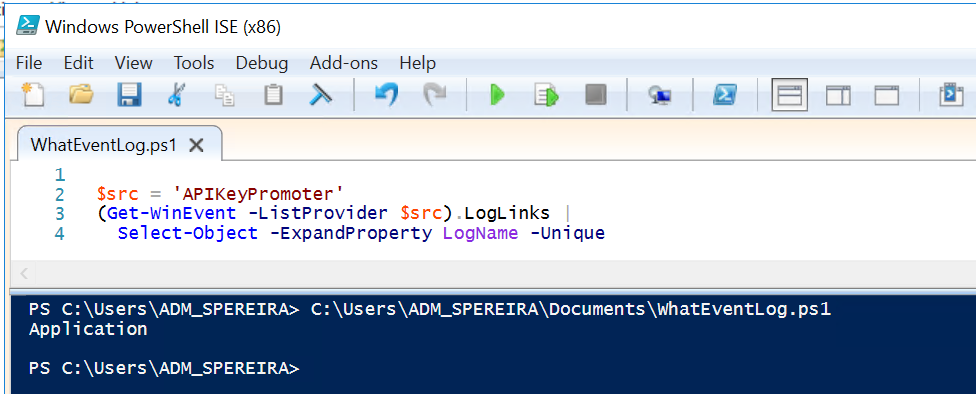
Use the eventing provider metadata to map a source/provider → logs in one shot:
$src = 'BizTalk Server'   # or your custom source
(Get-WinEvent -ListProvider $src).LogLinks |
  Select-Object -ExpandProperty LogName -Unique
This surfaces everything from Application to channels under Applications and Services Logs\Microsoft\…, so you don’t waste time opening logs blindly.
📝 One-Minute Brief
In BizTalk Server environments with many custom components and adapters, identifying which Windows Event Log a specific source writes to can be frustrating. This post shows two reliable ways to map an event source to its log using PowerShell and registry inspection, saving hours of manual searching.
Alternative: Ground truth when names don’t match (registry)
If provider metadata is missing or the “source” string differs from the provider name, inspect the registry mapping Windows uses:
$src = 'BizTalk Server'
Get-ChildItem 'HKLM:\SYSTEM\CurrentControlSet\Services\EventLog' -Recurse -ErrorAction SilentlyContinue |
Where-Object {
  $_.PSChildName -eq $src -or
  ((Get-ItemProperty $_.PsPath -ErrorAction SilentlyContinue).Sources -contains $src)
} |
Select-Object @{n='LogName';e={ Split-Path $_.PSParentPath -Leaf }} -Unique
Why This Matters
Especially if there aren’t any good best practices for writing to the Event Log, these two scripts are a lifesaver, saving you hours of searching for where to find this information. In our case, we have more than 25 Event Logs, just imagine the nightmare.
Download
THIS POWERSHELL SCRIPT IS PROVIDED “AS IS”, WITHOUT WARRANTY OF ANY KIND.
You can download the PowerShell Script used from GitHub here:
Hope you find this helpful! If you enjoyed the content or found it useful, and wish to support our efforts to create more, you can contribute to purchasing a Star Wars Lego set for my son!



