


You know those projects that feel like they don’t like you. They turn into a nightmare. Still, I secretly enjoy them because they always give me something new to write about.
I’m in one of those situations right now. Every small change I try to make seems to trigger another issue. Last week, while working on an existing BizTalk Server project, Visual Studio and BizTalk Server kept fighting back. No matter what I did, I repeatedly hit the following error:
Severity Code Description Project File Line Suppression State
Error #error: “Errors exist for one or more children.”
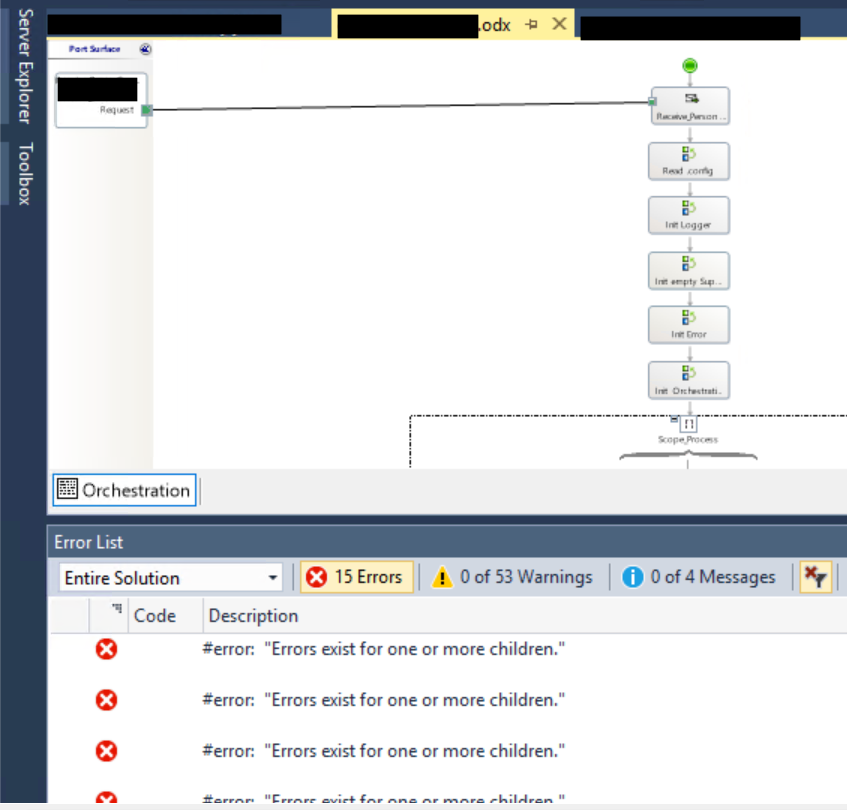
This is a familiar error that I spoke about many years ago: BizTalk Orchestration error: “Errors exist for one or more children.”
The solutions there are still valid, but there is another way! Maybe “This is the way” as my Mandalorian friends say!
📝 One-Minute Brief
This post explains how to fix the confusing BizTalk Server orchestration error “Errors exist for one or more children” in Visual Studio. Learn why this ghost error occurs, when it appears without visible design issues, and how to resolve it by correcting the generated orchestration code.
Cause
Typically, this problem is usually associated with difficulties in Orchestration Designer “refactoring” or “graphical interpretation”, and in a certain way, it isn’t a “valid error”, ie, it doesn’t describe the real problem.
Usually, this error is followed by a red indicator on the shape. Still, in many situations, there are no visual errors on the Orchestration designer—no red indicator on shapes or any artifacts like ports, messages, correlations, and so on. In fact, this was our situation.
Solution
The easiest way to solve these problems is to:
- Right-click the orchestration, choose Open With…, then select the XML (Text) Editor option.
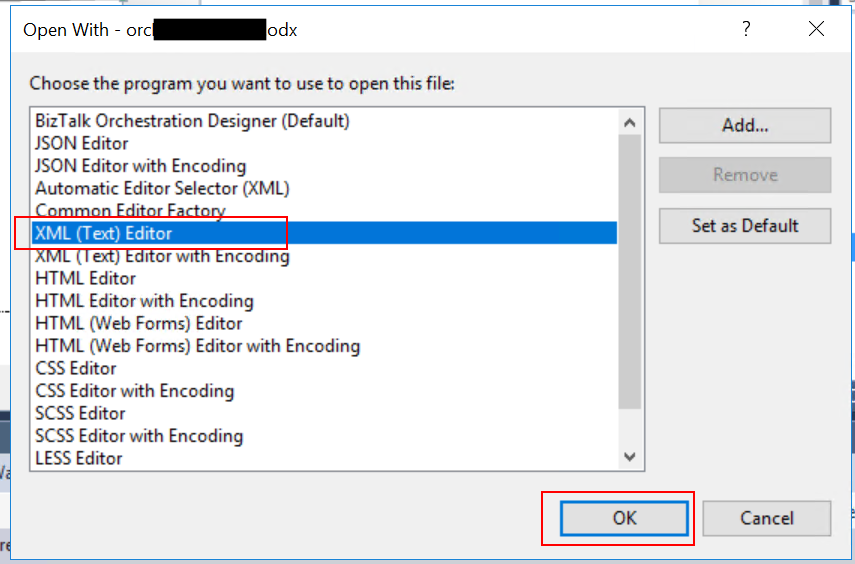
- Scroll down, almost to the end of the file, where it starts like C# code, and remove all the lines #error “Errors exist for one or more children.”

- Save it. Optionally, you can reopen the orchestration in the Orchestration design, then try to compile.
You may get different issues/errors that will be a different story, but the cause of the error will be fixed.
Hope you find this helpful! If you liked the content or found it useful and would like to support me in writing more, consider buying (or helping to buy) a Star Wars Lego set for my son.



