

Microsoft announced that it will deprecate Version 1 actions and triggers of the SQL connector for Logic Apps by the end of March 2024. As a result, existing integrations that still rely on these components may face disruption.
To address this proactively, we decided to create an Azure Resource Graph Explorer query. This query helps identify which Logic Apps still use the soon‑to‑be‑deprecated SQL connector actions and triggers, allowing teams to plan remediation in advance.
📝 One-Minute Brief
Microsoft will deprecate version 1 actions and triggers of the SQL connector in Logic Apps Consumption, which can impact existing integrations. This article explains what is changing, who is affected, and why moving to the newer connector versions is essential. Understanding this deprecation helps teams avoid disruptions and plan a safe migration path for SQL‑based Logic Apps.
We created a dedicated query for the Azure Resource Graph Explorer to support this process.
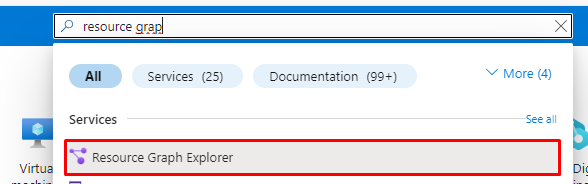
To use it, open the Azure portal and search for Resource Graph Explorer in the Azure search bar. Then, copy the query below, paste it into the query editor, and run it to retrieve the results:
(resources
| where type == 'microsoft.logic/workflows'
| project name, location, resourceGroup, subscriptionId, createdTime=properties.createdTime, actions=properties.definition.actions
| mv-expand action=actions
| extend actionName = tostring(bag_keys(action)[0])
| extend actionDetails = todynamic(tostring(action[actionName]))
| mv-expand innerActionDetails = actionDetails.cases
| extend innerActionName = tostring(bag_keys(innerActionDetails)[0])
| where innerActionName != "" // Filter out empty inner action names
| where innerActionDetails contains "sql" // Filter for innerActionDetails containing "sql"
| where innerActionDetails contains "/datasets/default/" // Filter for innerActionDetails containing "sql"
| project name, location, resourceGroup, actionName, innerActionName, innerActionDetails, subscriptionId, createdTime
)
| union (
    resources
| where type == 'microsoft.logic/workflows'
| project name, location, resourceGroup, subscriptionId, createdTime=properties.createdTime, actions=properties.definition.actions
| mv-expand action=actions
| extend actionName = tostring(bag_keys(action)[0])
| mv-expand actions
| extend innerActionName = tostring(bag_keys(actions)[0])
| where innerActionName != "" // Filter out empty inner action names
| where actions[innerActionName].type == "ApiConnection" // Filter for actions of type "ApiConnection"
| where tostring(actions[innerActionName].inputs) contains "/datasets/default/"
//| where tostring(actions[innerActionName].inputs) contains "/datasets/default"
| where tostring(actions[innerActionName].inputs.host.connection.name) contains "sql"
| project name, location, resourceGroup, actionName, innerActionName, actions, subscriptionId, createdTime
| summarize actions = makeset(actions), count() by name, innerActionName, location, resourceGroup, subscriptionId
)
| order by name, resourceGroup asc
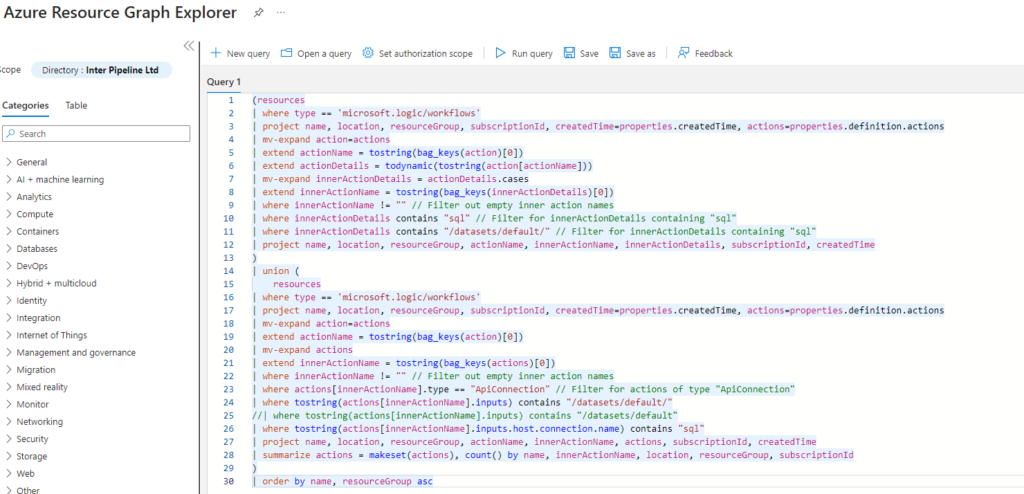
This query identifies Logic Apps in your Azure environment that still use the Version 1 SQL connector. It works by filtering specific action types and analyzing the connections those actions use. Based on that analysis, the query determines whether the actions rely on the soon‑to‑be‑deprecated connector version.
The results include key details such as the Logic App name, location, resource group, and subscription ID. In addition, the query lists the exact actions that use the SQL connector, making it easier to assess impact and plan remediation.
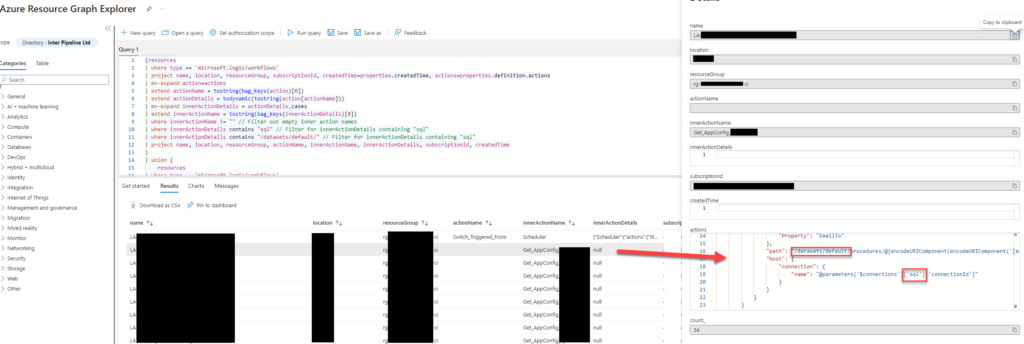
We designed the query to identify only Logic Apps that use SQL Connector version 1 actions and triggers. However, you can easily adapt it to detect other connector types as well. We achieve this by filtering actions that contain the path /datasets/default/ within the Logic App definition.
You might wonder why this specific path matters. Version 1 API connection actions and triggers are included /datasets/default/ in their paths, and the SQL connector relies on this structure. That said, keep in mind that other connectors may also use the same path, so additional filtering may be required depending on the scenario.
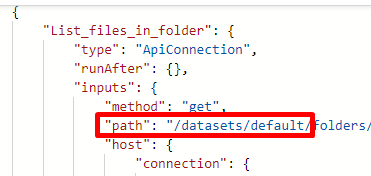
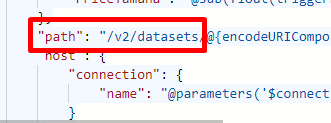
The paths for the version 2 actions and triggers of the SQL Connectors differ from V1, as you can see: /v2/datasets/.
Employing this query allows teams to proactively address potential disruptions by updating their Logic Apps to use the latest version of the SQL Connector before the deprecation deadline.
You can also explore the Microsoft approach here: Identify Logic Apps Consumption that are using deprecated V1 Actions and Triggers for SQL Connector (microsoft.com)
Download
THIS COMPONENT IS PROVIDED “AS IS” WITHOUT WARRANTY OF ANY KIND.
You can download the Logic Apps Consumption using SQL Connector V1 actions and triggers Kusto query from GitHub here:
Hope you find this helpful! So, if you liked the content or found it useful and want to help me write more, you can help us buy a Star Wars Lego for Sandro’s son!



