


For those who’ve been following my work, you might recall that I shared a set of PowerShell scripts a while back for monitoring BizTalk Server. One of these scripts was designed to oversee BizTalk Server SQL Jobs, and you can find additional details about it here: BizTalk DevOps: Monitor your BizTalk environment using PowerShell – SQL Agent Jobs Monitoring (Part 2) and here: Monitor your BizTalk environment using PowerShell – SQL Agent Jobs Monitoring.
📝 One-Minute Brief
A practical SQL script that helps you monitor BizTalk Server SQL Agent jobs and detect recent failures. This approach complements existing monitoring by identifying jobs that run but do not finish successfully.
Within those blog posts, I also provided at least one SQL script for monitoring the status of jobs – whether they were disabled or running as anticipated, such as every minute, every fifty minutes, and so forth. However, it has come to my attention this week that even though they were enabled and running as planned, some of them were not finishing successfully, and I was not notified. For this reason, I decided to create a second SQL script to enhance the functionality of the earlier one. This new script is designed to search for any failures that have occurred in the last hour. It will then present me with the most recent failure details, including the error message, for each of the Jobs in an error state.
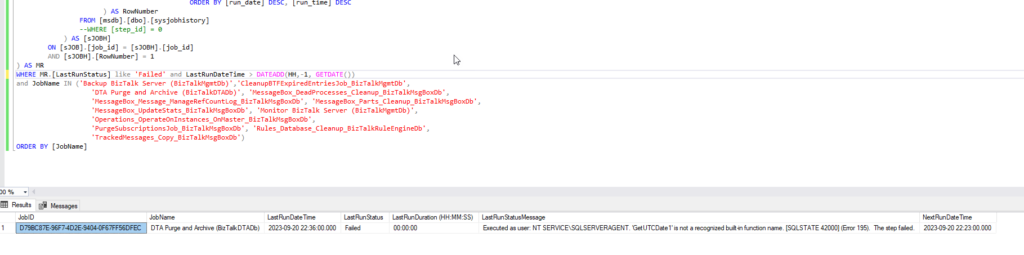
THIS SQL SCRIPT IS PROVIDED “AS IS” WITHOUT WARRANTY OF ANY KIND.
Hope you find this helpful! So, if you liked the content or found it helpful and want to help me write more, you can buy (or help buy) my son a Star Wars Lego set!



