

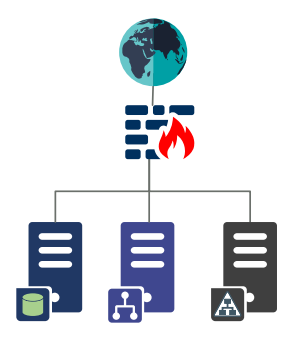
There are many things to consider when planning this type of installation. This whitepaper will explain in detail – a step-by-step guideline – how to install and configure Microsoft BizTalk Server 2020 on a basic multi-computer environment using Windows Server 2019, i.e., installation of BizTalk Server with a remote SQL Server (1 SQL Server and 1 BizTalk Server). There will be 3 virtual servers:
- 1 Domain controller
- 1 Virtual Machine to host SQL Server
- Windows Server 2019
- SQL Server 2019SQL Server 2019 Enterprise Edition
- 1 Virtual Machine to host BizTalk Server.
- Windows Server 2019
- BizTalk Server 2020 Enterprise or Development Edition
In this scenario, I will perform a basic full installation of Microsoft BizTalk Server 2020, except for the SharePoint Adapter and additional components like Accelerators, ESB Toolkit or UDDI, emulating a production environment. The following components will be installed:
- Enterprise Single Sign-On (SSO)
- BizTalk Group
- BizTalk Runtime
- Business Rule Engine
- BAM Tools and Alerts
- BAM Portal (Although Microsoft has deprecated the BAM portal, it is still possible to install it.)
- BizTalk EDI/AS2 Runtime
- Microsoft BizTalk Adapters
This information will help you plan the installation and configuration of BizTalk Server 2020, the applications, and the components on which it depends, with a focus on creating a UAT or Production environment (you can also follow this tutorial to help you create developer environments). However, if this is the case, you need to add some steps and additional components or software, especially Visual Studio 2019.
Of course, it is assumed that all machines are already installed with the operating system and the latest critical Windows updates from Microsoft. Another presumption is that the domain controller is already installed and configured.
📝 One-Minute Brief
A practical guide that walks through installing BizTalk Server 2020 in a simple multi‑computer setup. It details the required components, machine roles, and configuration steps needed to build a clean, functional BizTalk environment. This guide helps administrators avoid misconfigurations, understand server dependencies, and deploy BizTalk 2020 in a structured and supported way.
What’s in the Whitepaper for you?
This whitepaper will give you a detailed understanding of the following:
- The need for a Domain Controller – Windows Groups and Service Accounts.
- Preparing Computers for Installation – Important considerations before setting up the servers.
- Preparing and installing SQL Server 2019 machine.
- Prepare and install prerequisites on the BizTalk Server 2020 machine.
- Testing environment connectivity.
- Install and configure the BizTalk Server 2020 machine.
- Optimize the BizTalk Server 2020 environment.
Where can you download it?
You can download the whitepaper here:
Hope you find this helpful! If you liked the content or found it useful and would like to support me in writing more, consider buying (or helping to buy) a Star Wars Lego set for my son.




We are using BAM for tracking and have office 2019 installed on developer machines to configure the BAM activity.
But do we need to install Office Excel tools on a TEST or Production server where we dont open the BAM activity via Excel ?