

There was a lot of inconsistent and incorrect information about the BizTalk WCF-SAP Adapter installation process and how it works, especially in old versions of the adapter, where there was a need to use the classic RFC library to connect to SAP.
📝 One-Minute Brief
A clear, step‑by‑step whitepaper that explains how to correctly install and configure the WCF‑SAP adapter in BizTalk Server 2020. It highlights the important changes introduced in recent versions, including the use of the SAP .NET Connector instead of the legacy RFC library, and details what components BizTalk already installs by default—plus what still needs to be manually installed. This guide helps BizTalk teams avoid outdated instructions and ensures a clean, functional WCF‑SAP setup.
Fortunately for us, this process is now simpler and more direct, and this is due specifically to two points:
- The Classic RFC Library has been discontinued and is no longer supported (support ended on March 21, 2016). All customers should, if not already using, the “new” SAP .NET Connector (NCo)
Notice that the BizTalk Adapter Pack WCF-SAP adapter has been re-engineered to use SAP .NET Connector instead of the classic SAP RFC SDK. The SAP .NET Connector is available through the ConnectorType property within the WCF-SAP binding. This feature is available starting with BizTalk Server 2013.
- On BizTalk Server 2020, the Microsoft BizTalk Adapter Pack x86 and x64 are now installed with the default installation process. That means the WCF-SAP adapter is already registered on the server and visible in the BizTalk Server Administration Console.
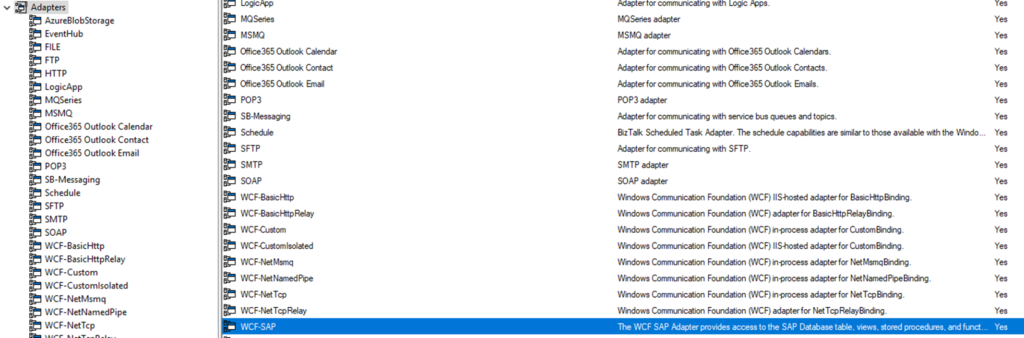
However, that does not mean that everything is ready for you to be able to use this adapter. Unfortunately, you still need to install the SAP Connector for Microsoft .NET, which is available to download through the SAP Service Marketplace.
Notice that, like any other adapter, the 64-bit version of the SAP Connector for Microsoft .NET is optional; however, if you have a 64-bit BizTalk environment and want to run it under a 64-bit Host Instance, you also need to install both versions of the SAP Connector for Microsoft .NET.
BizTalk Server 2020: Step-by-Step WCF-SAP Adapter Installation Guide
By reading this whitepaper, decision-makers should have more information on the following areas:
- Pre-requisites: resources that are necessary and how to install them.
- Register the adapter in BizTalk Server Administration Console.
Where can I download it?
You can download the whitepaper here:
Hope you find this helpful! If you liked the content or found it useful and would like to support me in writing more, consider buying (or helping to buy) a Star Wars Lego set for my son.



