


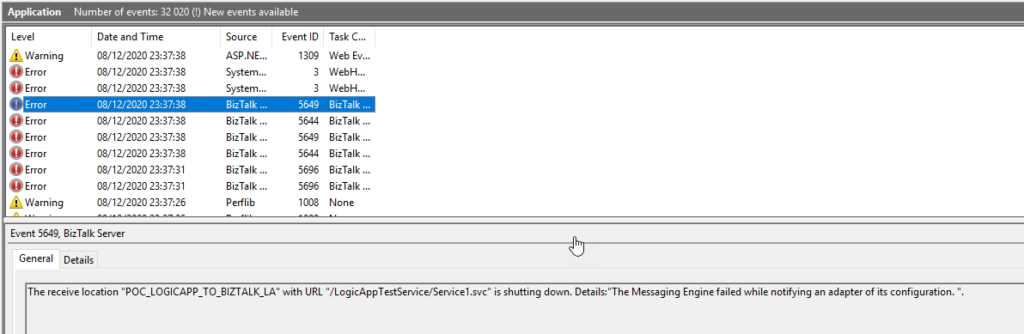
A few months ago, I was playing around with BizTalk Server hybrid Integration, in this case, trying to send messages from Logic App to BizTalk Server by using the Send message action of the Logic App BizTalk Server connector. While I conducted the first set of tests, I realized my Logic App was failing to send the message to BizTalk Server. On the BizTalk Server machine, I found that BizTalk Server was throwing the following error while receiving the message:
The Messaging Engine encountered an error when creating the receive adapter “LogicApp”. The Assembly is: “Microsoft.BizTalk.Adapter.LogicApp.Runtime.LogicAppReceiver, Microsoft.BizTalk.Adapter.LogicApp.Runtime”. The error occurred because the component does not implement the mandatory interface “IBTTransportControl”.
The Messaging Engine failed to add a receive location “POC_LOGICAPP_TO_BIZTALK_LA” with URL “/LogicAppTestService/Service1.svc” to the adapter “LogicApp”. Reason: “80070057”.
The receive location “POC_LOGICAPP_TO_BIZTALK_LA” with URL “/LogicAppTestService/Service1.svc” is shutting down. Details:”The Messaging Engine failed while notifying an adapter of its configuration. “.
The Messaging Engine failed to add a receive location “POC_LOGICAPP_TO_BIZTALK_LA” with URL “/LogicAppTestService/Service1.svc” to the adapter “LogicApp”. Reason: “80070057”.
The receive location “POC_LOGICAPP_TO_BIZTALK_LA” with URL “/LogicAppTestService/Service1.svc” is shutting down. Details:”The Messaging Engine failed while notifying an adapter of its configuration. “.
WebHost failed to process a request.
Sender Information: System.ServiceModel.ServiceHostingEnvironment+HostingManager/63835064
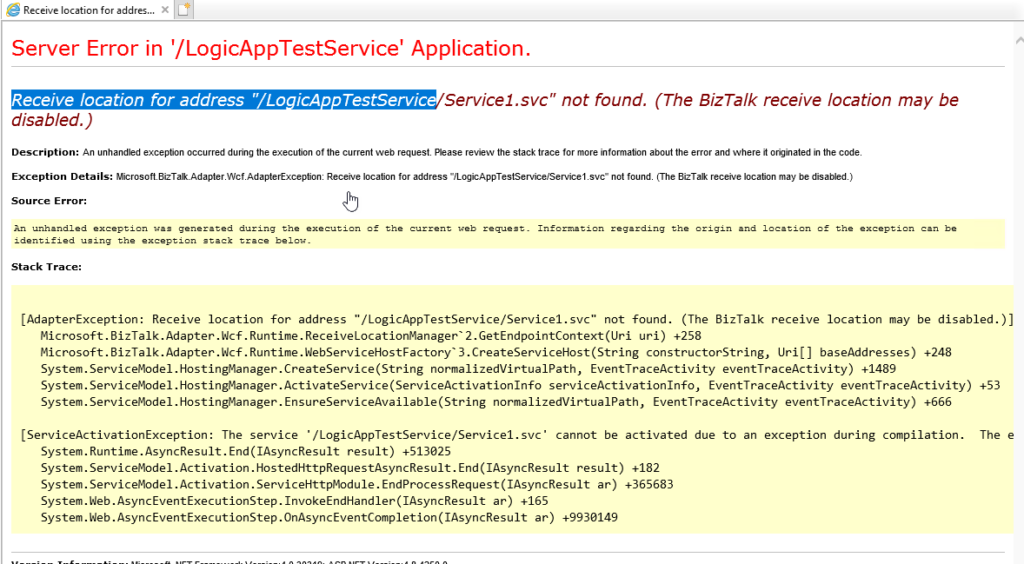
Exception: System.ServiceModel.ServiceActivationException: The service ‘/LogicAppTestService/Service1.svc’ cannot be activated due to an exception during compilation. The exception message is: Receive location for address “/LogicAppTestService/Service1.svc” not found. (The BizTalk receive location may be disabled.). —> Microsoft.BizTalk.Adapter.Wcf.AdapterException: Receive location for address “/LogicAppTestService/Service1.svc” not found. (The BizTalk receive location may be disabled.)
at Microsoft.BizTalk.Adapter.Wcf.Runtime.ReceiveLocationManager`2.GetEndpointContext(Uri uri)
at Microsoft.BizTalk.Adapter.Wcf.Runtime.WebServiceHostFactory`3.CreateServiceHost(String constructorString, Uri[] baseAddresses)
at System.ServiceModel.ServiceHostingEnvironment.HostingManager.CreateService(String normalizedVirtualPath, EventTraceActivity eventTraceActivity)
at System.ServiceModel.ServiceHostingEnvironment.HostingManager.ActivateService(ServiceActivationInfo serviceActivationInfo, EventTraceActivity eventTraceActivity)
at System.ServiceModel.ServiceHostingEnvironment.HostingManager.EnsureServiceAvailable(String normalizedVirtualPath, EventTraceActivity eventTraceActivity)
— End of inner exception stack trace —
at System.ServiceModel.ServiceHostingEnvironment.HostingManager.EnsureServiceAvailable(String normalizedVirtualPath, EventTraceActivity eventTraceActivity)
at System.ServiceModel.ServiceHostingEnvironment.EnsureServiceAvailableFast(String relativeVirtualPath, EventTraceActivity eventTraceActivity)
Process Name: w3wp
Process ID: 8068
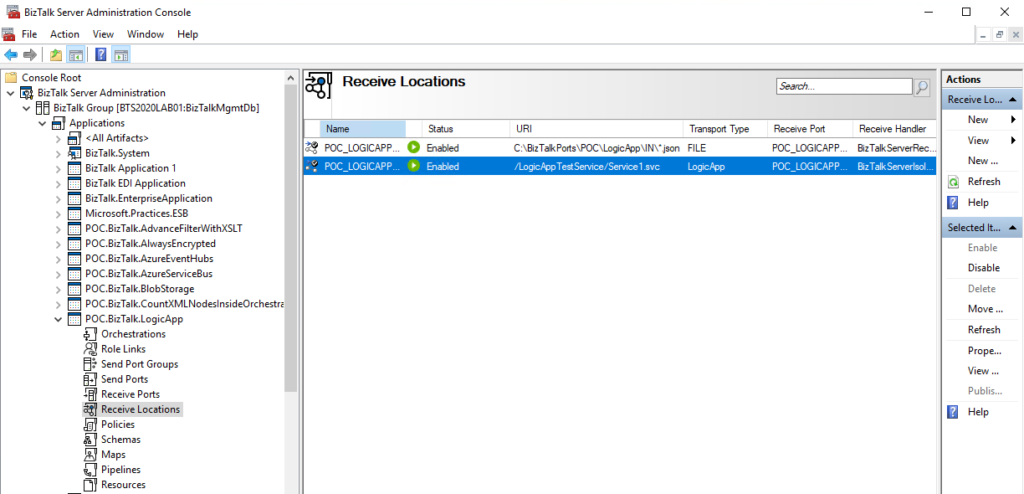
I had faced similar issues in the past with other adapters, such as HTTP, WCF, and SOAP. However, I knew I had published the service in IIS with the correct application pool and permissions. I also confirmed that the associated BizTalk Server receive port on this server was enabled and running.
Nevertheless, I first validated whether I could access the URL in a browser. To my surprise, the request failed immediately.
Luckily, I found an excellent post by my friend Ahmed Taha that explains both the root cause of the issue and the solution.
📝 One-Minute Brief
Receiving messages from Azure Logic Apps into BizTalk Server 2020 can fail due to a misconfigured Logic App Receive Adapter. This article explains why the IBTTransportControl error occurs and shows how to correctly configure the adapter to restore inbound message processing.
Cause
This issue occurs due to a bug in the default BizTalk Server 2020 configuration tool. The tool assigns the Logic App Receive Adapter to an in‑process host, but it should bind the adapter to an isolated host instead.
Solution
The resolution is simple but a little annoying.
- First, you need to remove the adapter from all assigned send ports and receive locations from all your BizTalk Server applications.
- You can optimize this process using PowerShell, or if you were lucky like me, who only have one receive port and one send port, you could easily do that manually.
- The next step is to remove/un-register the Logic App adapter from BizTalk Server. You can do that by running the following VB script:
- RemoveLogicAppAdapter.vbs: script to un-register the Logic App adapter from the BizTalk Server
- And finally, we need to register/add the Logic App adapter again. Once again, you can easily do that by running the following VB script:
- AddLogicAppAdapter.vbs: script to properly register the Logic App adapter from the BizTalk Server.
Note: These scripts were taken from the Microsoft BizTalk Server Adapter for Logic Apps installer used for BizTalk Server 2016.
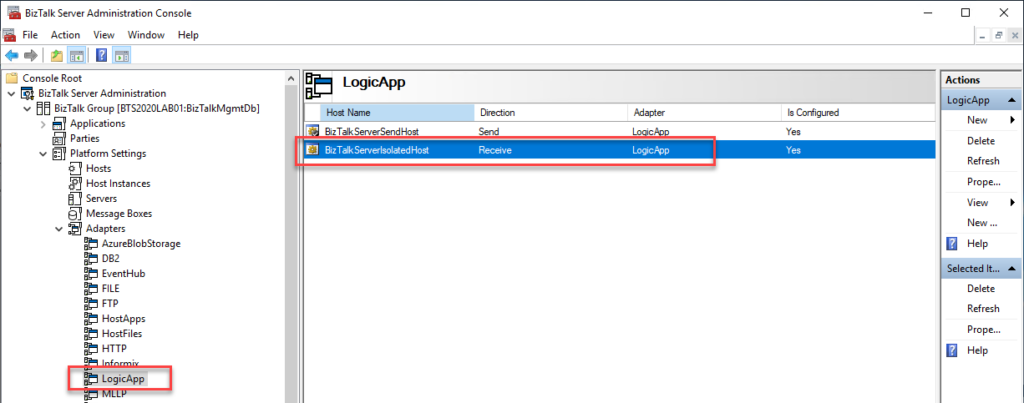
These steps resolved the Logic App Receive Adapter handler configuration issue in BizTalk Server 2020 and correctly bound it to the isolated host. You can now configure the receive port, and it should work as expected.
Final note: BizTalk Server Cumulative Update 2 already provides a hotfix to this issue:
After applying this fix, we can create new Logic App receive handlers as isolated handlers. However, you must manually delete any existing in‑process Logic App receive handlers. In practice, you need to reconfigure all receive locations to use the isolated host and then remove the handlers bound to the in‑process host.

Hope you find this helpful! If you liked the content or found it useful and would like to support me in writing more, consider buying (or helping to buy) a Star Wars Lego set for my son.



