


A few days ago, my team and I decided to release a new SSO Application Configuration tool for BizTalk Server 2016 to eliminate the need for and streamline our customers’ administrative processes. Because many customers are still using previous versions of BizTalk Server, mainly BizTalk Server 2013 or 2013 R2. We decided also to publish the SSO Application Configuration tool fully compatible with BizTalk Server 2013 R2 (it is the same tool but compiled specifically for BizTalk Server 2013 R2).
📝 One-Minute Brief
An announcement of the BizTalk Server SSO Application Configuration Tool compiled specifically for BizTalk Server 2013, allowing administrators to manage SSO applications and key‑value configuration data, and securely import or export settings across environments.
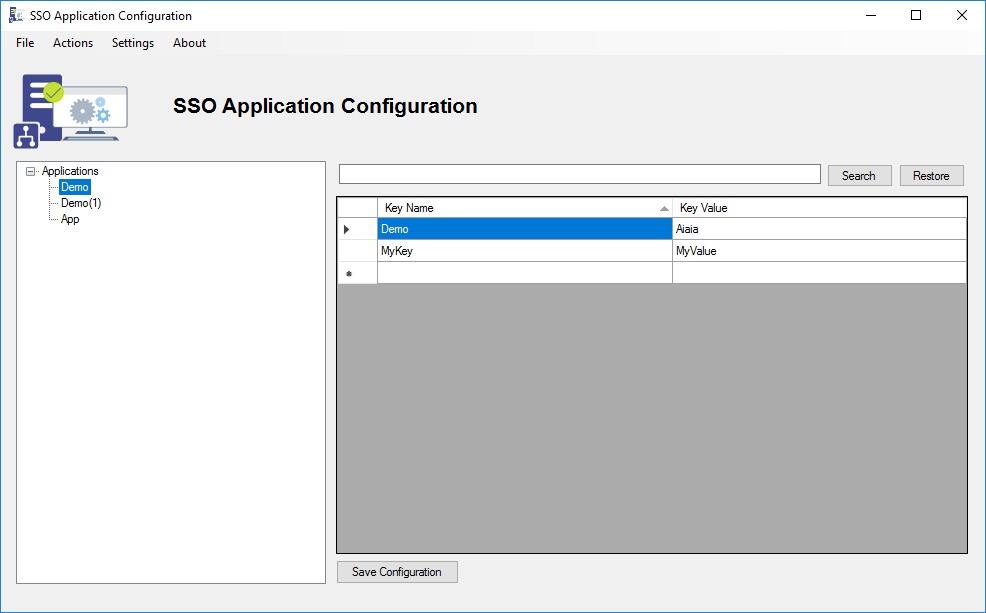
Finally, to finish this SSO Application Configuration tool for BizTalk Server trilogy, we decided to publish the fully compatible version of this tool for BizTalk Server 2013 (again, it is the same tool but compiled specifically for BizTalk Server 2013) that will provide the ability to easily add and manage configuration applications, add and manage key-value pairs in the SSO database, as well as securely import and export configuration applications so that they can be deployed to different environments, and it is fully compatible with MSFT SSO Application Configuration snap-in:
- Fully compatible with BizTalk Server 2013.
- Fully resizable windows (you will understand if you are a BizTalk Developer).
- You can securely export and import Application configurations, and it is compatible with MSFT SSO snap-in.
- You can duplicate Applications (copy and paste).
- You can rename Applications.
- You can easily add new key-value pairs without having to right-click and select a new key option.
- You can easily add or edit key-values without the need to always perform a double-click to open a new window.
- You can refresh the Applications tree view.
- You can search!
Download
THIS TOOL IS PROVIDED “AS IS”, WITHOUT WARRANTY OF ANY KIND.
You can download BizTalk Server SSO Application Configuration Tool from GitHub here:
Hope you find this helpful! If you liked the content or found it useful and would like to support me in writing more, consider buying (or helping to buy) a Star Wars Lego set for my son.




Hi Sandro,
Is there any way to import sso entries from xml to the new tool. We have around 100 applications each with different key values. We didn’t find any other option rather configure them manually.
( we are trying to migrate from seroter’s tool)
It can be done. I don’t know if today is possible but this is an easy implementation.
Links are not working for download BizTalk Server SSO Application Configuration Tool for BizTalk Server 2013 R2. can you please provide.
Hi Raju,
Just upload the BTS2013 version to GitHub. Unfortunately, Technet Gallery is not available anymore.