

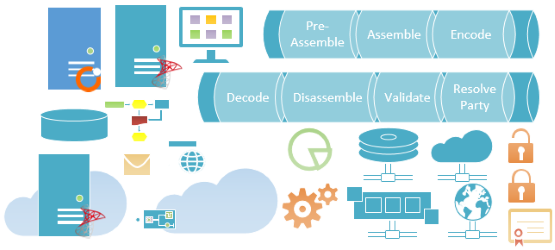
This week, I published 73 modern flat shapes that will help you represent BizTalk Server physical architectures, Integration architectures (Cloud or Hybrid scenarios), or solution diagrams in Visio 2013. However, I found out that many people are still using Visio 2010, so I thought it would be a good idea to provide these new shapes also for Visio 2010… The result was 63 new modern flat shapes that are now joining the 35 shapes that already existed (two of them were removed from this version), making a total of 98 shapes, representing:
- BizTalk topologies (Standalone and Clustering).
- BizTalk Runtime Architecture and ESB Toolkit.
- Receive and Send Pipelines, Inbound and Outbound Maps, Adapters, and Filters.
- Receive Ports and Receive Locations (One-way and Request-Response).
- Send Ports (One-way and Solicit-Response).
- BizTalk Out-of-the-box Adapters shapes:
- SMTP, SQL, File, FTP, SFTP, MSMQ, …
- Windows Azure BizTalk Services and Cloud shapes.
- And much more…


📝 One-Minute Brief
Don’t let older software stop you from creating modern diagrams. This update brings 63 new flat-design shapes to Visio 2010, bringing the total collection to 98 professional stencils. Designed to match the look of the Visio 2013 pack, these resizable icons cover BizTalk topologies, runtime architectures, ESB Toolkit components, and cloud integration shapes, ensuring your documentation looks professional regardless of your Visio version.
Note: Not all the shapes that are available for Visio 2013 will be in this version but you can use these new shapes and resize them without losing quality.
Download
You can download the Microsoft Integration, Azure, BAPI, Office 365, and much more Stencils Pack for Visio from GitHub here:
This stencil pack is an ongoing project. If you have created custom shapes or want to see new artifacts added, feel free to contribute to the GitHub repository!
Hope you find this helpful! If you liked the content or found it useful and would like to support me in writing more, consider buying (or helping to buy) a Star Wars Lego set for my son.




Thanks! Yesterday, I was searching after an Visio 2010 plugin to open the Visio 2013 stencil ….
Thanks for putting this together and sharing.