

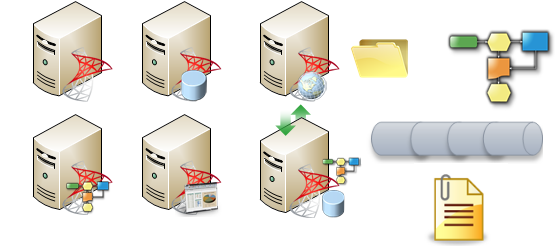
Designing clear and professional architecture diagrams is essential for any integration project. While several Visio icon sets exist for BizTalk Server, many suffer from poor resolution—becoming pixelated or unreadable when you try to resize them for complex documentation.
After some research, I found some old Visio icons for BizTalk Server, posted by Thiago Almeida. However, they don’t work very well, especially when I tried to resize the shape (icon quality and text size). So I tried, based on existing ones, create new ones and improve the existing ones.
📝 One-Minute Brief
Creating clear integration architecture diagrams requires high-quality visual aids. This post introduces a custom Visio 2010 Stencil pack specifically designed for BizTalk Server. Dissatisfied with existing low-resolution icons that blurred when resized, I developed 11 improved, high-quality shapes that maintain clarity at any size. These stencils are now part of a larger GitHub repository containing Microsoft Integration, Azure, and Office 365 shapes to help architects build professional technical documentation.
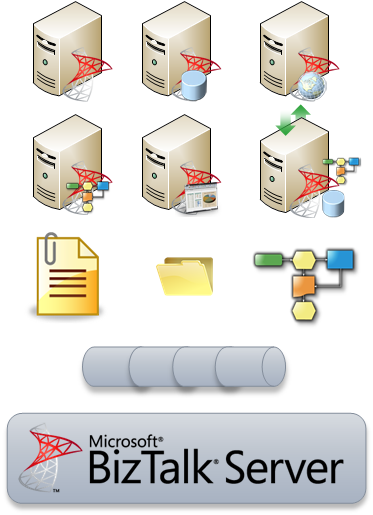
The result is 11 shapes that you can resize without losing quality:
Download
You can download the Microsoft Integration, Azure, BAPI, Office 365, and much more Stencils Pack for Visio from GitHub here:
Instructions
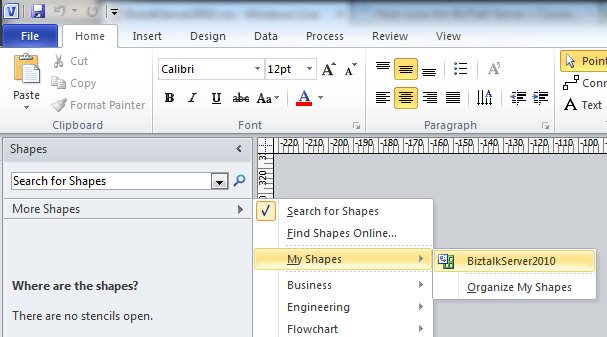
- Download the file and copy it to the folder C:\Users\you_user\Documents\My Shapes (that is the default folder for the Visio custom shapes)
- To access the shapes in Visio, select from the Shapes window: More Shapes -> My Shapes -> BizTalkServer2010.
This stencil pack is an ongoing project. If you have created custom shapes or want to see new artifacts added, feel free to contribute to the GitHub repository!
Hope you find this helpful! If you liked the content or found it useful and would like to support me in writing more, consider buying (or helping to buy) a Star Wars Lego set for my son.




Nice work Sandro. How about adding more artifacts as pipelines/ports/application, etc..
Thanks Zeeshan. It’s an ongoing work :), perhaps in the future I will improve (need some free time)
However, those who want to can contribute (no rights reserved :):))
Great Job! 🙂 Thanks
I’d like to add “my” shapes as well. Have a look:
http://blogical.se/blogs/mikael_sand/archive/2010/11/16/visio-as-a-visualization-tool.aspx
Look also at http://cid-84a5f9423fbd624b.office.live.com/self.aspx/Public/BlogOfADam/BizTalk%202006%20Messaging%20Shapes.vss
or
http://cid-84a5f9423fbd624b.office.live.com/self.aspx/Public/BlogOfADam/BizTalk%202009%20Shapes.vss
I want to use the 3d stencils, have you done anything with them? Thanks