


If you’ve ever worked with XML inside Azure Logic Apps, you’ve probably seen this little quirk:
You try to extract a simple value using the xpath() function and instead of returning the value, it gives you an array with that value inside.
Something like this:
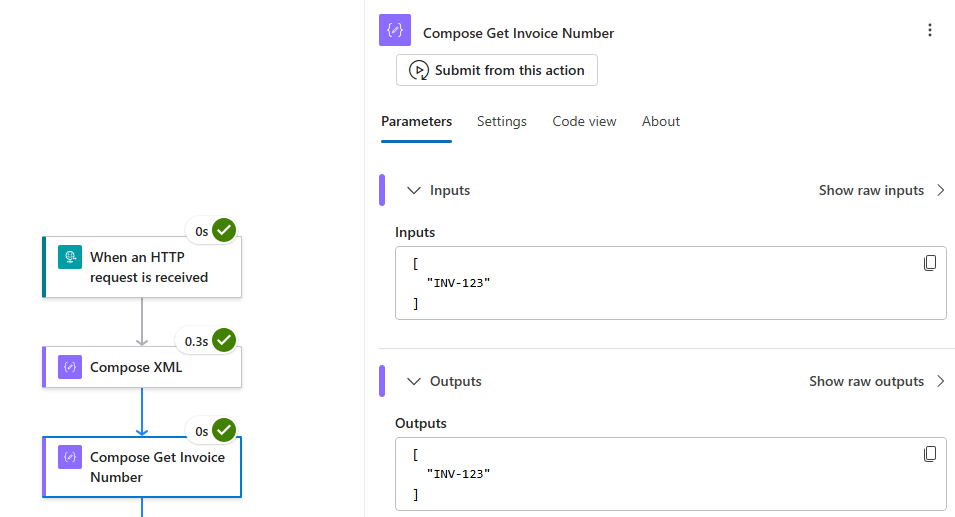
[
  "INV-123"
]
And all you wanted was this:
INV-123
📝 One-Minute Brief
In Azure Logic Apps, xpath() always returns an array—even when a single node matches.
To get just the value, wrap it with first(xpath(…)); use local-name() in the XPath to ignore namespaces.
Why does that happen?
That’s actually expected behavior.
The xpath() function in Logic Apps always returns an array, even if your query matches only one node.
It’s useful when you expect multiple results… but a bit inconvenient when you only want one.
Here’s the trick:
- Simply wrap the
xpath()function withfirst()— that tells Logic Apps to grab the first (and only) item from the array.
<Order>
  <Invoice>
    <InvoiceNumber>INV-123</InvoiceNumber>
  </Invoice>
</Order>
Your expression can look like this:
first(
  xpath(
    xml(outputs('YourAction')),
    '/*[local-name()="Order"]/*[local-name()="Invoice"]/*[local-name()="InvoiceNumber"]/text()'
  )
)
Note: Use local-name() if you want to ignore namespaces.
The result:

It’s a small trick, but one that keeps your Logic App outputs clean and easy to work with.
Because sometimes, all you want is the value, not the wrapper.
To lazy to read? We’ve got you covered! Check out our video version of this content!
Hope you find this helpful! If you enjoyed the content or found it useful and wish to support our efforts to create more, you can contribute towards purchasing a Sauron’s Action Figure for Sandro’s son, yep, not for me!



