


Understanding the Problem
The Service Bus (SB-Messaging) adapter is used to receive and send messages from Service Bus entities such as Queues, Topics, and Relays. You can use the SB-Messaging adapter to connect your on-premises BizTalk Server to Azure.
📝 One-Minute Brief
Learn how to correctly set the Content-Type when sending messages from BizTalk Server to Azure Service Bus using the SB‑Messaging adapter. Since BizTalk defaults to application/xml—even for non‑XML content like CSV—this guide shows how to set the ContentType property using SB‑Messaging context properties at the orchestration or pipeline level, ensuring the Service Bus message receives the correct MIME type.
The Question
Today, someone asked me how to set the correct Content-Type when sending a message to Service Bus from BizTalk Server, because BizTalk always assigns application/xml by default, even when we send a CSV file.
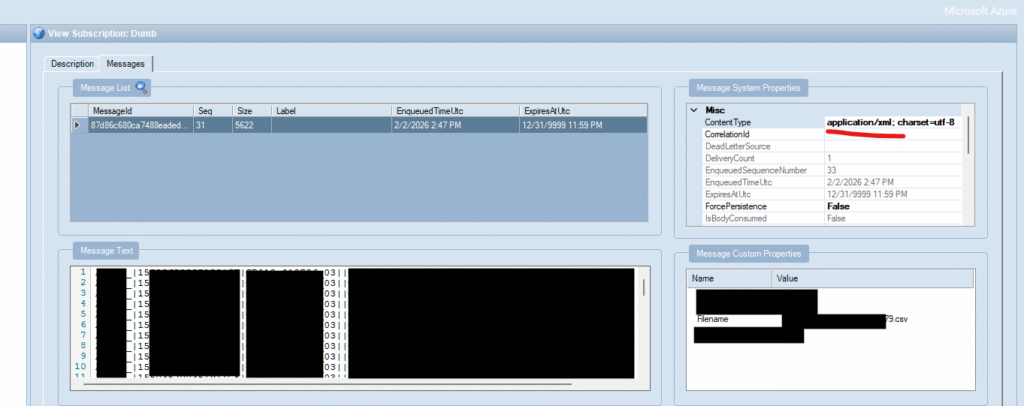
My first answer was that you can set that property in the send port under the Properties tab of the Service Bus adapter configuration.
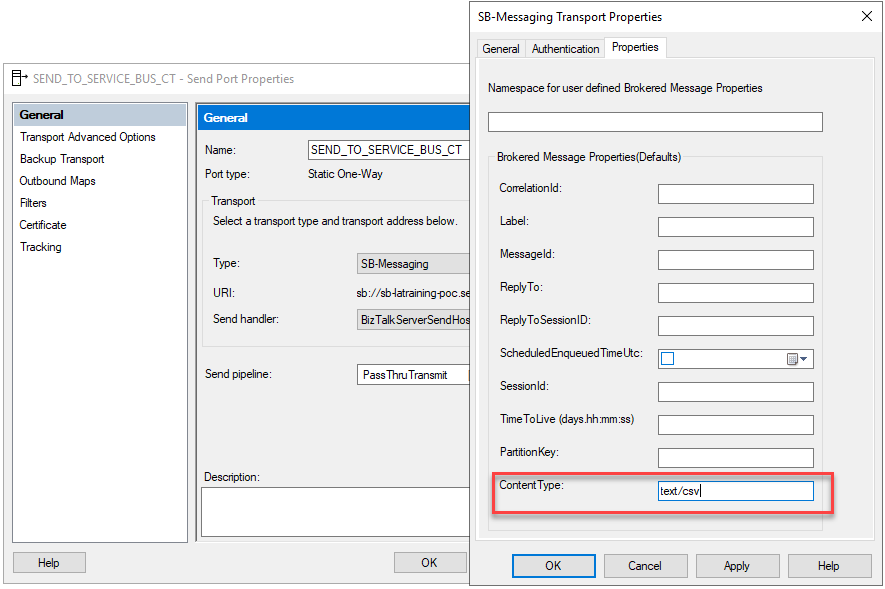
And indeed, yes, this is an option. However, the team told me that the ContentType property didn’t exist!
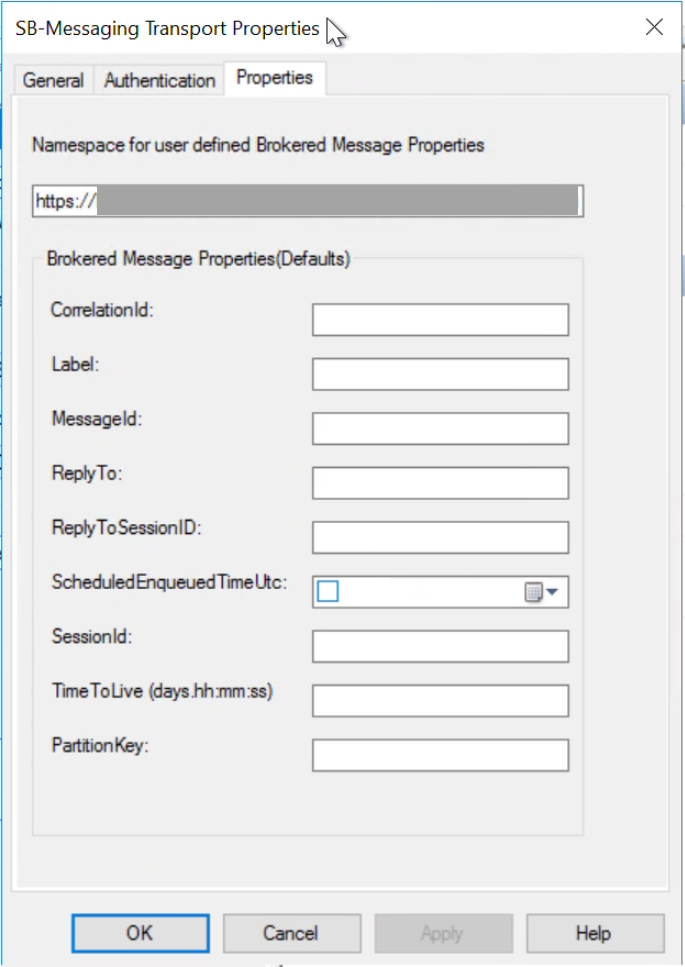
And they also were correct! I was using BizTalk Server 2020, and they were using BizTalk Server 2016 with different configurations. And yes, indeed, it was always set to application/xml by default.
So the main question was: how to properly set the correct Content-Type?
The Solution
The SB-Messaging adapter provides a set of context properties, specific to SB-Messaging, using the following namespace:
- Namespace: http://schemas.microsoft.com/BizTalk/2012/Adapter/BrokeredMessage-properties
ContentType is one of them, and is a string value that you can configure.
But you can also find others, such as MessageId, Label, LockToken, ReplyTo, SessionId, TimeToLive, and so on.
See more about Service Bus context properties here: Your Guide to BizTalk Message Context Properties whitepaper.
Although the ContentType property doesn’t appear in the connector configuration, you can still control it. Set the correct value in the send pipeline or inside the orchestration by promoting the ContentType property.
For example, if you use a BizTalk Server orchestration to define your business process and, inside, create a message to be sent to Service Bus, you should define SBMessaging.ContentType in this way:
- In my proof-of-concept, I will receive the following XML message
<ns0:In xmlns:ns0="http://SettingContentTypeServiceBus.SchemaIn">
  <ContentType>text/plain</ContentType>
</ns0:In>
- And I have a simple orchestration that receives this message, generates an output message equal to the inbound message, and sets the Content-Type to the value defined in the message body.
msgOut = msgIn;
msgOut(SBMessaging.ContentType) = msgIn.ContentType;
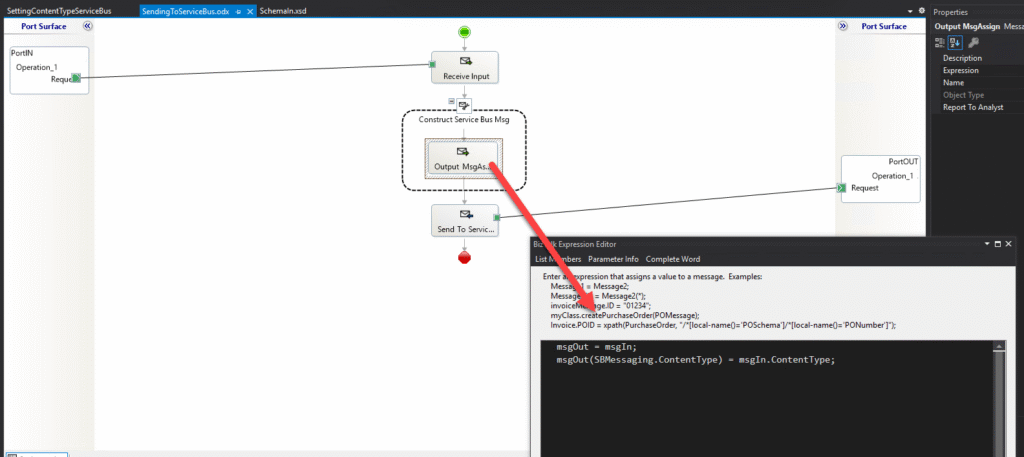
Now, if you test it and check the Service Bus Queue or Topic Subscription, you will see that the contentType property is correctly set to the value we passed.
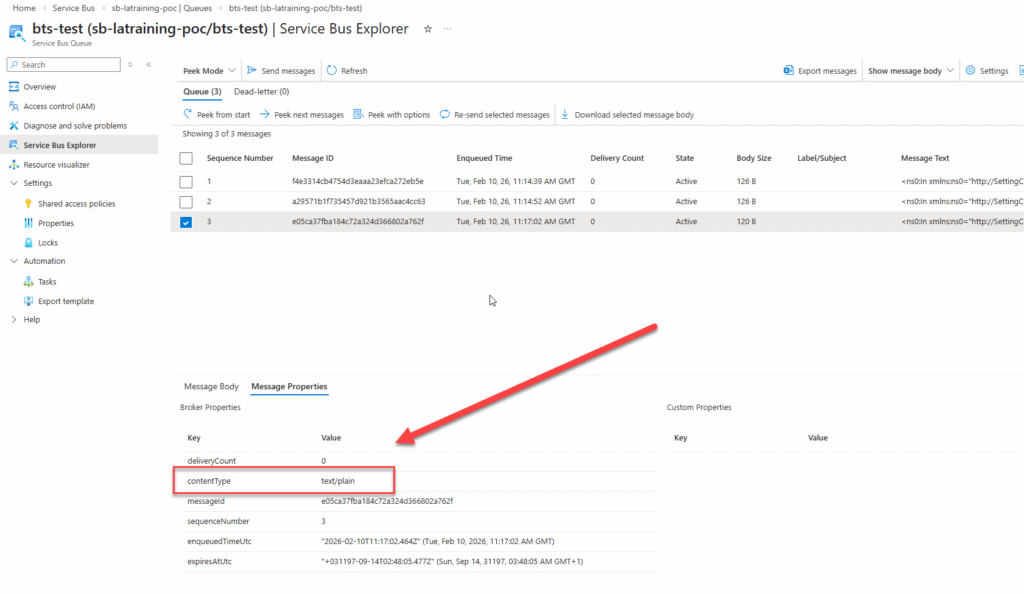
If you need to do it inside a custom pipeline component, then you need to set it up like this:
InMsg.Context.Write(
"ContentType",
"http://schemas.microsoft.com/BizTalk/2012/Adapter/BrokeredMessage-properties",
"text/csv"
);
Sample Source Code
You can download the source code from GitHub:
Hope you find this helpful! If you liked the content or found it useful and would like to support me in writing more, consider buying (or helping to buy) a Star Wars Lego set for my son.



