


If you’ve been building Logic Apps for a while, you’ve probably felt the designer evolve in waves. And recently, the Logic Apps team announced a major redesign of the Azure Logic Apps designer, now in Public Preview for Standard workflows. I call it Logic Apps Designer “v4”!
The 4 designer “eras” (how most of us remember them)
The main reason I personally call this redesign Logic Apps Designer “v4” is because this will be the 4th major redesign of the Logic App designer (at least if I’m aware of)
- The original Logic App design — v1 — its main characteristic was its left-to-right process layout. Left to right
- The original “horizontal flow” experience that most of us already forgotten, and maybe a lot of you were not aware of its existence

- The second version — v2 — “The godfather” of the current designer brought to use the top-down design experience similar to BizTalk Server orchestrations with big shapes (actions)
- Vertical canvas – a more “diagram-like” feel, large cards/steps where configurations of the actions were made inside that shape.
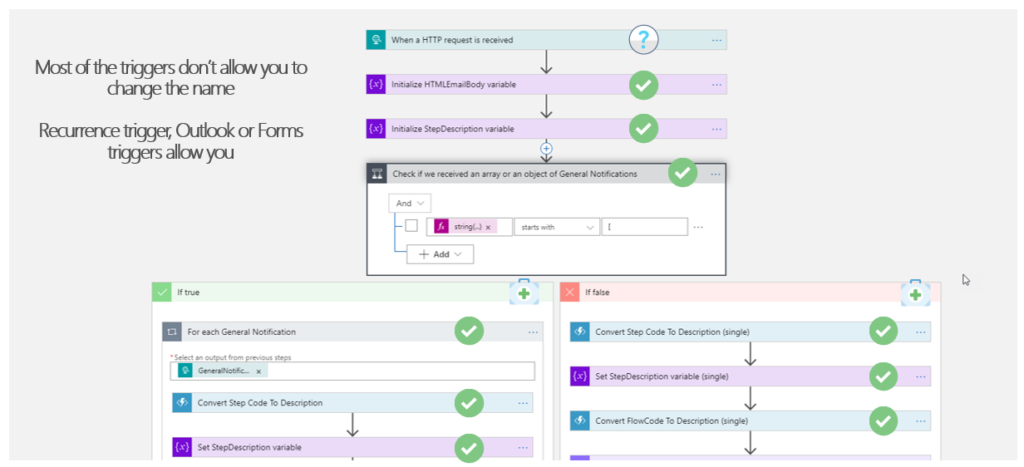
- The currenct version — v3 — Top to bottom, smaller shapes + right configuration panel
- Same general layout, but denser steps and most configuration moved into a right-side panel (instead of expanding everything inside the step).

- The new kid on the block — v4 — The new redesigned preview designer
- A cleaner layout. Basically, a different organization of the functionalities, we don’t have the left-side three anymore with Designer, code, and run history options; But there is more!

What’s new in this redesigned preview designer (the “v4” moment)
- Draft mode with auto-save: changes are saved as a draft, not straight to production.
- Now your workflow auto-saves every 10 seconds in draft mode. If you refresh the window, you’re right back where you were—but your changes aren’t live in production.
- Another benefit: draft saves won’t restart your app. Your app keeps running. Restarts only happen when you publish.
- A clear Publish step to promote draft → production.
- Run history on the same page as the designer, including the ability to view draft and published runs side-by-side for faster validation.
- Capability to document your Workflows with notes – different types of notes! Not the notes/descriptions in the shapes!
- You can now add sticky notes anywhere in your workflow. Drop a post-it note, add markdown (yes, even YouTube videos), and document your logic right on the canvas.
And many more!
To lazy to read? We’ve got you covered! Check out our video version of this content!
Hope you find this helpful! If you enjoyed the content or found it useful, and wish to support our efforts to create more, you can contribute to purchasing a Star Wars Lego set for my son!



