


While making changes to an existing BizTalk Server project, I kept getting a strange error stating that I couldn’t reference clrtypes.dll. To be more precise, it couldn’t reference the name-of-my-project.clrtypes.dll
Severity Code Description Project File Line Suppression State
Error error referencing assembly ‘obj\debug\application.common.processing.clrtypes.dll‘ obj\debug\application.common.processing.processing.clrtypes.dll 2
Strangely, this only happens on projects with orchestrations.
📝 One-Minute Brief
This article explains how to fix a strange Visual Studio compilation error in BizTalk Server projects caused by referencing a temporary .clrtypes.dll file. Learn why the error occurs during builds and how cleaning the project output resolves the issue.
Cause
The real cause of this issue is somewhat difficult to explain, as it doesn’t always occur. However, I know for a fact that I do not create any clrtypes.dll files. What happens is that when Visual Studio compiles the project, it will make a temporary build output (obj\Debug\)
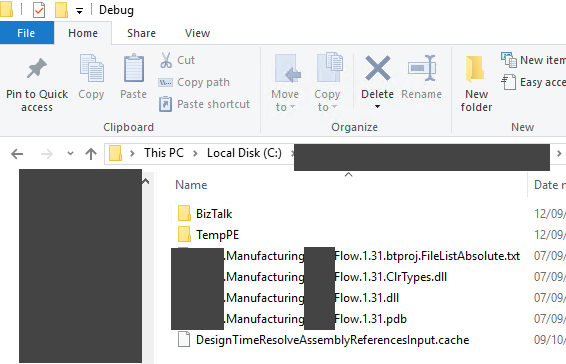
The obj folder is recreated during builds, so references to it often break mid-build — especially with BizTalk orchestrations, which require all referenced assemblies to be fully compiled and stable before the orchestration compiler runs.
Solution
The solution to this issue is quite simple:
- Access the project folder in File Explorer.
- And delete the obj folder.
Now, if you try to compile again, it may give different errors, but that .clrtypes.dll will be “fixed”
Hope you find this helpful! If you liked the content or found it useful and would like to support me in writing more, consider buying (or helping to buy) a Star Wars Lego set for my son.



