


BizTalk Server 2020 – 20 days, 20 posts – day 3. Sorry for the delay, but with this COVID-19 situation and with 3 small kids at home, sometimes it can be a challenge to find time to do community work and to write. Nevertheless, for today, I have chosen to migrate another crucial and productivity tool that I really enjoy using: BizTalk Bindings Exporter Tool to be compatible with BizTalk Server 2020. Once again, I hope you enjoy it as much as I do.
📝 One-Minute Brief
Introduces the BizTalk Bindings Exporter Tool for BizTalk Server 2020, a productivity utility that simplifies generating and exporting binding files across environments as part of the BizTalk Server 2020 – 20 days, 20 posts series.
BizTalk Bindings Exporter Tool
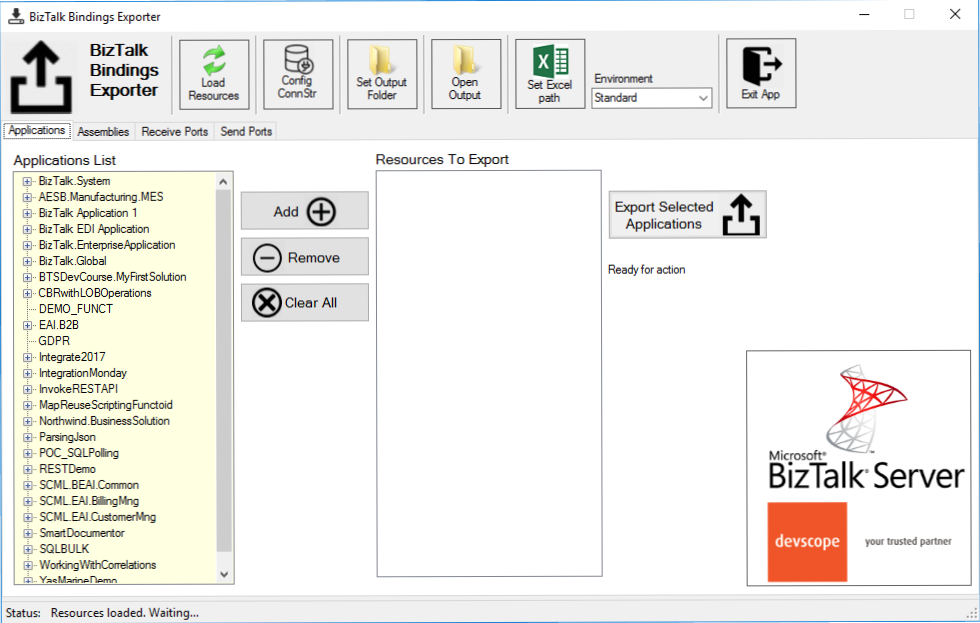
BizTalk Binding Exporter Tool is a simple tool that will suppress the absence of advanced binding file generation capabilities in the BizTalk Server Administration Console, allowing you to generate and export a binding file from BizTalk Applications in an intuitive and easy way.
Exporting a BizTalk Server Application binding is, at first sight, a simple and quick task that can be done using the BizTalk Server Administration Console. But even in simple tasks, we may encounter challenges that require us to perform some monotonous and boring manual operations that consume some of our precious time and are always subject to failures.
Normally, the binding exportation starts in development, but we also will need to generate the same bindings for other environments like production, and for that, we normally need to open the binding file and replace/fix the differences for each different environment… which is normally a tedious operation. What we need to replace is mainly:
- The URIs: it should be fixed, but it is not mandatory. If you know what you are doing, you can fix them directly in the environment after you import the Binding.
- The host instances: not mandatory, if you have the same host and host instances names across all your different environments (as best practices will tell you to do).
- The NT Group Name associated with the Services (Orchestrations): according to securities best practices, you shouldn’t use the same BizTalk Groups in different environments, so, in this case, if you follow these best practices, you need to change these parameters in your binding file.
Normally, everyone changes the URIs, but neglecting the other parameters may cause problems during the Binding import.
This tool will extend default BizTalk Server capabilities, transforming the tedious and sometimes complicated binding generation into a simpler and easier process.
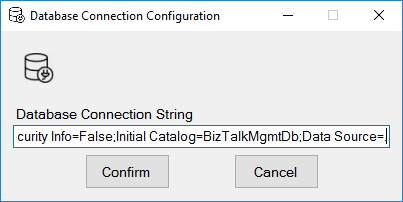
You just need to specify the connection string to the BizTalk Management database (BizTalkMgmtDb)
This tool allows you to generate and export binding files with the following capabilities:
- Export binding(s) file(s) for an entire Application or a list of Applications.
- Export binding(s) file(s) from a specified Assembly or list of Assemblies.
- Export binding(s) file(s) from a Receive Port or list of Receive Ports.
- Export binding(s) file(s) from a Send Port or list of Send Ports.
- Or generate different binding files for each environment if you create an Excel File with the mapping for each environment.
Other versions
This tool is also available for the following BizTalk Server versions:
- BizTalk Bindings Exporter Tool for BizTalk Server 2016
- BizTalk Bindings Exporter Tool for BizTalk Server 2013 R2
Download
You can download the BizTalk Bindings Exporter Tool from GitHub:
Hope you find this helpful! If you liked the content or found it useful and would like to support me in writing more, consider buying (or helping to buy) a Star Wars Lego set for my son.



