

This post is just for the sake of my mental sanity because I’m always forgetting the keystroke combination to perform a CTRL-ALT-DEL through Remote Desktop on an Azure Virtual Machine, because if you press a CTRL-ALT-DEL key combination, it will perform that command in your local machine – maybe next time I will remember it, otherwise I know where to look.
📝 One-Minute Brief
A quick guide explaining how to perform the Ctrl+Alt+Del secure attention sequence when connected to an Azure Virtual Machine, including the correct keyboard shortcuts and Azure portal options for remote access scenarios.
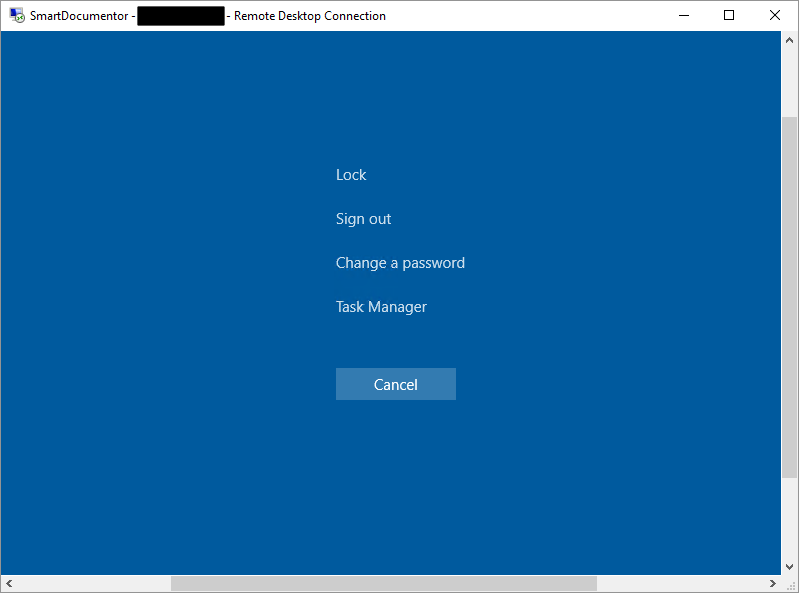
To bring up the Windows Security dialog box for the Remote Desktop Session Host (RD Session Host) (provides the same functionality as pressing CTRL+ALT+DEL on the local computer), you need to use the following keystroke combination: CTRL + ALT + END.
While researching, once again, I found out another very useful shortcut:
- ALT+PRINT SCREEN will place a snapshot of the active window, within the client, on the clipboard
To know more about other possible shortcuts, please see Remote Desktop Services Shortcut Keys

Hope you find this helpful! If you liked the content or found it useful and would like to support me in writing more, consider buying (or helping to buy) a Star Wars Lego set for my son.




Thanks for sharing
Not just your sanity, but mine and a lot of other people’s, too!
This is a golden tip.
Thanks for sharing
saved me logging a support ticket for my server when explorer crashed, I knew it must be possible, thanks for sharing, your post was top of the duckduckgo when I searched for the solution 🙂
I highly recommend installing Microsoft PowerToys on the cloud pc as well. You can remap keys for helpful shortcuts such as Alt+Tab or Win+V that normally would not work in a cloud PC, as those shortcuts will trigger on the local machine otherwise. Be sure to request permission from your admin to install if needed!
Great post, Sandro! I always struggled with the CTRL+ALT+DEL issue in Azure VMs. Your step-by-step instructions made it so much easier to understand. Thanks for sharing!