


I have been working with API Management (Azure APIM) for a long time, not only playing around with POCs and testing new features but also implementing real solutions for clients. I also delivered several API Management talks here in Portugal, but I realize that I never wrote a blog post about this topic. That will change today, hehe.
OpenAPI Specification (formerly Swagger Specification) is an API description format for REST APIs. An OpenAPI file allows you to describe your entire API, including:
- Available endpoints (/users) and operations on each endpoint (GET /users, POST /users).
- Operation parameters: Input and output for each operation.
- Authentication methods.
- Contact information, license, terms of use, and other information.
📝 One-Minute Brief
A practical walkthrough that shows how to import an existing Postman collection into Azure API Management to accelerate API onboarding, documentation, and governance without rebuilding APIs from scratch.
API specifications can be written in YAML or JSON. The format is easy to learn and is both human-readable and machine-readable.
This specification is widely used these days, especially in the Microsoft community, but unfortunately, not all of them use it, and there are still quite a few APIs that do not expose any kind of specification/documentation, such as Swagger, WADL, or even WSDL (the latter for web services).
For REST APIs, I have seen several suppliers/partners use Postman Collections to easily test their APIs by emulating requests and to document them by adding names and descriptions to requests, sample requests, headers, and other metadata. Performing unit tests on all the operations and sharing them within their teams.

Postman Collections are groups of requests that can be run together as a series of requests, against a corresponding environment. Using scripts, you can build integration test suites, pass data between API requests, and build workflows that mirror your actual use case of APIs.
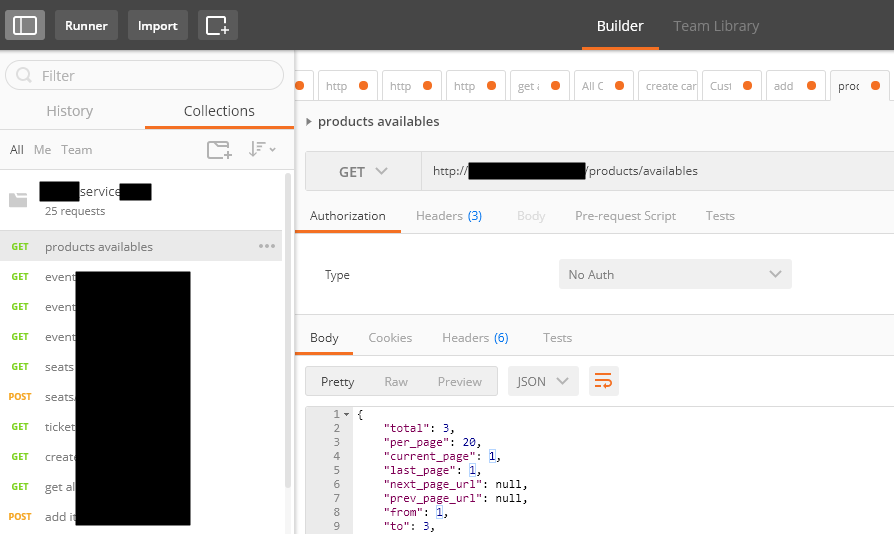
I have to say, I love Postman, but I never used it for that purpose, although it is an excellent tool. In my opinion, I believe that documenting an API has some limitations.
And in one of my recent projects, the partner delivered me a Postman Collection as a way of documenting their REST API, which led me to a “small” problem:
- I didn’t want to replicate or manually expose the API inside the API Management…
- And by default, API Management doesn’t allow me to import a Postman Collection.
How can I import a Postman collection into my Azure API Management?
Fortunately for us, there are several free tools that allow you to convert (or transform) a Postman collection (1.0 – 2.0) to formats of your choice, in our case, Swagger. And one of these tools is APIMATIC.
For that, you just need to:
- Access APIMATIC API Transformer page: https://apimatic.io/transformer.
- Upload your Postman collection file description.
- Provide a File Description URL.
- And select the desired output format, in our case, we selected Swagger v2.0 (JSON).
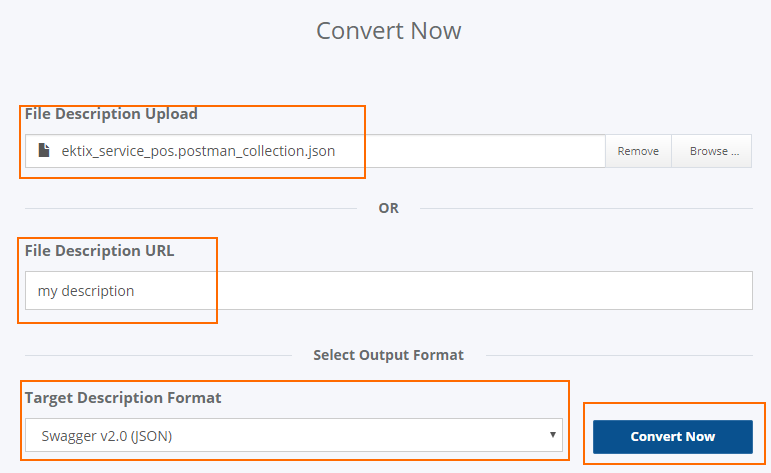
- And finally, click Convert Now.
The output file will be automatically downloaded to your machine.
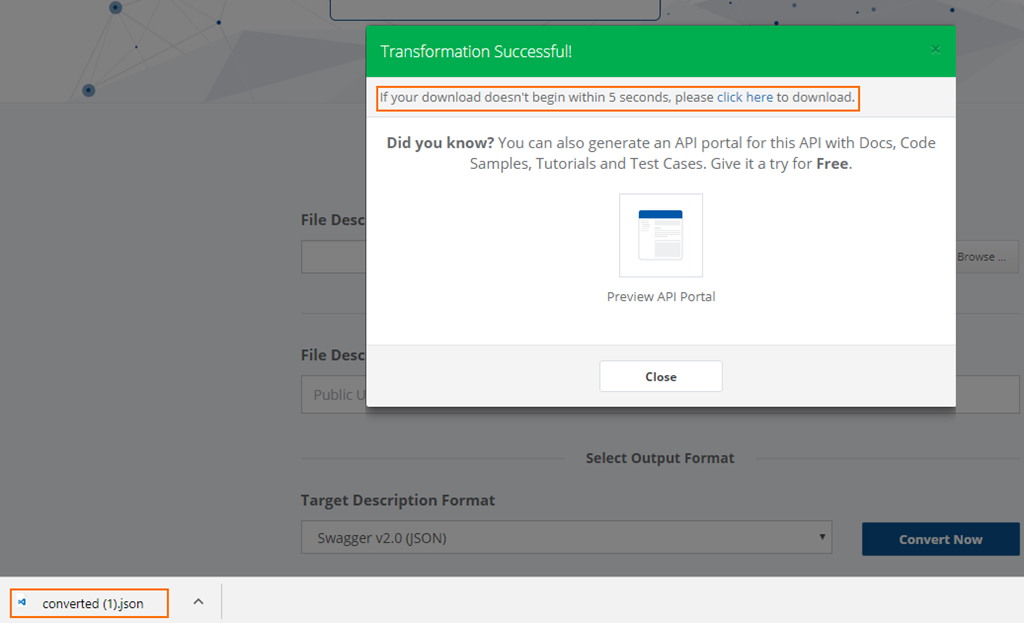
Now that I have my swagger file, I can access my API Management in the Azure Portal and then:
- From the left pane, select Add API and then select the OpenAPI specification option
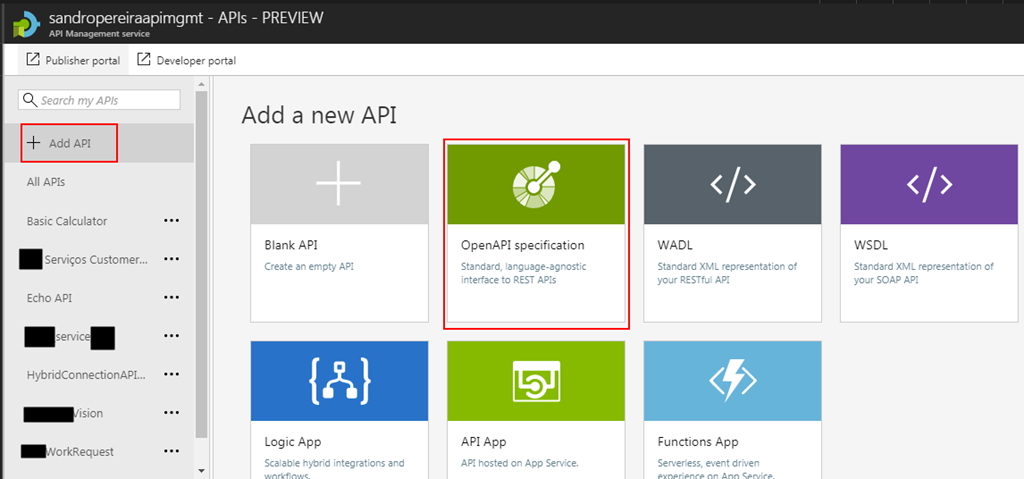
- Import the file I created previously in the APIMATIC web tool, then click Create.
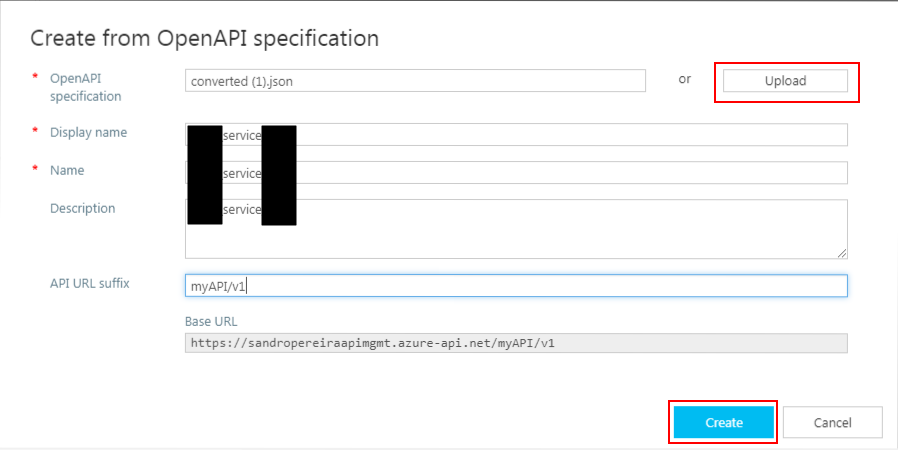
It probably doesn’t do everything for you; you may need to optimize the query parameters or the URL template parameters, but at least this approach will do 90% of the work for you:
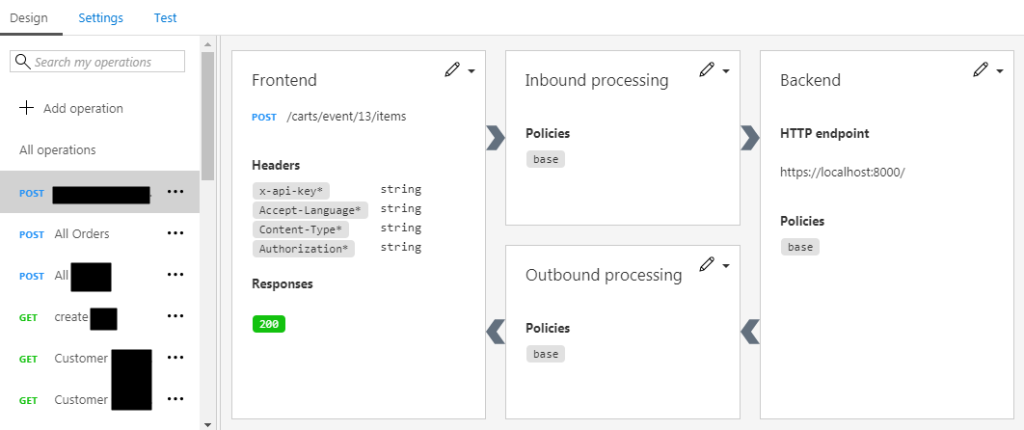
This approach saved me several working hours on the task of exposing the Partner API in my API Management Portal.




Thanks, this is very helpful information
Nice writing. Good Idea.
thankyou.Very useful Article.