


If you are dealing with large maps, they can become very complex and therefore very difficult to maintain and read.
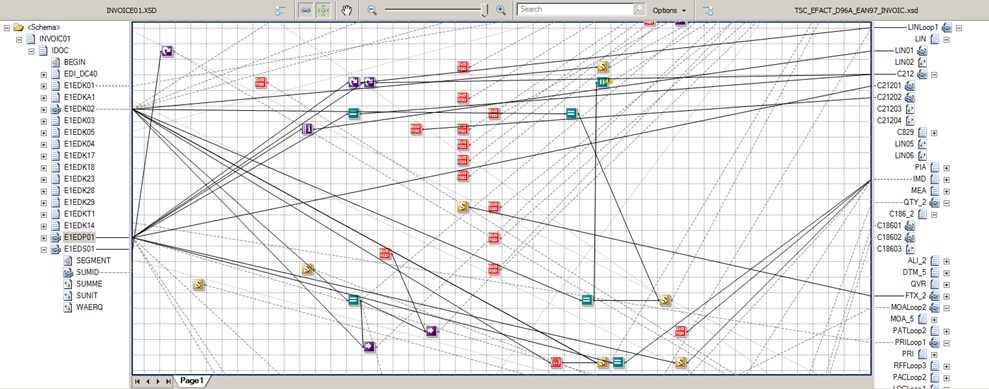
To minimize this problem, the BizTalk Server provides two main features to aid in the readability and maintainability of maps:
- Grid Pages
- Link Labels
📝 One-Minute Brief
This fifth part of the BizTalk Mapping series addresses the challenge of maintaining large, complex maps. Sandro highlights two essential but often overlooked features in the BizTalk Mapper: Grid Pages and Link Labels. By segmenting transformations into logical pages and replacing cryptic XPATH queries with friendly descriptive labels, developers can significantly improve map readability and long-term maintainability.
Grid Pages
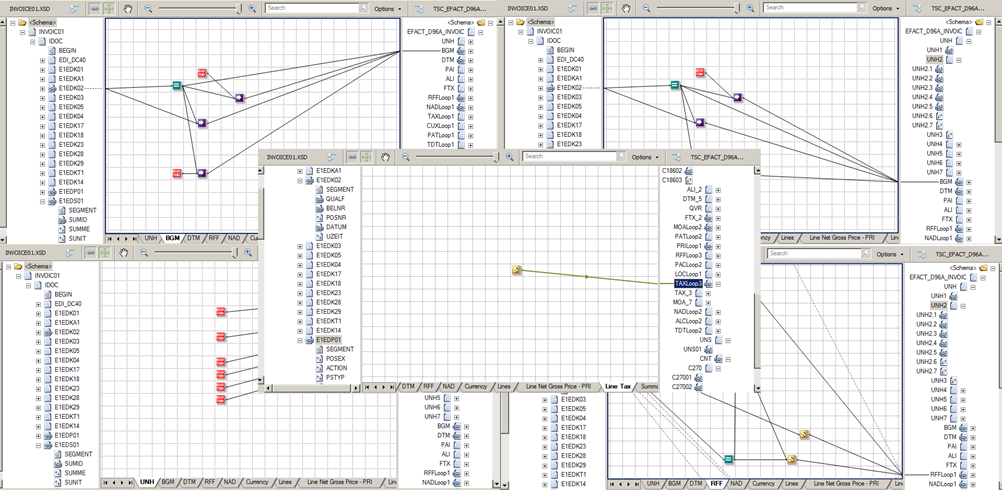
You can segment groups of links into different grid pages. BizTalk allows to creation, removal, deletion, and ordering of grid pages. You can see this like different pages or segments of links of the map. By default, the map file is created with one grid page named “Page 1”. This feature has been described earlier.
Link Labels
In previous versions of the product, by default, The XPATH query is presented if a link from the source schema is established to a functoid:
/*[local-name()='PersonOrigin' and namespace-uri()='http://HowMapsWorks.PersonOrigin']/*[local-name()='FirstName' and namespace-uri()='']
Or it will show the name of the previous functoid if it’s linked from another functoid, which may make reading maps more difficult.
In BizTalk Server 2010, this behavior was slightly improved. Currently, the default value is the name of the element of the source schema from where the link comes:
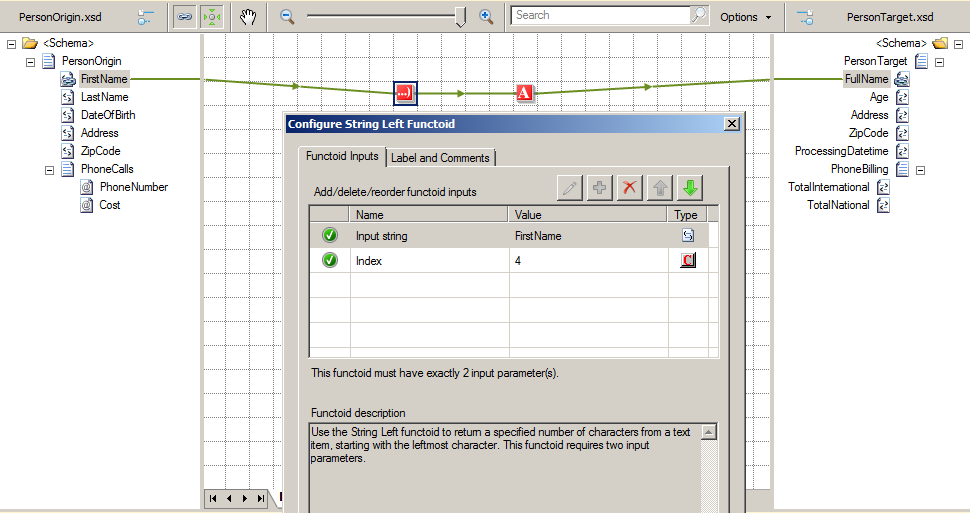
Or the name of the previous functoid:
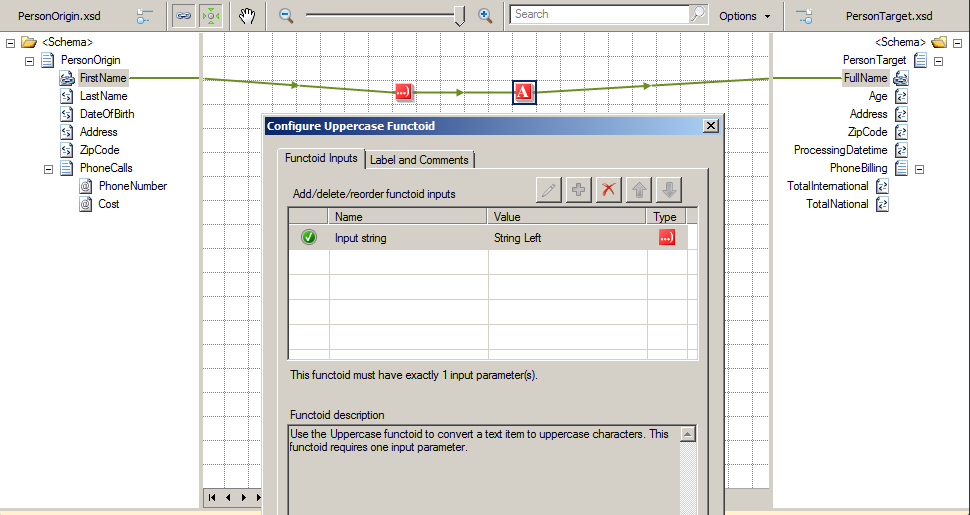
However, the map editor allows us to label the links, replacing the XPATH query (in previous versions) or the name the elements of the source schema, with a friendly description, for this we need to:
- Select the link to be labeled, right-click it, and select Properties.
- Fill the Label property.
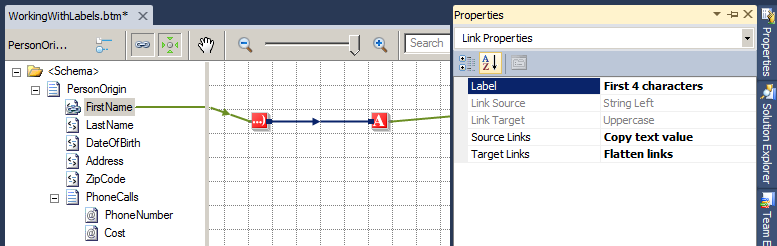
Usually, this feature is forgotten by developers.
Although it may seem a trivial feature and without significant impact, in my opinion, this is an important supporting map feature in the long term. While the ideas are fresh in our head we know what we are doing, but if it is necessary to intervene after some time and review the mappings, this feature will make our task easier.
Related links
- BizTalk Server: Basics principles of Maps – Introduction (Part 1)
- BizTalk Server: Basics principles of Maps – What are maps and where BizTalk can use them? (Part 2)
- BizTalk Server: Basics principles of Maps – Introduction to map editor (Part 3)
- BizTalk Server: Basics principles of Maps – Basic maps functionalities (Document mapping) (Part 4)
- BizTalk Server: Basics principles of Maps – Testing and Validation of maps (at design time) (Part 6)
For those looking to move beyond the basics of message transformation, I highly recommend checking out my eBook, BizTalk Mapping Patterns & Best Practices, published in partnership with BizTalk360.
This resource is a deep dive into the real-world challenges of data transformation. It covers:
- Mapping Patterns: From simple field-to-field links to complex structural shifts.
- Performance Optimization: How to build maps that don’t slow down your environment.
- XSLT vs. Functoids: Knowing exactly when to use built-in tools and when to write custom code.
Whether you are maintaining a legacy BizTalk 2010 environment or planning a migration, these patterns are the foundation of clean, maintainable integration.
Download the full eBook here: BizTalk Mapping Patterns & Best Practices
Hope you find this helpful! If you liked the content or found it useful and would like to support me in writing more, consider buying (or helping to buy) a Star Wars Lego set for my son.



