


By default, Logic Apps provides a good first-class experience for JSON, which means when we receive a JSON message, we can tokenize the elements by using a JSON schema inside, for example, a Parse JSON action:
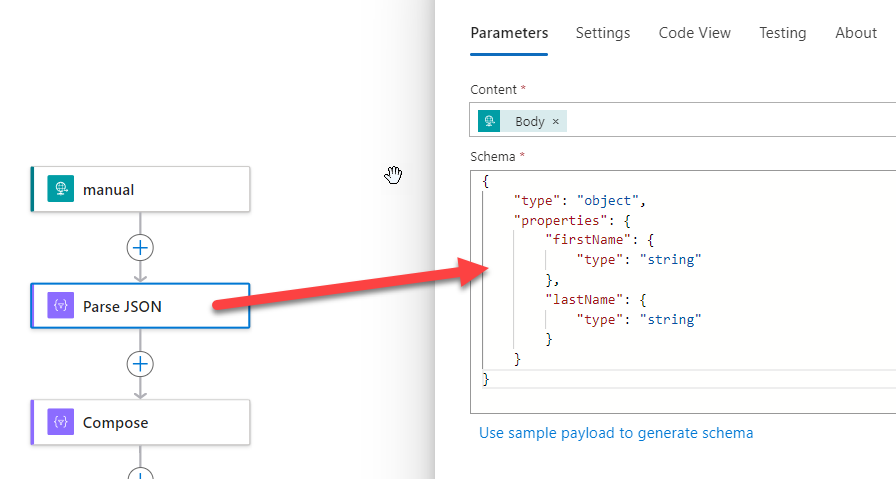
This will basically create shortcuts or pointers to the fields of the message that we can easily use in other actions without worrying about the query path to each field:
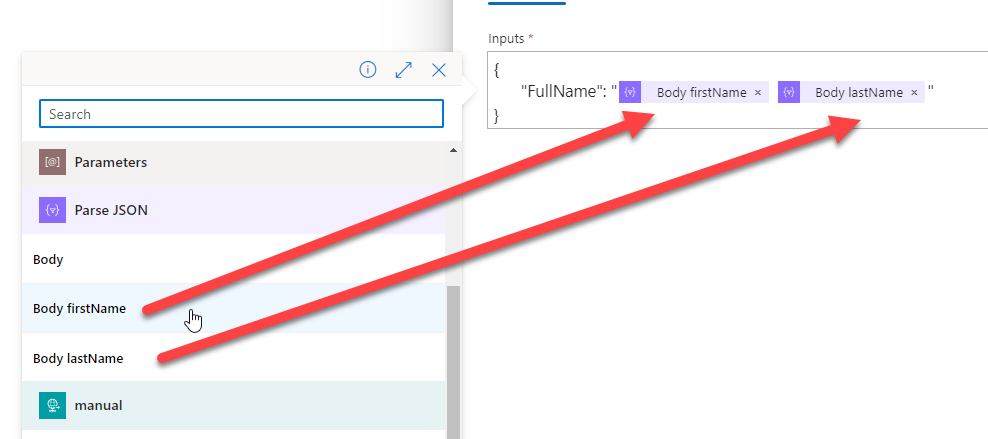
These tokens or points are, in fact, shortcuts to the query path of those fields, providing a good first-class experience:
- body(‘Parse_JSON’)?[‘firstName’]
- body(‘Parse_JSON’)?[‘lastName’]
These two are simple, but they can be a little bit more complex:
- outputs(‘Compose_Response_JSON’)[‘Result’][‘Address’][‘PostalCode’])
📝 One-Minute Brief
Create a first‑class XML experience in Azure Logic Apps by converting XML messages into JSON with built‑in expressions, enabling tokenization, easier access, and cleaner workflows.
Many developers point out that Logic Apps don’t offer the same first‑class experience for XML messages. That feedback is fair. By default, accessing XML fields is less intuitive than working with JSON.
However, this limitation does not mean that a first‑class XML experience is impossible. A simple and effective workaround is to use the json() expression to convert XML into its JSON equivalent. You can learn how to apply this approach in detail here: Logic App Best Practices, Tips, and Tricks: #41 How to convert XML into JSON inside Logic Apps.
For example, if we have the following XML message:
<Person>
	  <Firstname>Sandro</Firstname>
	  <Lastname>Pereira</Lastname>
</Person>
We can use the following expression to convert the XML message to JSON:
- json(xml(outputs(‘Compose_XML’)))
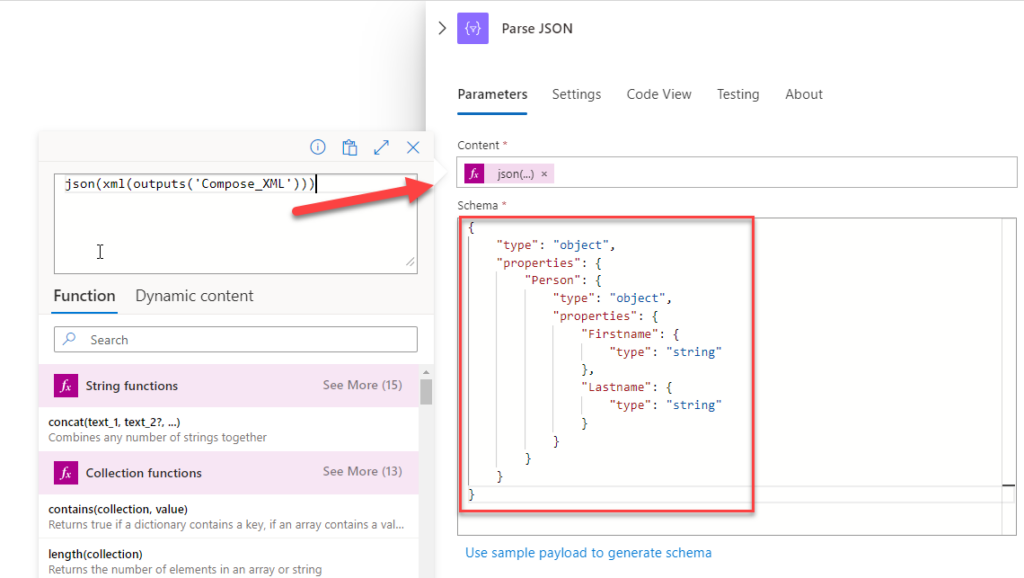
Of course, then we need to provide a JSON Schema that corresponds to that message. and that will allow you to have a first-class experience for that XML message
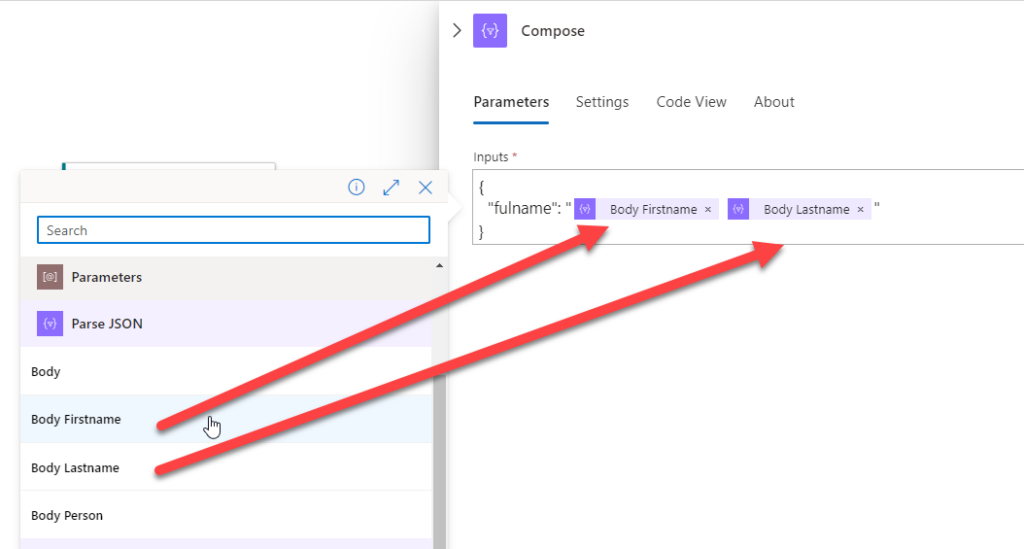
Just a simple trick that can help you in many processes.
To lazy to read? We’ve got you covered! Check out our video version of this content!
Join us next Friday for another Friday Fact!
Hope you find this helpful! If you enjoyed the content or found it useful and wish to support our efforts to create more, you can contribute towards purchasing a Star Wars Lego for my son!



