

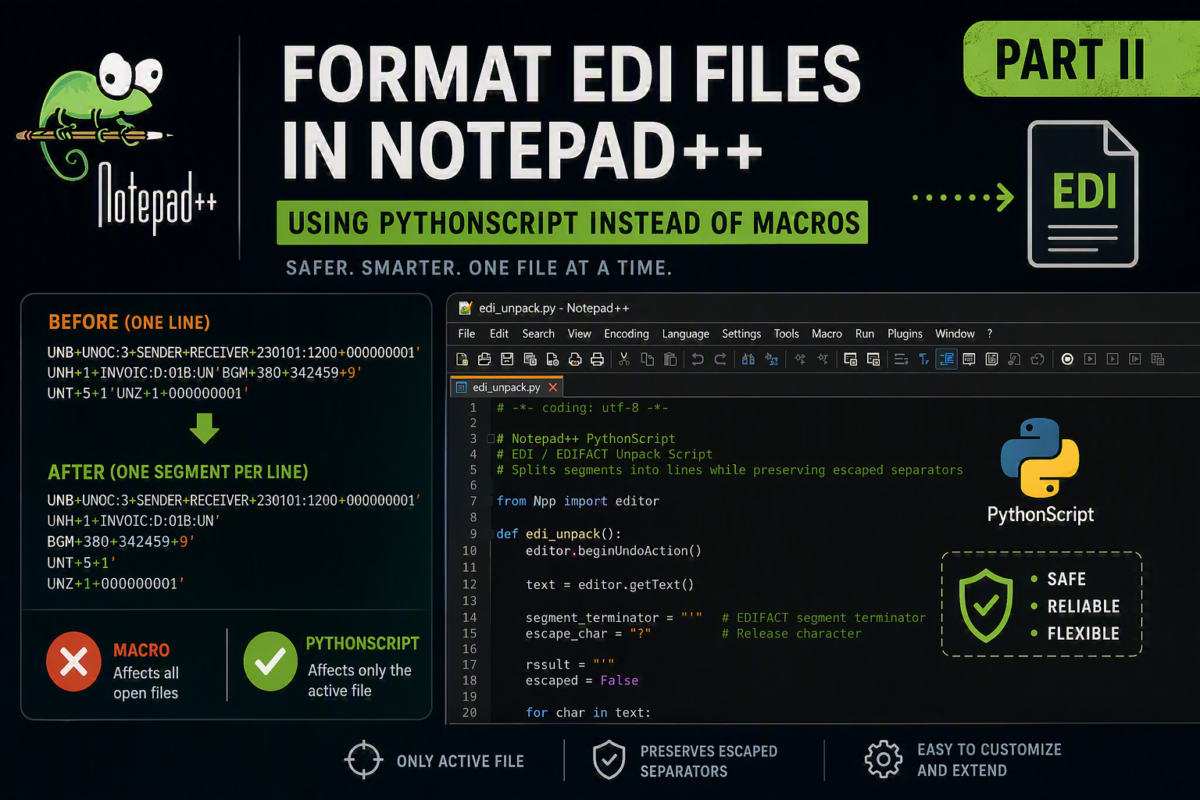
In my previous post, Why EDI files are still a nightmare to read (and how we can fix it in seconds), I showed you how to format EDI/EDIFACT files in Notepad++ using macros. However, that approach has an important limitation.
The problem with using macros
Macros work well for quick formatting tasks. But they have a major drawback:
Macros run against all open files in Notepad++, not just the active one.
This behavior makes macros risky when you work with multiple EDI files at once. You can easily apply changes to the wrong files without noticing.
If you deal with several EDI messages daily—as most integration consultants do—this becomes a real issue.
📝 One-Minute Brief
Format EDI and EDIFACT files safely in Notepad++ by replacing macros with a PythonScript-based approach. Learn how to avoid unwanted changes across multiple open files while improving readability, control, and flexibility when working with integration scenarios.
A better approach: PythonScript + Custom EDI Unpacker
To overcome this limitation, we can use the PythonScript plugin in Notepad++ and execute a custom script.
This approach gives you:
- Full control over execution.
- Safer behavior (only affects the active file).
- Reusable logic.
- Easier customization.
Step 1: Install PythonScript Plugin
If you don’t already have it installed:
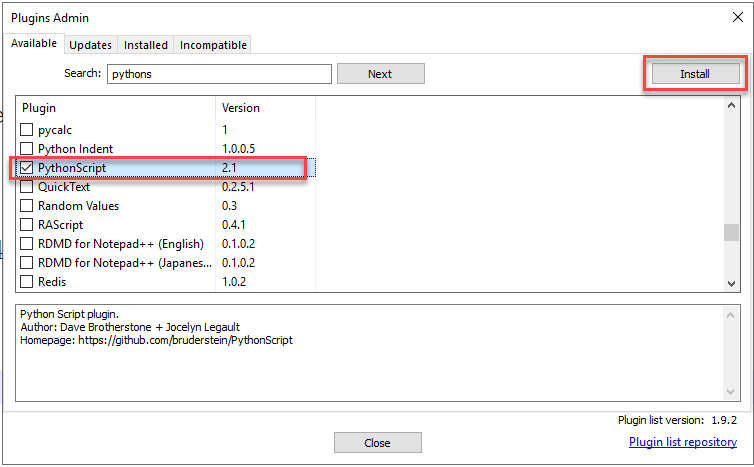
- Open Notepad++.
- Go to Plugins → Plugins Admin.

- Search for PythonScript.
- Install and restart Notepad++.
Step 2: Add the EDI Unpack Script
Create a new Python script inside Notepad++:
- Go to Plugins → PythonScript → New Script.
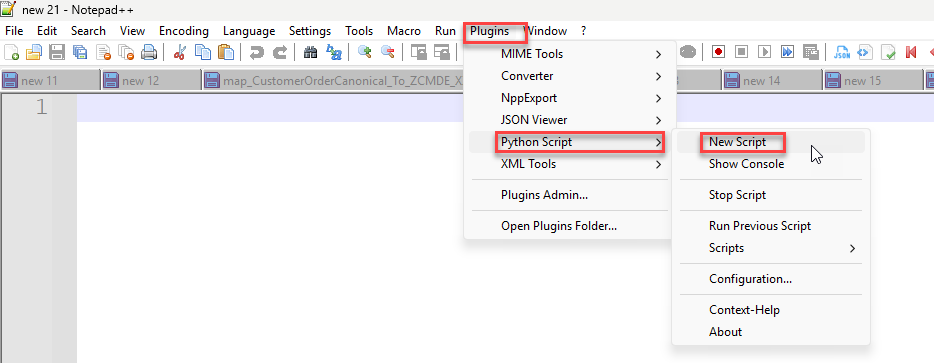
- Name it:
edi_unpack.py. - Paste the following code:
# -*- coding: utf-8 -*-
# Notepad++ PythonScript
# EDI / EDIFACT Unpack Script
# Splits segments into lines while preserving escaped separators

from Npp import editor, console

def edi_unpack():
    editor.beginUndoAction()

    text = editor.getText()

    if not text:
        console.write("No content to process.\n")
        editor.endUndoAction()
        return

    # Default EDIFACT separators
    segment_terminator = "'"
    release_char = "?"

    # Detect UNA segment (if exists)
    if text.startswith("UNA") and len(text) >= 9:
        # UNA:+.? '
        # positions:
        # 3 = component data element separator
        # 4 = data element separator
        # 5 = decimal notification
        # 6 = release character
        # 7 = repetition separator (optional)
        # 8 = segment terminator
        release_char = text[6]
        segment_terminator = text[8]

        console.write("Detected UNA -> SegmentTerminator: '%s', ReleaseChar: '%s'\n" % (segment_terminator, release_char))

    # Step 1: Protect escaped terminators (e.g. ?')
    placeholder = "§§TEMP_ESCAPED§§"
    escaped_pattern = release_char + segment_terminator
    text = text.replace(escaped_pattern, placeholder)

    # Step 2: Replace segment terminator with newline
    text = text.replace(segment_terminator, segment_terminator + "\r\n")

    # Step 3: Restore escaped terminators
    text = text.replace(placeholder, escaped_pattern)

    # Optional: remove duplicate blank lines (cleaner output)
    while "\r\n\r\n" in text:
        text = text.replace("\r\n\r\n", "\r\n")

    editor.setText(text)
    editor.endUndoAction()

    console.write("EDI unpack completed successfully.\n")

# Run
edi_unpack()
Step 3: Run the Script
To execute the script:
- Open your EDI file in Notepad++
- Go to Plugins → PythonScript → Scripts → edi_unpack
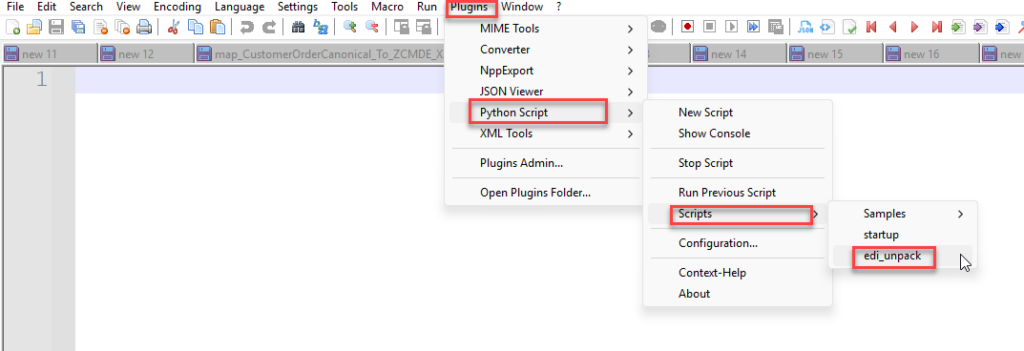
That’s it. The file will be formatted with one segment per line.
Example
Before and after
Before (typical EDI pain):
UNH+1+INVOIC:D:96A:UN'BGM+380+INV12345'DTM+137:20230101:102'NAD+BY+123456789::16'...
After (clean and readable):
UNH+1+INVOIC:D:96A:UN'
BGM+380+INV12345'
DTM+137:20230101:102'
NAD+BY+123456789::16'
...
Each segment appears on its own line, making debugging, validation, and mapping much easier.
What makes this approach better?
Unlike macros, this script:
- Works only on the active document
- Can be extended easily for custom delimiters
Final thoughts
For quick, disposable formatting, macros still have their place. But for real-world integration work, especially when handling multiple files, using a PythonScript-based solution is:
- Safer
- More flexible
- More professional
And honestly… once you start using scripts, you won’t go back to macros.
Download
You can download the EDI macro from GitHub:
I hope you find this helpful! If you liked the content or found it useful and want to help me write more, you can consider buying (or helping me buy) my son a Star Wars Lego set.



