


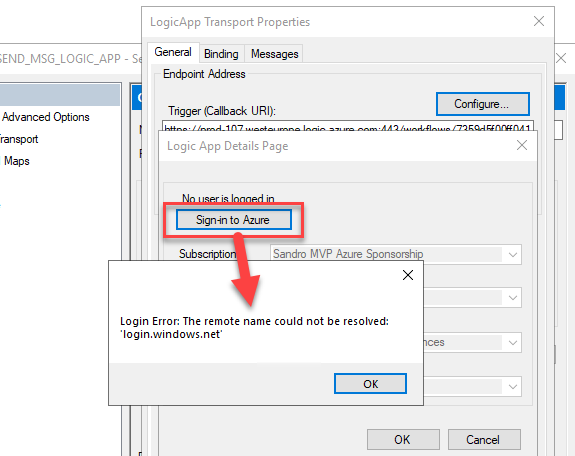
BizTalk Server Logic App adapter configuration can fail when BizTalk can’t reach Azure during authentication. Last week, while setting up the BizTalk Server Logic App adapter, I hit a login error in the adapter configuration wizard, and this post explains what caused it and how I fixed it.
Login Error: The remote name could not be resolved: ‘login.windows.net’
📝 One-Minute Brief
When using the BizTalk Server Logic App adapter, you may encounter the login error “The remote name could not be resolved”, which prevents BizTalk from connecting to an Azure Logic App. This post explains the most common causes of this error, including DNS resolution and configuration issues, and outlines what to check to restore proper connectivity in hybrid BizTalk and Azure integration scenarios.
Cause
This issue can have several causes, but network problems are the most common.
In my case, I was working on a virtual machine. After seeing the error, I realized that the machine was disconnected from the network.

Obviously, it wouldn’t work.
Solution
In my case, the solution was straightforward: I connected the machine to the network.
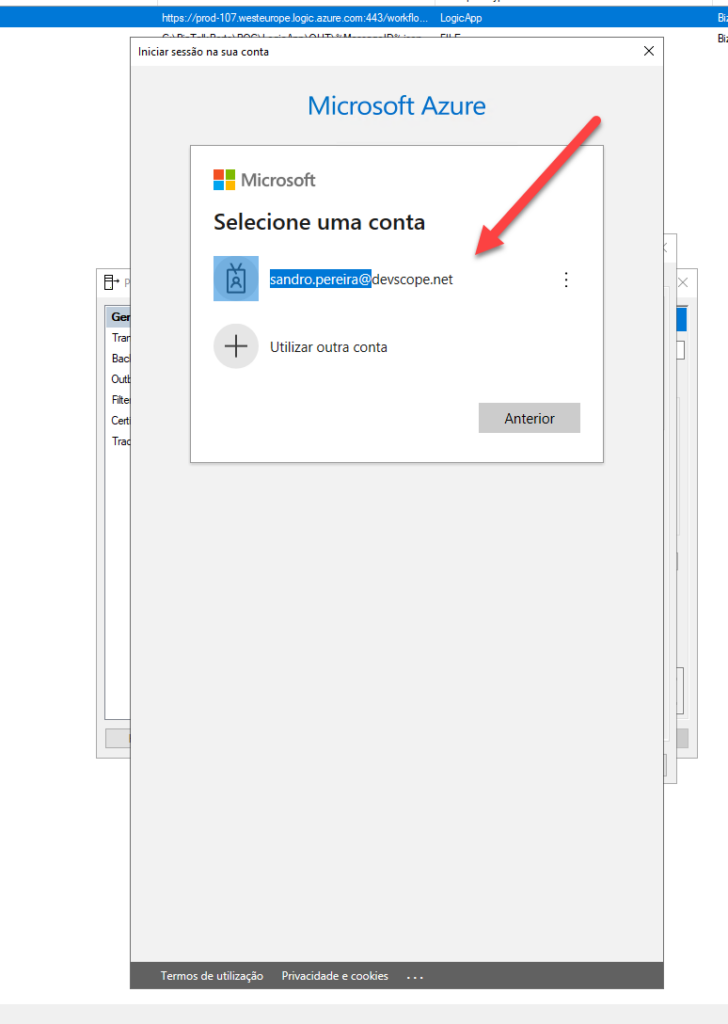
After doing that, the authentication pop‑up appeared immediately. I then logged in to the Azure Portal without any further issues.
I hope you find this helpful! If you liked the content or found it useful and want to help me write more, you can buy (or help me buy) my son a Star Wars Lego!



