


Today, while maintaining and fine‑tuning a BizTalk environment, I noticed a non‑critical warning in the Dashboard Settings that stated, “Some group settings were changed.” The corresponding Query Report highlights these changes with yellow cells, making them easy to identify.

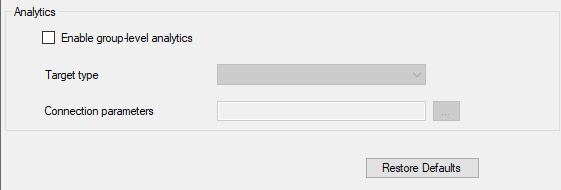
First, we need to understand what the AnalyticsTargetProviderConfig property represents. This property defines the analytics target when analytics is enabled. However, when I reviewed the configuration, I found that analytics was neither enabled nor configured.
📝 One-Minute Brief
When monitoring BizTalk Server environments, administrators may encounter the warning “Some group settings were changed” in the BizTalk Health and Activity Tracking (HAT) or Reporting dashboard. This post explains what this warning means, why it appears, which BizTalk group settings trigger it, and whether it requires action to maintain a healthy BizTalk environment.
Cause
My only suspicion is that someone changed these values directly in the database. For security reasons, no one should modify BizTalk Server databases manually. For that reason, I won’t explain where you can find these values. However, when I reviewed the configuration, I confirmed that the value was the following:
<CustomProps/>
The default value should remain empty.
Again, this issue is not critical and does not affect the environment. However, you should avoid changing default settings unless you have a clear and valid reason to do so.
Solution
Reset this property value to the default value.
I hope you find this helpful! If you liked the content or found it useful and want to help me write more, you can buy (or help me buy) my son a Star Wars Lego!



