


Until now, I have mainly used the Logic App adapter to send messages to Azure Logic Apps and extend BizTalk Server capabilities with Azure services.
Yesterday, I tried the opposite scenario. I attempted to receive a message from a Logic App into BizTalk Server by using the Logic App Adapter together with the BizTalk Server Connector available in Logic Apps.
While testing the exposed service, I encountered the following error:
- Receive location for address
/LogicAppTestService/Service1.svcnot found. (The BizTalk receive location may be disabled.)
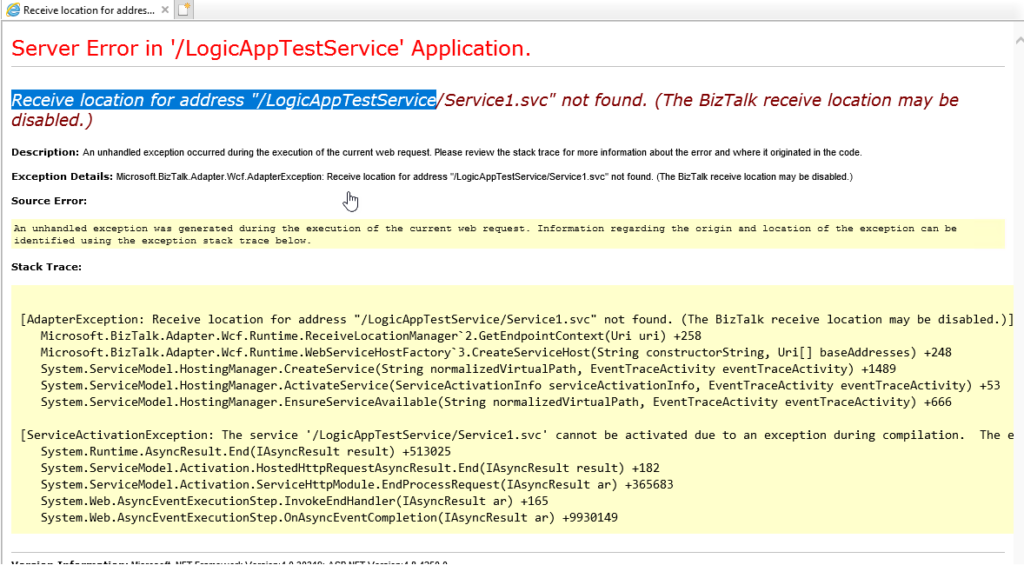
This is a common error. It means that the Receive Location doesn’t exist or it is disabled. So I went to the BizTalk Server Administration Console and enabled the Receive Location, but it automatically disabled again.
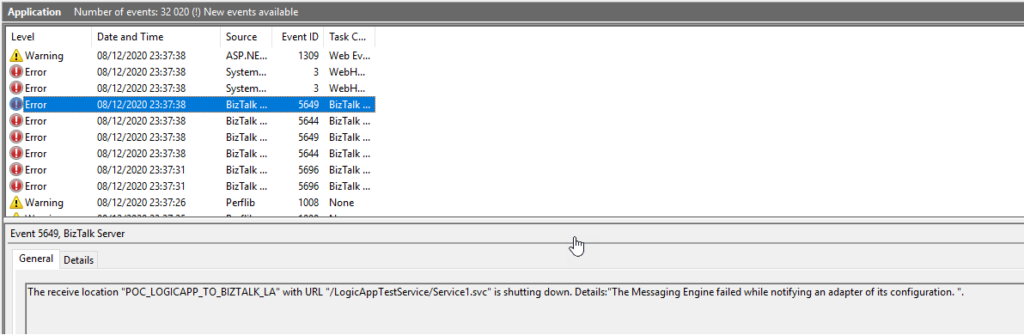
Once I checked the Event Viewer for errors, I found the following 3 errors:
The Messaging Engine encountered an error when creating the receive adapter “LogicApp”. The Assembly is: “Microsoft.BizTalk.Adapter.LogicApp.Runtime.LogicAppReceiver, Microsoft.BizTalk.Adapter.LogicApp.Runtime”. The error occurred because the component does not implement the mandatory interface “IBTTransportControl”.
The Messaging Engine failed to add a receive location “POC_LOGICAPP_TO_BIZTALK_LA” with URL “/LogicAppTestService/Service1.svc” to the adapter “LogicApp”. Reason: “80070057”.
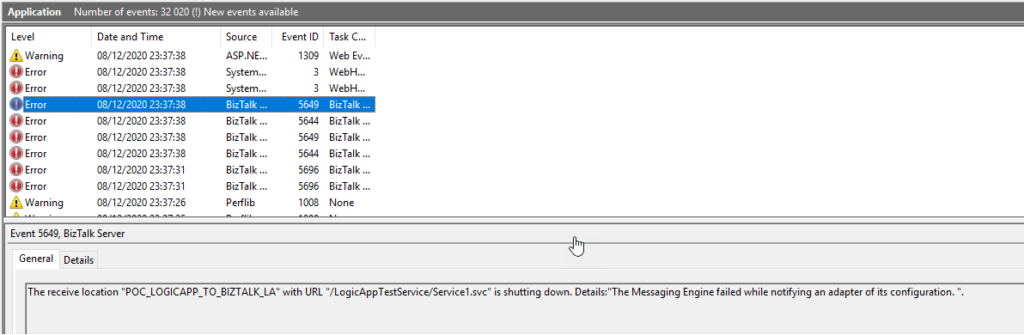
The receive location “POC_LOGICAPP_TO_BIZTALK_LA” with URL “/LogicAppTestService/Service1.svc” is shutting down. Details:”The Messaging Engine failed while notifying an adapter of its configuration. “.
📝 One-Minute Brief
Explains how to troubleshoot the BizTalk Server 2020 Logic App Adapter error “The Messaging Engine failed to add a receive location… Reason: 80070057”, which occurs when configuring receive locations for inbound messages from Azure Logic Apps.
Cause
There is a critical bug in the default installation of the Logic App adapter that will affect the process of receiving messages from Logic Apps using the BizTalk Server Connector.
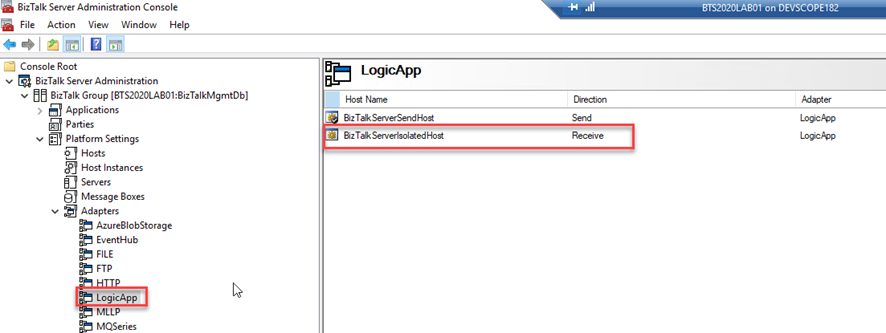
The Logic App Receive handler, or what we usually call the Logic App Receive adapter, is, by default, configured to use the default In-Process Host, normally the BizTalkServerApplication, in this case, as you saw in the picture bellow BizTalkServerReceiveHost.
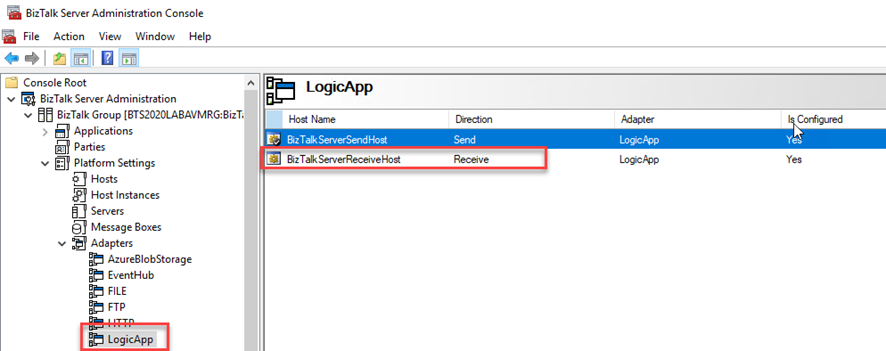
Like what happens with the HTTP adapter, the Logic App Adapter is one of the adapters that support two-way communications. Still, unlike other adapters, this adapter has two characteristics that define it:
- The Logic App Receive Adapter that is responsible for delivering messages to BizTalk is, in fact, a WCF Service that runs inside Internet Information Services (IIS).
- And for that reason, it must be configured in IIS – it is not there out-of-the-box.
This means that when we create and configure a receive location that uses the Logic App adapter inside the BizTalk Server Administration Console, this receive location uses an application within IIS.
So, if you leave this Logic App Adapter default configuration, you will end up having the above errors when trying to activate a Receive Location. This happens because the Receive handler is associated with the In-process Host, and it should be bound to the Isolated Host.
Solution
To fix this bug, we need to:
- Remove the adapter from all assigned send ports and receive locations in my applications
- Therefore, it is essential to do this immediately after the installation and configuration of your BizTalk Server environment. Otherwise, it will affect your existing application that uses the Logic App adapter to send messages to Logic Apps.
- Download the BizTalk Server 2020: Scripts to Fix Logic App Adapter installation available on GitHub.
- These scripts were taken from the Microsoft BizTalk Server Adapter for Logic Apps installer used for BizTalk Server 2016.
- Execute the RemoveLogicAppAdapter.vbs script to un-register the Logic App adapter from the BizTalk Server Configuration Console.
- Execute the AddLogicAppAdapter.vbs script to properly register the Logic App adapter from the BizTalk Server Configuration Console.

Hope you find this helpful! If you liked the content or found it useful and would like to support me in writing more, consider buying (or helping to buy) a Star Wars Lego set for my son.



