


Being an MVP, and a community leader, one of my roles is to motivate other members to start contributing to the community and at DevScope we have great new technicians that sometimes only need to be pushed and motivated… this time I challenged my coworker Rui Silva to collaborate with me on this small project and the result is here: BizTalk MapperExtensions Functoid Wizard for BizTalk Server 2016.
BizTalk MapperExtensions Functoid Wizard is a Custom Functoid Project Wizard for Visual Studio 2015. It allows you to create a new Functoid project for BizTalk Server 2016 without having to create the project manually, in other words, having to manually create:
- A new class library project in Visual Studio 2015.
- Add a reference to Microsoft.BizTalk.BaseFunctoids assembly.
- Add a new class and have to code the entire class.
This Wizard will do this process automatically, and, when used in conjunction with BizTalk Server, the Custom BizTalk Functoid item template for Visual Studio 2015 will facilitate and significantly expedite the development of our projects. The only thing you will need to do is create a new Custom Functoid Project, and a wizard will pop up, fill in the required fields, and when you finish the process, a new Custom Functoid project will be built. Just change the execution method with your own algorithms, build your project, and it’s done. You’ll see your new Mapper Functoid in BizTalk Server 2015 once you import it to the Visual Studio Toolbox.
📝 One-Minute Brief
One-Minute Brief (TL;DR):
BizTalk MapperExtensions Functoid Wizard Installation
To use this project template, download the executable files available in the Installation Files folder and run the setup file.
Once you run the setup file, follow these steps:
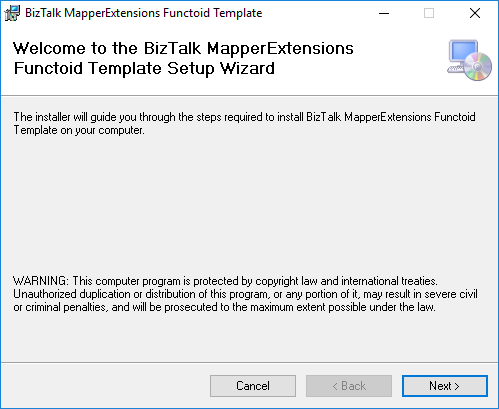
- On the Welcome to the BizTalk MapperExtensions Functoid Template Setup Wizard screen, click Next.
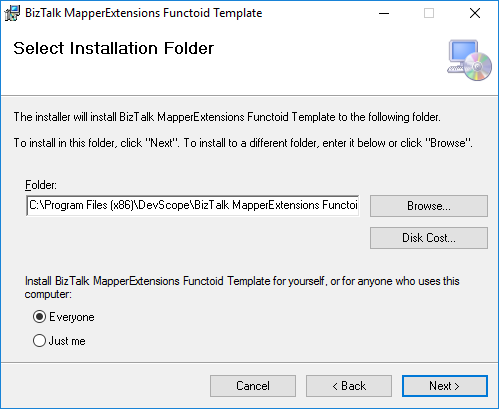
- On the Select Installation Folder screen, select the folder where you want to install the Wizard, then select the Everyone option. Click Next to continue.
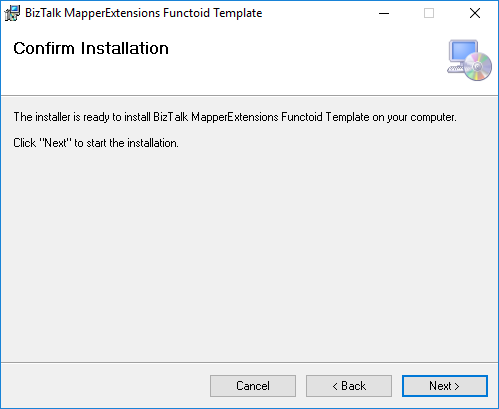
- On the Confirm Installation screen, click Next to confirm your intent to install.
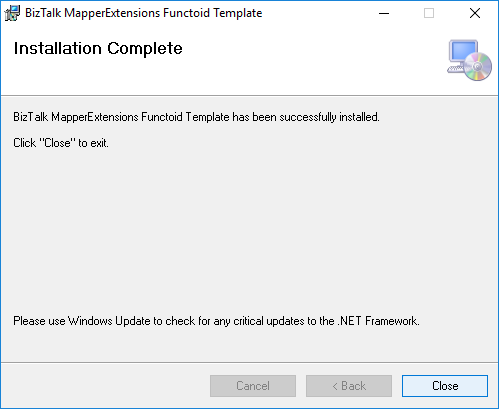
- On the Installation Complete screen, click close, and the installation is complete.
Now you can see a new BizTalk project template option under BizTalk projects in your Visual Studio 2015.
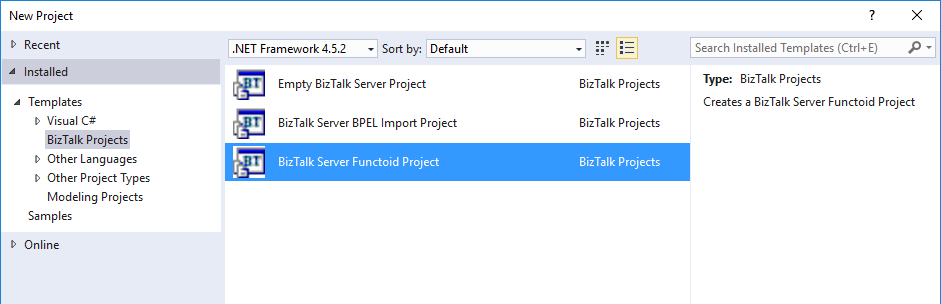
Create New Functoid Project
To create a new functoid using this project template, choose the option BizTalk Server Functoid Project in Visual Studio 2015, and a Wizard will pop up. Follow the wizard’s requirements to create the Functoid.
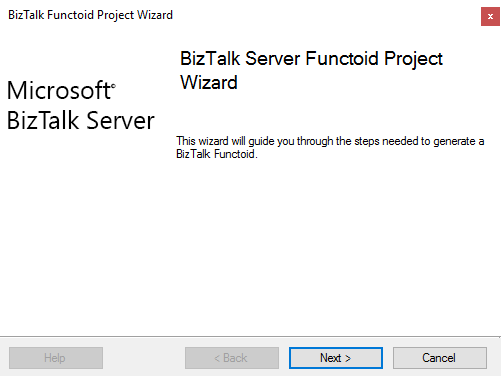
- In the Start screen, click Next to continue.
- In the General Project Properties screen, fill in the Functoid class name, namespace, and create or select a new Strong Key (you can use an existing one). Click Next to continue.

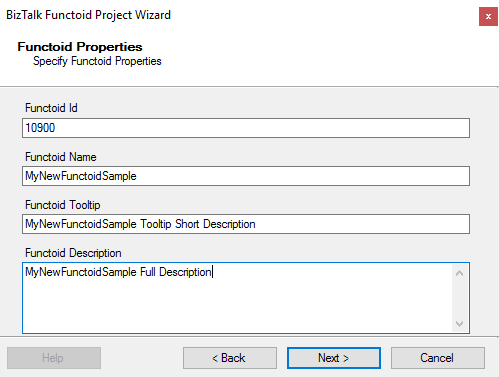
- In the Functoid Properties screen, define the Functoid ID (must be greater than 10000), the functoid name, the tooltip (short description), and the description (full description). Click Next to continue.
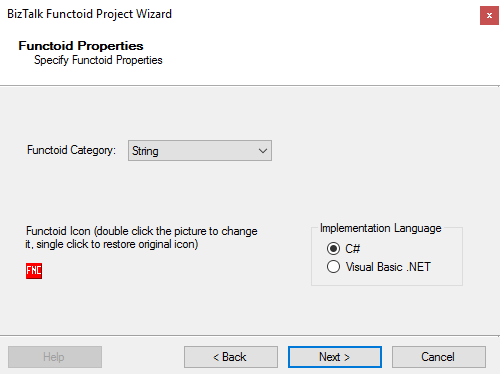
- In the second Functoid Properties screen, choose the functoid category and the implementation language (the language in which you want to implement your functoid behavior code): C# or VB.NET. Click Next to continue.
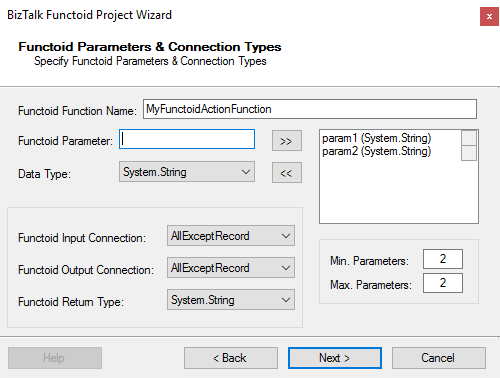
- In the Functoid Parameters and Connection Types screen, define the functoid function name, function inputs and types, and output and types. Click Next to continue.
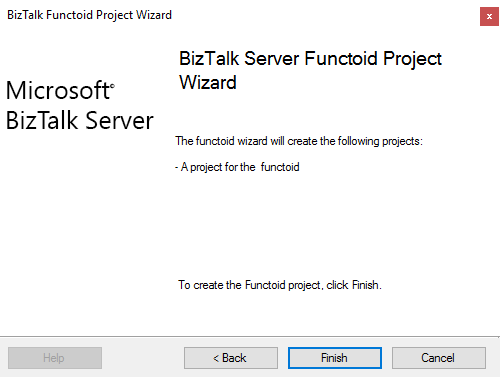
- On the final screen, click Finish to create the Visual Studio project.
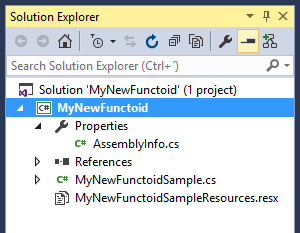
Visual Studio will create a new Project based on your implementation language and definitions provided in the Wizard.
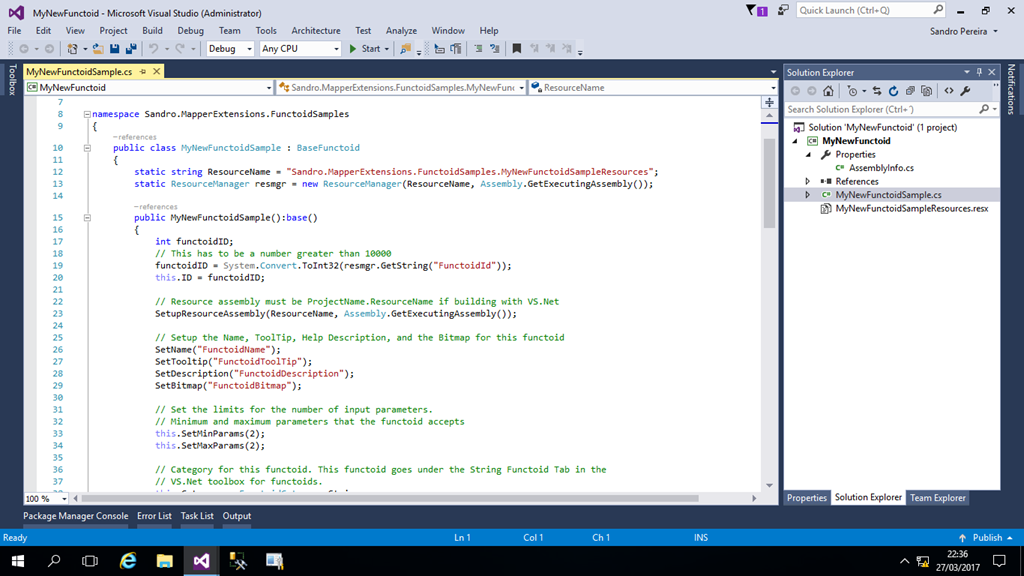
- Open the generated class and implement your code
Once again, special thanks to Rui Silva, who accepted the challenge and collaborated with me in order to finalize this project.
Download
THIS WIZARD IS PROVIDED “AS IS”, WITHOUT WARRANTY OF ANY KIND.
You can download BizTalk MapperExtensions Functoid Wizards UtilityPack from GitHub here:
Hope you find this helpful! If you liked the content or found it useful and would like to support me in writing more, consider buying (or helping to buy) a Star Wars Lego set for my son.




como se obtiene el manual de integaraciones?