


Last week, while trying to customize the Custom tracking ID property of the workflow trigger, we noticed that there were no new workflow executions. While troubleshooting, we unexpectedly found that the Trigger history was full of errors!
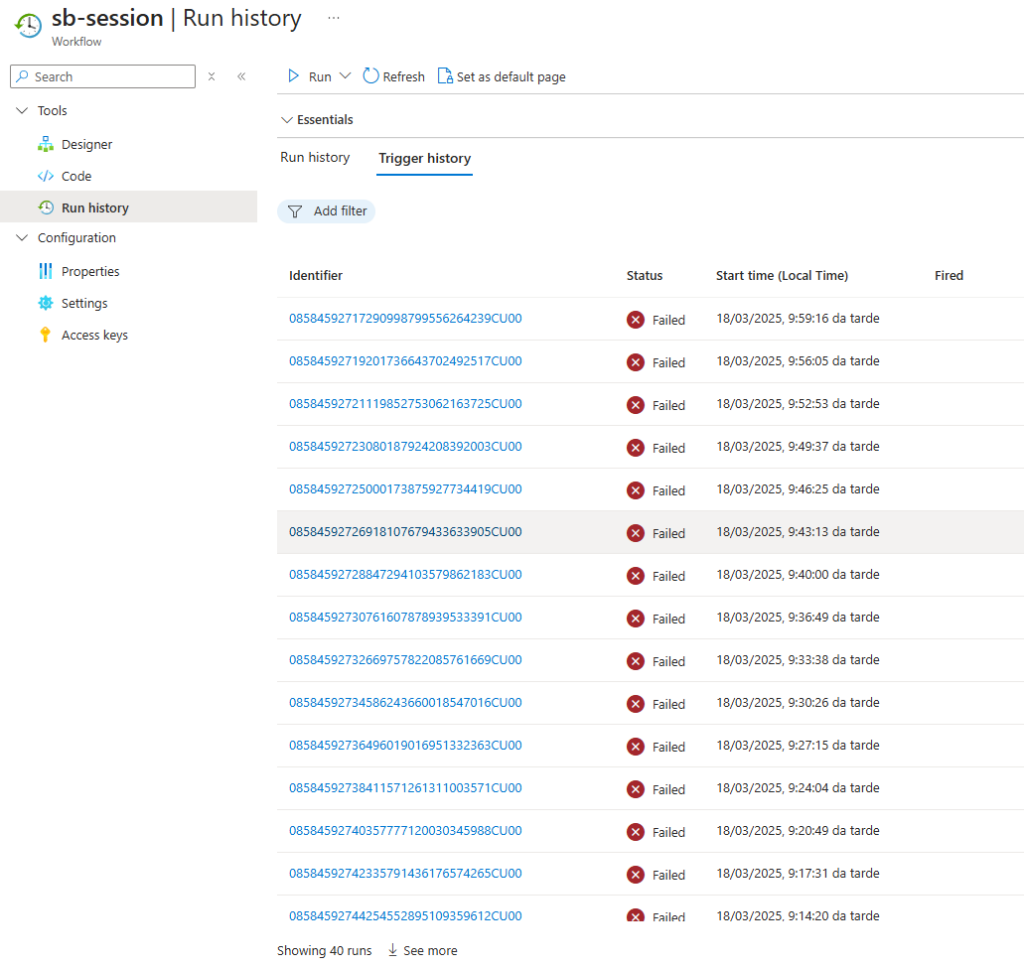
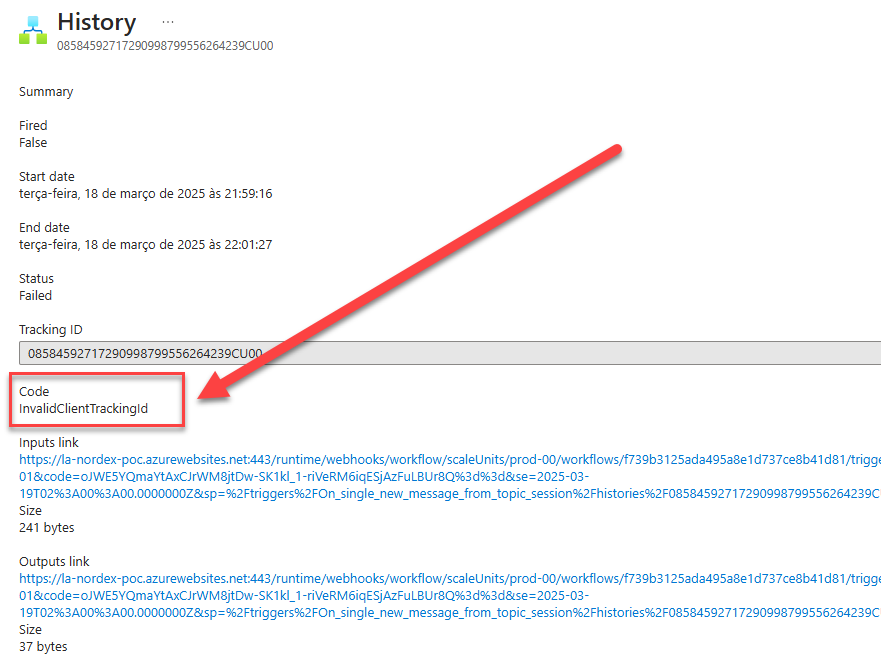
All trigger executions, or almost all of them, failed with the following error code: InvalidClientTrackingId.
📝 One-Minute Brief
Logic Apps Standard may display an InvalidClientTrackingId error when accessing trigger history, causing confusion during diagnostics. This post explains why the error occurs, how it affects monitoring, and what steps help identify and resolve the issue effectively.
Cause
As the error code mentions, this is related to the Custom tracking ID property of the workflow trigger we are trying to configure. Unfortunately, the documentation about this property is severely lacking.
In our case, we were, for example, trying to configure the Service Bus Correlation ID property like this:
@triggerOutputs().body?['correlationId']
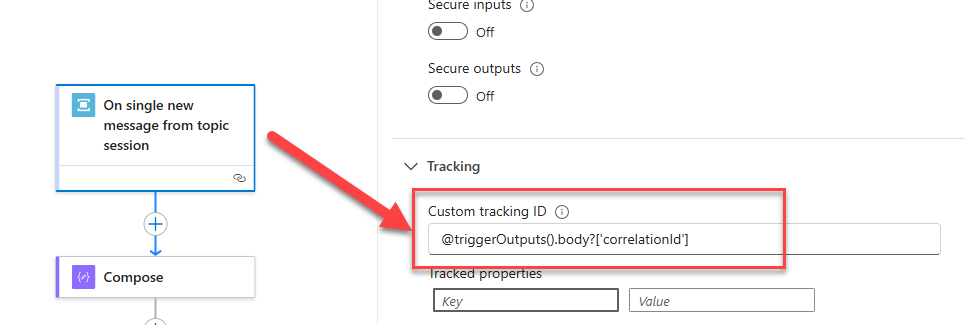
We realized we could successfully execute the workflow for messages on the service bus with this property configured. For messages without this property configured, we were getting a trigger failure with this code.
The reason for this to fail is that we need to guarantee that we set up this property with properties that exist and contain values.
Solution
If we use mandatory properties that exist and always contain values, we will not have problems. Otherwise, we need to guarantee that we set up an expression that will ensure we will pick a value, for example:
@if(equals(triggerBody(),null), trigger()['clientTrackingId'], coalesce(triggerOutputs().body?['correlationId'], trigger()['clientTrackingId']))
This expression will:
- Check if the trigger body is null. If so, it will use the trigger()[‘clientTrackingId’], which, in the case of the trigger, is Service Bus. It will always exist, and we can see in the trigger execution.

- If the trigger body is not null, it will check if triggerOutputs().body?[‘correlationId’] property exists.
- If it exists, it will use this property as our Custom tracking ID property
- Otherwise, it will use the trigger()[‘clientTrackingId’] as our Custom tracking ID property.
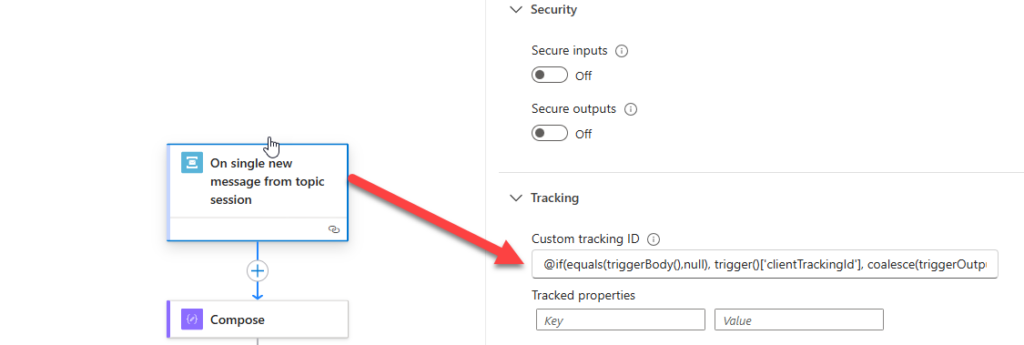
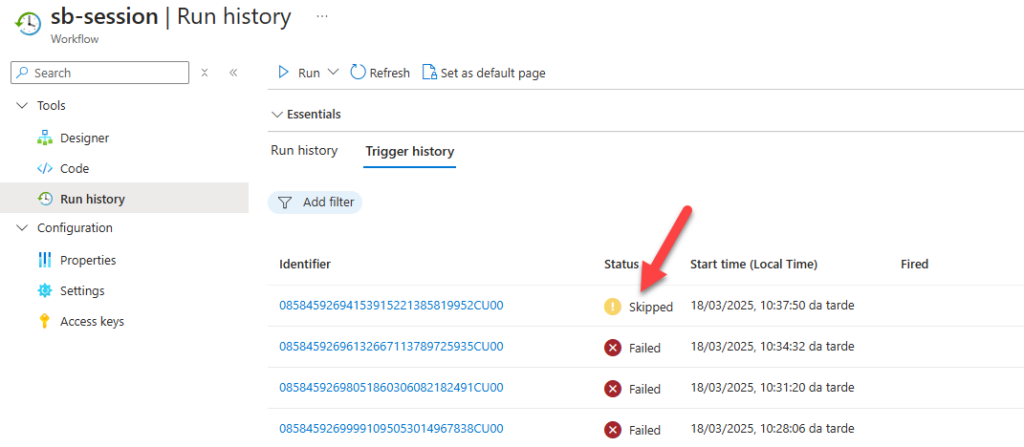
After this change, all trigger executions were successfully executed if a message was present in the Service Bus or skipped if no message was present.
I hope you find this helpful! If you liked the content or found it useful and want to help me write more, you can buy (or help me buy) my son a Star Wars Lego!



