


In the first part of this series, we explored what Tracking Properties are in Azure Logic Apps, why they are important, and how they can significantly improve monitoring, troubleshooting, and business process visibility. We also discussed common use cases and the benefits of capturing meaningful business and technical information in Log Analytics.
Now, in Part 2, we’ll take a practical approach and focus on how to implement Tracking Properties. We’ll look at where they can be configured, the available options for defining their values, and some important considerations and limitations you should be aware of when working with them.
📝 One-Minute Brief
Tracking Properties are one of the most effective ways to improve observability in Azure Logic Apps. In this article, you’ll learn where Tracking Properties can be configured, how to implement them using static or dynamic values, and important limitations to consider when capturing business and technical data for Log Analytics monitoring and troubleshooting.
How to implement Tracking Properties
Implementing Tracking Properties in Azure Logic Apps is a straightforward process that can significantly improve monitoring, troubleshooting, and business process visibility. By capturing meaningful business and technical information at specific points in a workflow, you can make Log Analytics queries more effective and gain deeper insights into workflow executions.
Where can we set up the Tracking Properties?
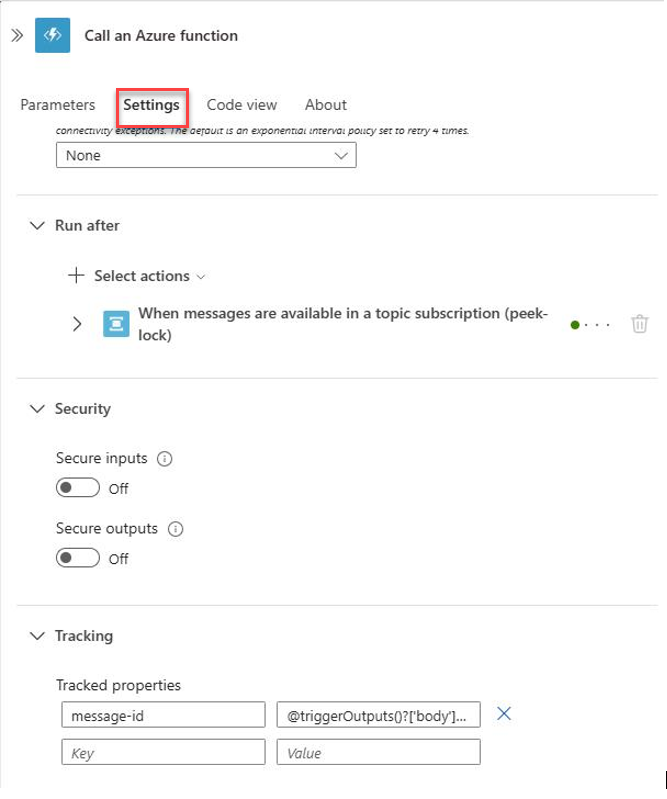
You can configure Tracking Properties on individual actions within a Logic App workflow, not at the workflow level itself. Configure them through the action’s Settings pane in the designer:
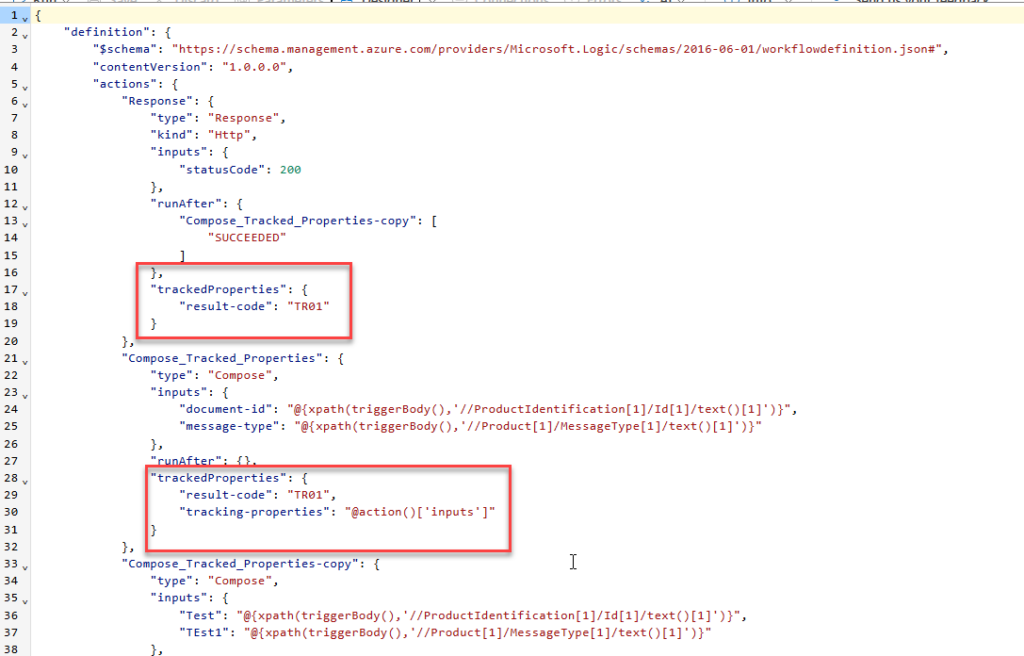
Or directly in the workflow definition (code view) using the trackedProperties section:
How can we set up the Tracking Properties?
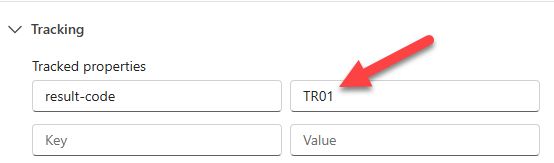
You can define values statically by using fixed strings (a static string):
Alternatively, you can populate Tracking Properties with Dynamic Content. For example, you can capture a MessageId directly from the trigger payload or from the inputs of the action, like:
@triggerOutputs()?['body']?['messageId']
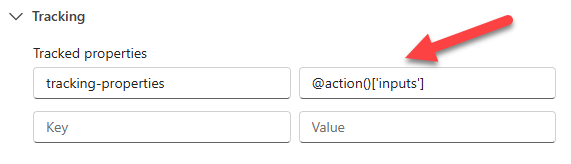
Limitation: Unlike many other areas of the Logic Apps designer, the Tracking Properties configuration doesn’t provide an expression editor with IntelliSense support. Therefore, you must enter expressions manually and ensure they are syntactically correct. For this reason, it is a good practice to test expressions beforehand or reuse expressions that have already been validated elsewhere in the workflow.
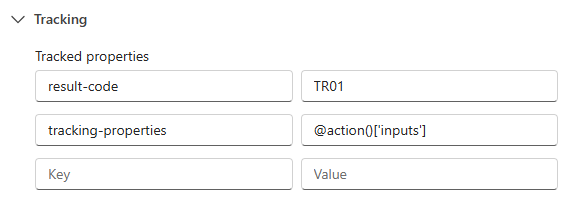
Furthermore, you can combine static and dynamic values to create a richer monitoring experience:
Tracking Properties Best Practices
When implementing Tracking Properties, consider the following recommendations:
- Track meaningful business identifiers such as Order ID, Customer ID, Transaction ID, or Message ID.
- Use consistent property names across all Logic Apps.
- Avoid tracking sensitive information such as passwords, tokens, or personal data.
- Keep tracked values concise and relevant to monitoring requirements.
- Establish organization-wide naming standards to simplify Log Analytics queries and dashboards.
I hope you find this helpful! If you liked the content or found it useful and want to help me write more, you can consider buying (or helping to buy) my son a Star Wars Lego set.



