

Welcome again to another Logic Apps Best Practices, Tips, and Tricks post. In my previous articles, I covered several essential best practices for working with Azure Logic Apps. If you missed them, be sure to explore these Logic Apps tips and tricks.
The challenge
Creating an empty string variable in Azure Logic Apps appears to be a simple task. However, many developers come to Logic Apps with a traditional programming background, especially in languages like C#.
When creating an empty string in C#, it is common to use one of the following approaches:
string customerName = "";
or
string customerName = string.Empty;
Both statements create a valid string with zero characters.
Because of this, many developers naturally expect the same concept to apply when creating a String variable in Logic Apps.
However, is the following configuration really equivalent to string.Empty in C#?

📝 One-Minute Brief
Many developers transitioning from traditional programming languages such as C# assume that setting a Logic Apps string variable to “” is equivalent to creating an empty string. However, Logic Apps Designer uses this value differently, potentially leading to unexpected results in payloads, tracking properties, conditions, and downstream integrations. This post explains the correct way to initialize an empty string variable in Logic Apps, highlights common mistakes, and demonstrates how seemingly small configuration choices can impact workflow behavior and troubleshooting.
How to Properly Create an Empty String Variable inside Logic Apps
Understanding how Logic Apps handles empty string variable initialization can help you avoid unexpected runtime behavior and make your workflows more predictable and easier to maintain.
Maybe it is because many Logic Apps developers come from a traditional programming background, especially in languages like C#, maybe not, but the reality is that many young Logic Apps developers often assume the same approach should be used when initializing a String variable in Logic Apps and set the value to: “” (using double quotation marks)
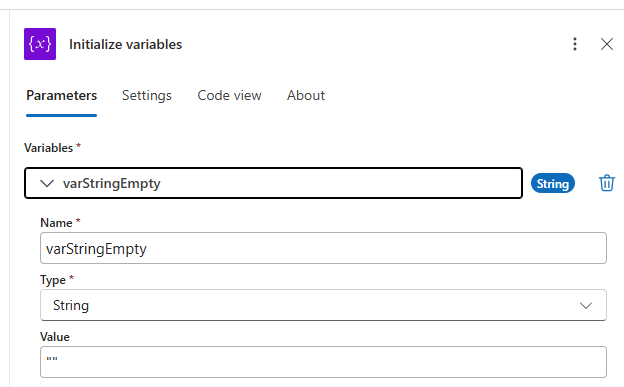
However, is this really the correct way?
The short answer is no.
In Logic Apps, the correct way to initialize an empty String variable is simply to leave the Value field empty:
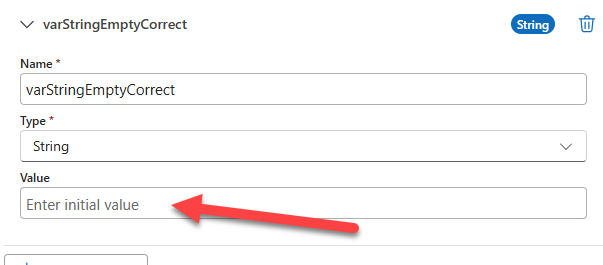
This may be a shocking surprise to discover that leaving the Value field blank when initializing a string variable actually produces the expected result.
Still question if this is true? Let’s see it in action.
For that, we have:
- Created a simple Workflow that initializes two variables, one with double quotes and one leaving the value empty.
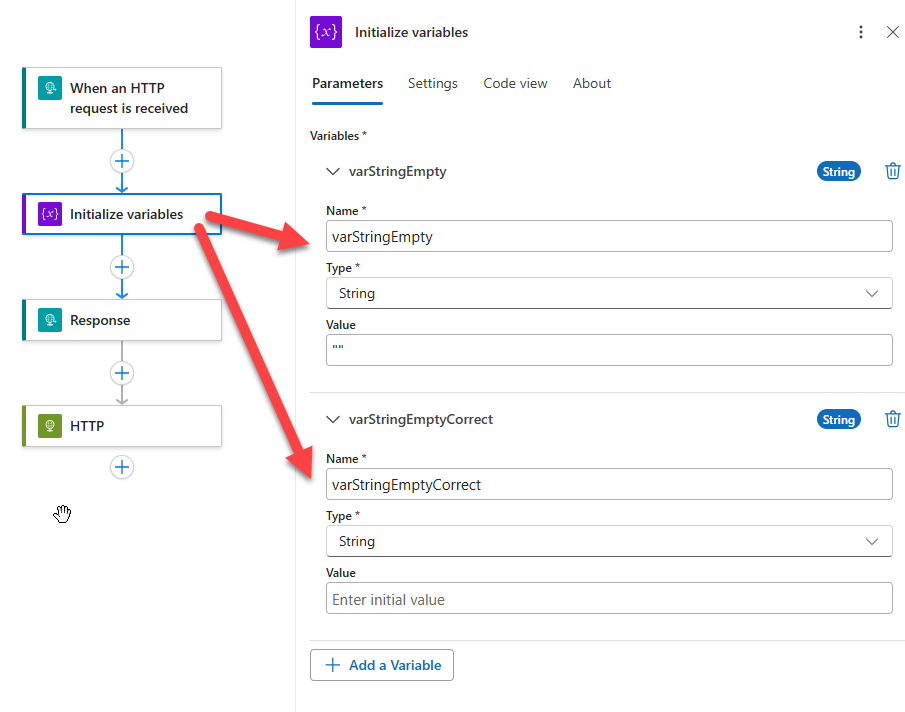
- Then we add a Response action with the following Body as the response
{
  "EmptyWithQuotes": "this is:@{variables('varStringEmpty')}",
  "Empty": "this is: @{variables('varStringEmptyCorrect')}"
}
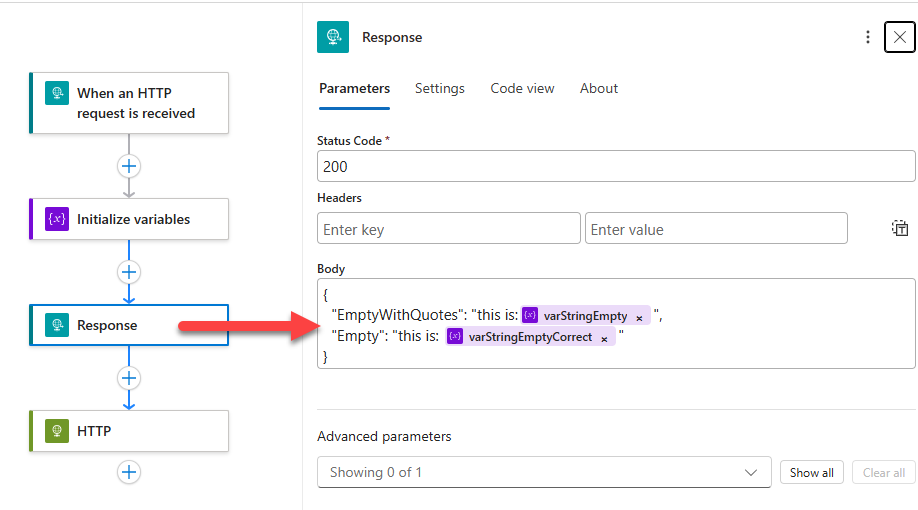
- If we now test the workflow, we will see the result confirming that Logic Apps Designer uses this differently than C#. Instead of creating an empty string, it creates a string containing two quotation mark characters.
{
  "EmptyWithQuotes": "this is:\"\"",
  "Empty": "this is:"
}

The result is:
- EmptyWithQuotes contains two actual quote characters (
""). - Empty contains nothing after the colon, representing a truly empty string.
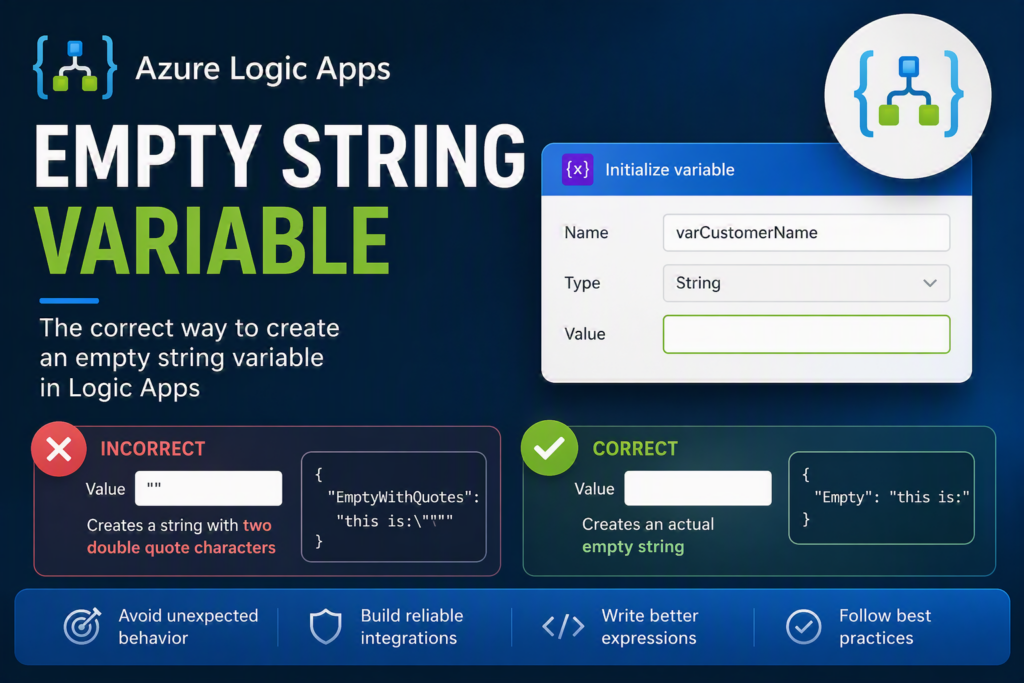
This subtle difference can lead to unexpected behavior when composing messages, creating JSON payloads, building tracking properties, or sending data to downstream systems.
I hope you find this helpful! If you liked the content or found it useful and want to help me write more, you can consider buying (or helping to buy) my son a Star Wars Lego set.



