


It’s been over three years since I published the first Logic Apps tips and tricks – Logic App Best Practices, Tips and Tricks: #1 Logic App Naming Convention. A lot has happened and changed since then, so I believe now is the perfect time to revisit and update that blog post
📝 One-Minute Brief
There are many naming conventions, and they can be different from organization to organization. The important thing is to define a good naming convention for the names of your Logic Apps da suits your organization and then implement them across all of them..
Here we will covered the Logic App Instance Name convention.
#1 Logic App Naming Convention
Naming conventions vary from one organization to another. As I often say, no perfect naming convention exists. Some conventions are easy to understand and follow, while others require more effort. However, the most important point remains the same: choose a naming convention that fits your organization’s requirements and apply it consistently.
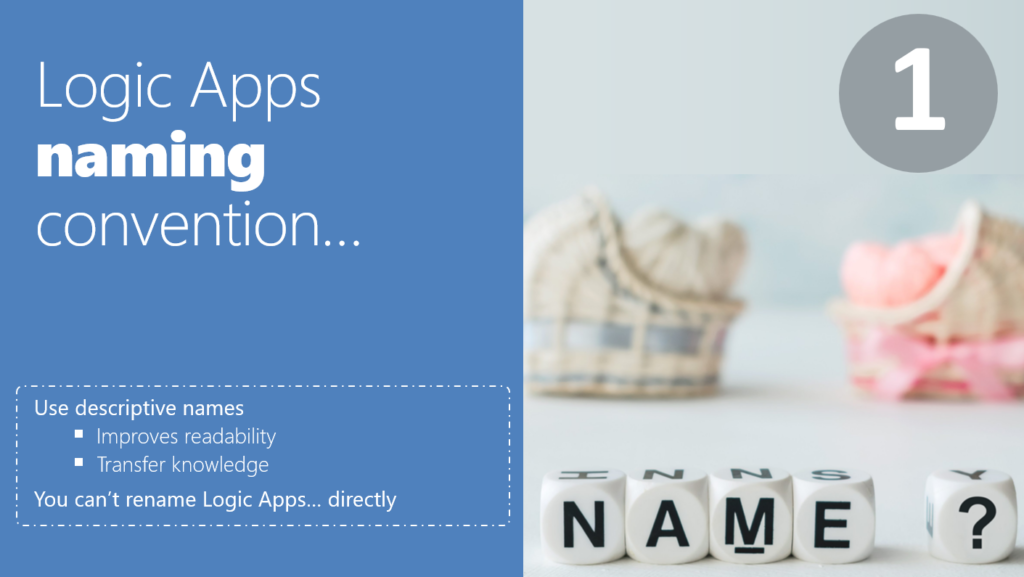
The main goals to achieve with a proper Logic App Instance Name are that you should provide a descriptive and good name for your Logic Apps to:
- It improves readability: By setting a proper name, you can quickly identify what those business workflows are intended for, without needing to enter the design and try to figure it out. So, you provide readability and save future time (by not spending time looking for your LA) and frustration.
- You may think that this is not important, as you have created the Logic App and know what it is intended to do. However, trust me, after three months, you will completely forget it.
- It also transfers knowledge between your team or organization: Sometimes Logic Apps are shared by different teams, developers, or departments, or you are a consultant creating Logic Apps for your clients. They also need to be aware of them. They also need to understand them. You may leave the project or the company in the future, and they will need to continue the work or make future changes. Having a proper naming convention and providing a good descriptive name is auto-documenting your processes.
For both Logic Apps Consumption and Standard, teams usually recommend using kebab‑case for instance names. This convention uses lowercase letters and separates words with hyphens (-).
However, naming rules differ slightly between Consumption and Standard. Keep in mind that both models follow similar principles but enforce different size limits and restrictions. You can explore those differences in more detail here: Logic App Consumption and Standard name have different size limits and restrictions.
Logic App Naming Convention Summary
Of course, all of the following properties on the name structure are optional. But here are some best practices and suggestions:
| Resource | Code | Naming Pattern | Example |
| Logic App Consumption | lac | lac-{bu}-{dept-or-application}-{process-name}-{environment} | – lac-eai-it-crm-push-dev – lac-sp-trigger-using-get-http-method-poc – lac-manufacturing-alarming-failed-jobs |
| Logic App Standard | las | las-{bu}-{application-name}-{environment} | – las-eai-financial-integration-dev – las-partners-time-reports |
| Stateful Workflow | stfw | {process-name}-stfw | – create-service-notification-stfw |
| Stateless Workflow | stlw | {process-name}-stlw | – unapproved-time-reports-batch-processor-stlw |
Where:
- lac is the static abbreviation for Logic App Consumption.
- las is the static abbreviation for Logic App Standard.
- stfw is the static abbreviation for Stateful workflow.
- stlw is the static abbreviation for Stateless workflow
- bu is the Business Unit.
- dept-or-application can be the company and/or project abbreviation.
- application-name is the name of the application processes or project we will be creating.
- process-name is the Logic App Business workflow name/description in Pascal Case.
- environment is the Environment abbreviation: TEST, DEV, PROD, STG.
- If we use a single subscription and distinguish environments using resource groups, it is recommended to use the environment abbreviation in the suffix.
- If each environment has its own subscription, then do not use the environment abbreviation in the suffix.
An alternative naming convention approach is to use a mix of kebab-case and PascalCase, where:
- All sections/properties of the name will be separated by hyphens (-).
- And each section/property has the first letter of every word capitalized, with no spaces or underscores between words.
- All abbreviations will be capitalized, for example, LA (Logic App) or DEV, PROD
Here are some samples for this alternative convention:
- LA-{BU}-{Dept or Application}-{ProcessName}-{Environment}
- Alternative: {Dept or Application}-{BU}-LA-{ProcessName}-{Environment}
Download whitepaper
Learn more about Azure Logic Apps Naming Conventions in my whitepaper, Azure Logic Apps Naming Conventions, available for free.
Stay tuned for the following Logic Apps Best Practices, Tips, and Tricks.
If you liked the content or found it helpful and want to help me write more, you can consider buying (or helping to buy) my son a Star Wars Lego set.



