


Update
Good news for Logic Apps developers! Remember when the new Logic App Designer’s GA version didn’t allow you to directly jump to the code view?
In the past we mentioned this in another Friday Fact:
📝 One-Minute Brief
The Azure Logic Apps GA designer continues to improve the developer experience. In this Friday Fact, I highlight a recent update that restores a long‑awaited feature: seamless switching between the visual designer and the Code View. This update removes unnecessary steps, speeds up workflow development, and allows developers to edit code and instantly see the results back in the designer—just like in the legacy experience.
You had to leave the designer and come back—an extra step that slowed things down. Well, Microsoft listened to our request! Now, you can switch to the code view just like in the old designer—quickly and directly, without needing to leave your workflow.
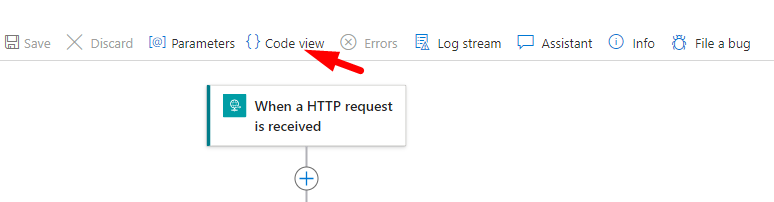
This fix brings back the simplicity and speed developers loved, making it easier to edit your workflows. You can now access the code view, edit, come back, and see the results of your changes in the designer without having to save after every jump.
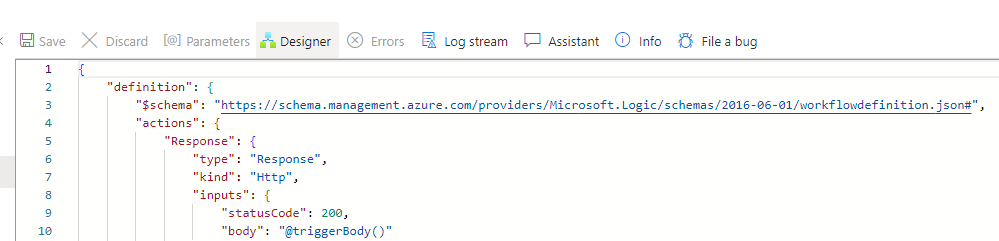
But just remember to save your changes once you’re done with your edits!
No more unnecessary clicks—just streamlined, efficient development!
To lazy to read? We’ve got you covered! Check out our video version of this content!
Hope you find this helpful! If you enjoyed the content or found it useful and wish to support our efforts to create more, you can contribute towards purchasing a Star Wars Lego for Sandro’s son!



