

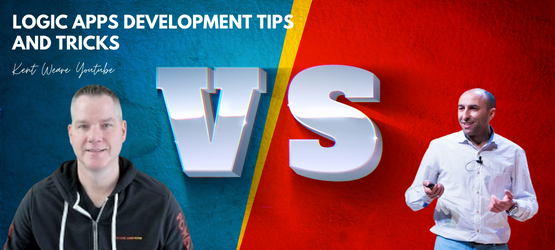
I had the pleasure of being invited a few weeks ago by my friend and now Microsoft Principal Product Manager for Azure Logic Apps, Kent Weare, to record a special episode on Logic Apps Development Tips and Tricks on his YouTube channel.
First of all, if you are unaware of his YouTube channel and you like or are interested in Azure Integration Services, I suggest you follow his channel, which is full of fantastic content. You can check and follow his channel here: https://www.youtube.com/@KentWeare
📝 One-Minute Brief
A special guest appearance on Kent Weare’s YouTube channel focused on practical Logic Apps development tips and tricks. In this episode, we discuss essential best practices such as naming conventions, error handling, parallelism in For Each loops, fixing API connections, and the key differences between Logic Apps Consumption and Standard. A great resource for developers looking to build more reliable and maintainable Logic Apps solutions.
In this episode, we are going to discuss some of the most basic and important Logic Apps development best practices, tips, and tricks:
- Naming Conventions, which will include Logic App, Action, and Connectors naming conventions
- Error Handling and how to retrieve the error message inside Logic Apps
- For Each Parallelism
- Fixing API Connections and why you should care about this.
- and comparing Logic Apps (Standard) and Azure Logic Apps (Consumption)
You can see the full episode here: https://www.youtube.com/watch?v=cLzplA1xVaM&t=479s
Let me know what you think about these Best practices, tips, and tricks or what you would like to be addressed in my series of blogs about this topic.
You can check all my tips and tricks here:
- #1 Logic App Naming Convention
- #2 Actions Naming Convention
- #3 Add comments
- #4 Using Scopes
- #5 Delete comments
- #6 Error handling configure run after settings
- #7 Learn from failures
- #8 Expressions nightmare
- #9 Control your connectors (API connections)
- #10 Fix connectors (or API connections)
- #11 Connectors naming convention
- #12 Choose your developer tools properly
- #13 Logic App (Standard) vs (Consumption)
- #14 Implement good governance policies
- #15 get the error message
- #16 Roll back to a previous version of an Azure Logic App Consumption
- #17 using other HTTP Methods than POST
- #18 Foreach Parallelism
- #19 Protect your Logic Apps (Part I)
And of course, stay tuned for more Logic App Best practices, Tips, and Tricks.
Hope you find this helpful! If you liked the content or found it useful and would like to support me in writing more, consider buying (or helping to buy) a Star Wars Lego set for my son.



