

I recently revived several old BizTalk Server resources, including the WCF‑Loopback Adapter and the File‑Z Adapter. I’ve also been working on a few more. Today, I’m excited to bring back another classic tool created by my friend Thiago Almeida from his days as a BizTalk Server developer: Get Tracked Message tool
📝 One-Minute Brief
Introducing a lightweight tool that allows BizTalk administrators to quickly retrieve and extract tracked messages directly from the BizTalk Management database. It simplifies troubleshooting, accelerates message analysis, and removes the need to manually browse the Tracking tables or rely on the suspended messages view.
Get Tracked Message tool
This tool allows you to programmatically extract a message body from the BizTalk tracking database using 3 possible ways, as Thiago Almeida mentioned in his original blog post:
- Operations DLL: this method uses the Microsoft.BizTalk.Operations assembly. This is pretty straightforward. You add a reference to Microsoft.BizTalk.Operations.dll and use the GetTrackedMessage of the BizTalkOperations class. You can also get to the message context using this method. This method is only available for BizTalk Server 2006 and later.
- SQL: this method uses the bts_GetTrackedMessageParts stored procedure inside the tracking database, which expects the message GUID and will return the compressed message data. We can then use reflection to invoke the Decompress method of Microsoft.BizTalk.Message.Interop.CompressionStreams class inside Microsoft.BizTalk.Pipeline.dll to decompress the data returned from SQL.
- And WMI: this method uses the WMI MSBTS_TrackedMessageInstance.SaveToFile method to save the instance to disk. This was the popular method in BizTalk Server 2004 since there were no operation DLLs back then.
As some of you know, the body and context of messages in BizTalk are compressed, and rightfully so. However, the actual compression and decompression code is hidden inside an assembly called BTSDBAccessor.dll. This DLL, the BizTalk Database Accessor, is unmanaged and does a lot of work for BizTalk, including accessing the BizTalk databases to send and receive messages.
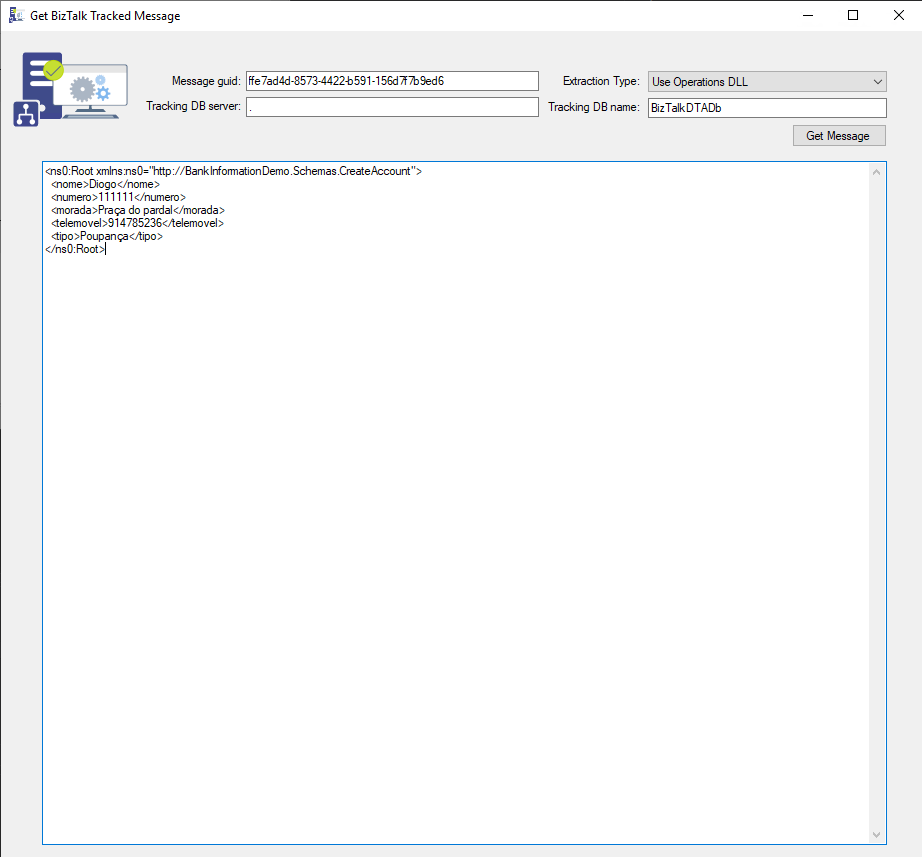
The application has only one form and expects the following parameters:
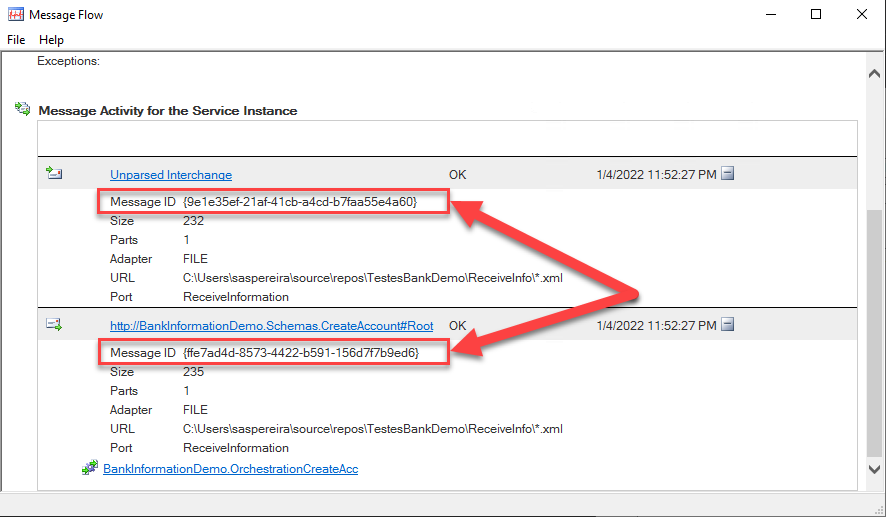
- The message guid of the message you want to extract.
- You can get this value, for example, from the Message Flow
- The extraction type (Use Operations DLL, Use SQL, Use WMI).
- Tracking DB server (the BizTalk server name).
- Tracking DB name (the BizTalk Tracking database name).
Credits
- Thiago Almeida | LinkedIn | The original creator of this tool.
- Diogo Formosinho | LinkedIn | Member of my team who helped me migrate this tool and who added a more modern look to the tool.
Download
THIS TOOL IS PROVIDED “AS IS”, WITHOUT WARRANTY OF ANY KIND.
You can download the BizTalk Server GetTrackedMessage tool from GitHub here:
Hope you find this helpful! If you liked the content or found it useful and would like to support me in writing more, consider buying (or helping to buy) a Star Wars Lego set for my son.



