


BizTalk Server 2020 – 20 days, 20 posts – day 12. Once again, following my recent blog posts, here is another pipeline component migrated to BizTalk Server 2020 that is part of my BizTalk Pipeline Components Extensions UtilityPack project: Multi-Part Message Attachments Zipper Pipeline Component.
📝 One-Minute Brief
One-Minute Brief (TL;DR):
Multi-Part Message Attachments Zipper Pipeline Component
The Multi-Part Message Attachments Zipper is a pipeline component for BizTalk Server that runs in a send pipeline. In this stage, it replaces all attachments of a multi‑part message with their ZIP or GZIP equivalents.
From a functional standpoint, the component delivers capabilities similar to popular compression tools such as WinZip or 7‑Zip. However, it integrates directly into the BizTalk messaging pipeline.
Specifically, the component extracts all message parts that are not part of the message body (Message Body Part = False). Then, it compresses those parts and attaches the compressed files back to the message.
Most importantly, BizTalk performs this process internally, so you do not need to install any additional compression or decompression software on the BizTalk Server machines.
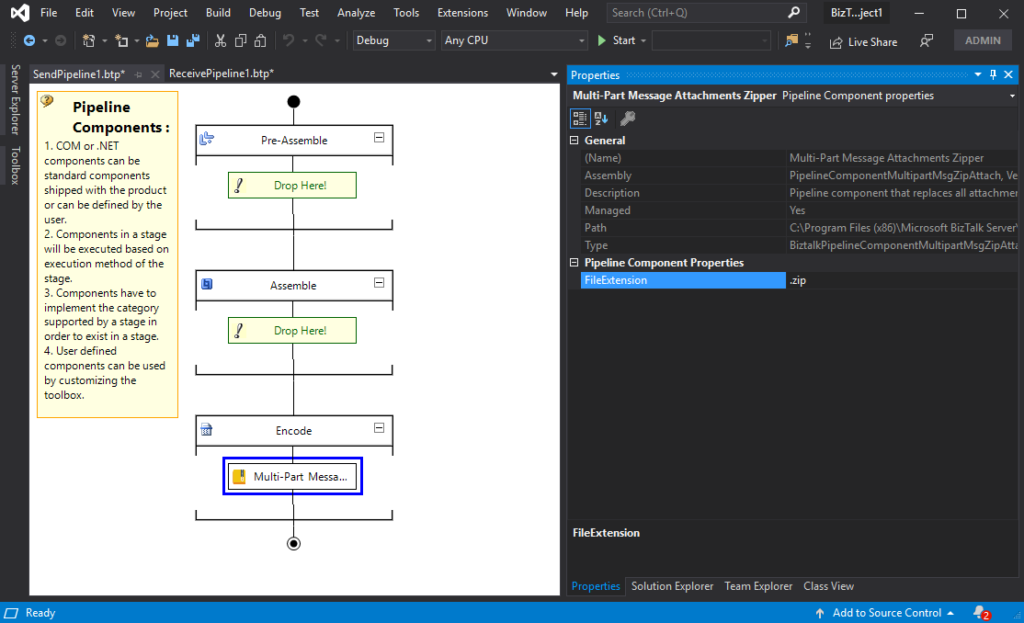
- This component requires one configuration, which is the FileExtension, where you can specify, for example, a .zip or .gz file.
To use this pipeline component in your projects, you just copy the PipelineComponentMultipartMsgZipAttach.dll file into the Pipeline Components folder that exists in the BizTalk Server installation directory:
- ..\Program Files (x86)\Microsoft BizTalk Server\Pipeline Components;
on every server.
You do not need to add a custom pipeline component to be used by the BizTalk Runtime to the Global Assembly Cache (GAC).
What is BizTalk Pipeline Components Extensions Utility Pack?
BizTalk Pipeline Components Extensions Utility Pack provides a collection of custom pipeline components that developers can use in receive and send pipelines. These components extend BizTalk Server’s out‑of‑the‑box pipeline capabilities.
The project lives in the BizTalk Server Open Source Community repository on GitHub (https://github.com/BizTalkCommunity). Moreover, anyone can contribute new pipeline components or enhance existing ones to further improve BizTalk Server capabilities.

At the moment, this project is available for:
- BizTalk Server 2020;
- BizTalk Server 2016;
- BizTalk Server 2010;
- BizTalk Server 2006-2009
Download
You can download BizTalk Pipeline Components Extensions Utility Pack from GitHub:
Hope you find this helpful! If you liked the content or found it useful and would like to support me in writing more, consider buying (or helping to buy) a Star Wars Lego set for my son.




1 thought on “BizTalk Server 2020 – 20 days, 20 posts: Multi-Part Message Attachments Zipper Pipeline Component for BizTalk Server 2020”