

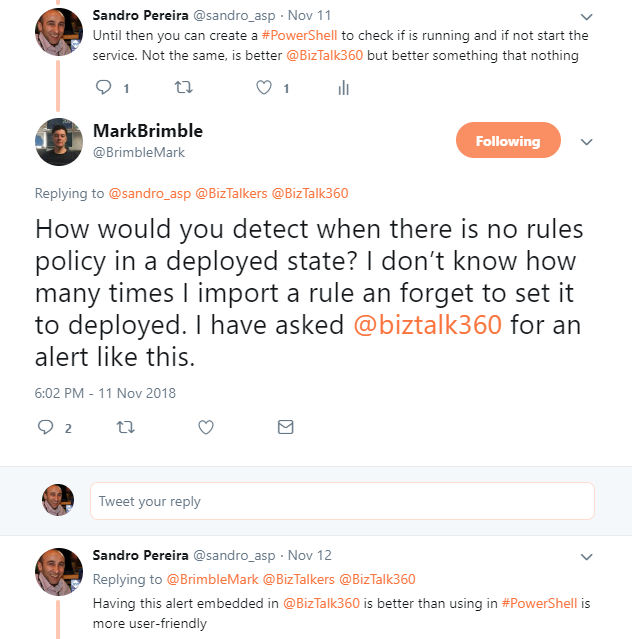
After a tweet exchange with Mark Brimble, a fellow “BizTalker” that I respect and admire, I realized that I had developed a PowerShell script some time ago to monitor BRE Policies that could help him solve his problem. The initial question or need he was facing was:
- How would you detect when there are no policy rules in a deployed state? I don’t know how many times I’ve imported a rule and forgotten to set it to deployed…
This is a common problem, and to be honest, I sometimes forget what the correct state of a policy: Deployed or Published, is. (The correct answer is Deployed. And unfortunately, there isn’t a simple solution to solve this need, and the solutions that I found were:
- Using the BizTalkFactory PowerShell Provider, which nowadays comes with BizTalk Server (SDK\Utilities\PowerShell folder).
- Create my own monitor script – more work involved.
Using the BizTalkFactory PowerShell Provider is quite simple, but it has some limitations for what I would like to achieve; for example, it only shows the policies bound to a particular BizTalk Application.
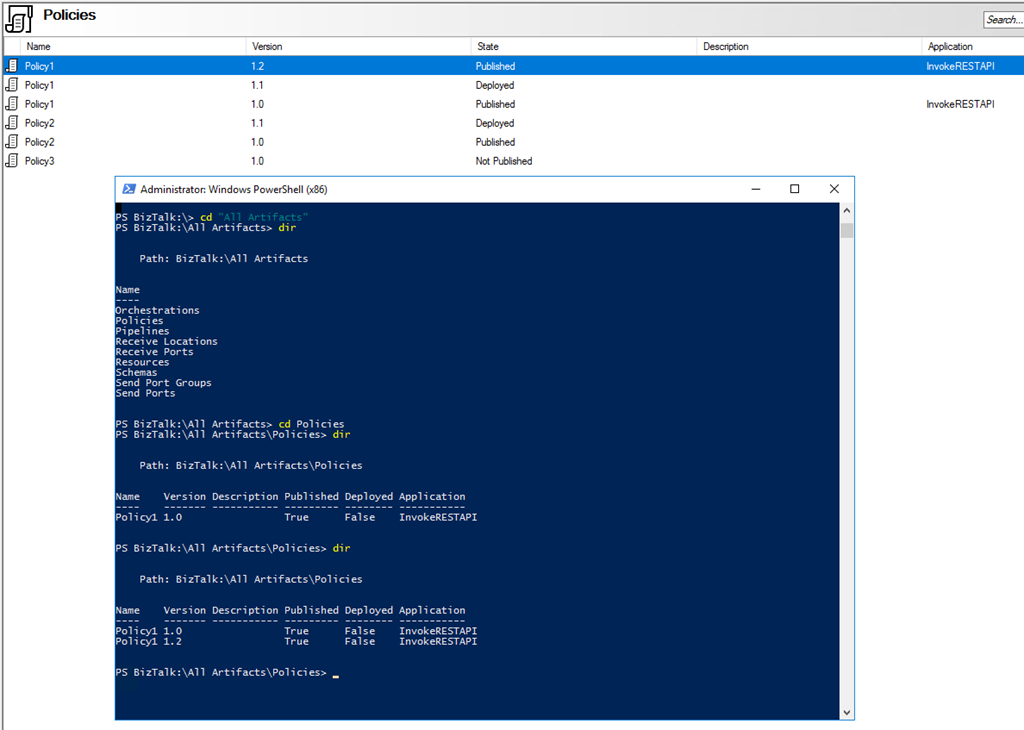
And I would like to have visibility to all of them because you don’t need to bind a policy to a BizTalk Application in the BizTalk Administration Console to use that policy.
And for that reason, I decided to create my own monitor script that I can easily change and optimize for my scenarios.
The problem I faced in the past was, in fact, quite similar to what Mark Brimble was describing, maybe with some small differences, but the end goal is the same, so I decided to help him (at least try) and publish this PowerShell script.
The purpose of this PowerShell script is to:
- Monitor BRE Policies and check whether the highest version of a given policy is in the Deployed state.
- If not, notify someone (your BizTalk administration team).
So how can PowerShell help us?
With this script, you can be able to monitor your BizTalk Server BRE Policies for the highest versions that aren’t in a deployed state. Only if the script finds any non-compliance will an email notification be sent.
Taking this sample:

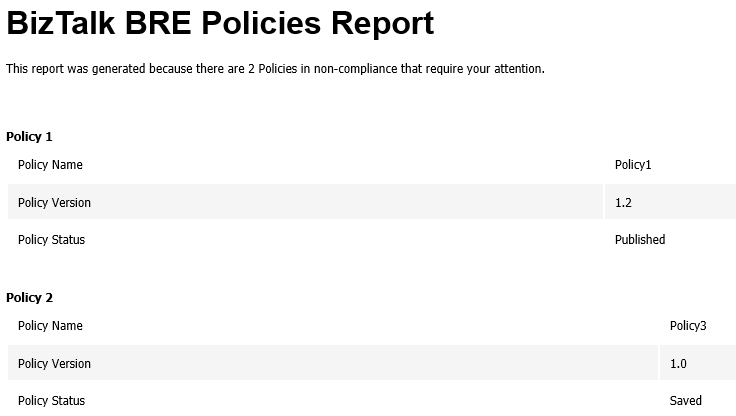
The result will be a notification that includes two warnings:
- Policy1 is in a non-compliant state because version 1.2 is not deployed.
- Policy2 is in a compliance state.
- Policy3 is in a non-compliant state because version 1.2 has not been published or deployed (this is optional, but I chose to include it in my monitoring script).
This script is a combination of a PowerShell script and a SQL Server Script that allows you to set:
- Set your email notification settings:
#Set mail variables
[STRING]$PSEmailServer = "mySMTPServer" #SMTP Server.
[STRING]$SubjectPrefix = "MBV Notification Report -  "
[STRING]$From = "biztalksupport@mail.pt"
[array]$EmailTo = ("sandro.pereira@devscope.net")
- And configure a SQL Server script, which, in fact, is where the magic happens. The SQL Script will have the ability to check what rules are in a non-compliant state:
/ Sandro Pereira & José Barbosa - DevScope  /
;with
cteHist as (
 select h.* from [BizTalkRuleEngineDb].[dbo].[re_deployment_history] h
join (select strname, max(dttimestamp) as dttimestamp from [BizTalkRuleEngineDb].[dbo].[re_deployment_history] group by strname) q on h.strName=q.strName and h.dtTimeStamp=q.dttimestamp
),
ctetDeployed as (
 SELECT StrName, nMajor, nMinor, nStatus
 FROM   (
    SELECT StrName, nMajor, nMinor, nStatus
 , row_number() OVER(PARTITION BY StrName ORDER BY nMajor, nMinor DESC) AS rn
    FROM   [BizTalkRuleEngineDb].[dbo].[re_ruleset]
    ) sub
 WHERE  rn = 1
)
select * from ctetDeployed d
where nStatus = 0
or exists (select 1 from cteHist h  where h.strName=d.strname and bDeployedInd=0)
The following Windows PowerShell script is a fragment that will help us demonstrate the monitoring capabilities:
$mydata = invoke-sqlcmd -inputfile $sqlQuery -serverinstance $server

Foreach ($log in $mydata)
{
    #Create mail body content
    $mailBody += "…"
}
Here is an example of the expected report output from running the Windows PowerShell script sample, if any of the BRE Policies are in an unwanted state.
Download
THESE POWERSHELL & SQL SCRIPTS ARE PROVIDED “AS IS”, WITHOUT WARRANTY OF ANY KIND.
You can download Monitoring BRE Policies in your BizTalk environment with PowerShell from GitHub here:
Hope you find this helpful! If you liked the content or found it useful and would like to support me in writing more, consider buying (or helping to buy) a Star Wars Lego set for my son.




1 thought on “BizTalk DevOps: Monitor your BizTalk environment using PowerShell – Monitoring BRE Policies Pending to be Deployed”