


Windows Communication Foundation (WCF) provides a new TCP-based network protocol (net.tcp://) for high-performance communication.
📝 One-Minute Brief
When consuming a WCF service in BizTalk, you aren’t limited to HTTP/WSDL files. You can pull metadata directly from a running service using a Net.Tcp MEX endpoint. By selecting “Metadata Exchange” in the BizTalk WCF Service Consuming Wizard and providing the net.tcp:// address, BizTalk automatically generates the necessary multi-part message types, schemas, and port types required to communicate with the service over the high-performance Net.Tcp binding.
To import schemas that are published from this protocol, you have to use the WCF Service Wizard:
- Right Click ➤ Add ➤ Add Generated Items
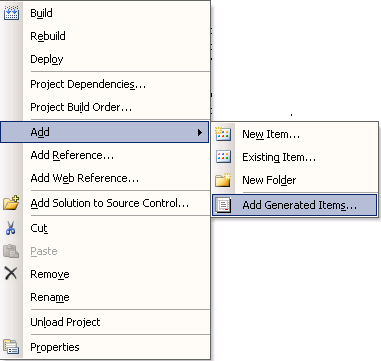
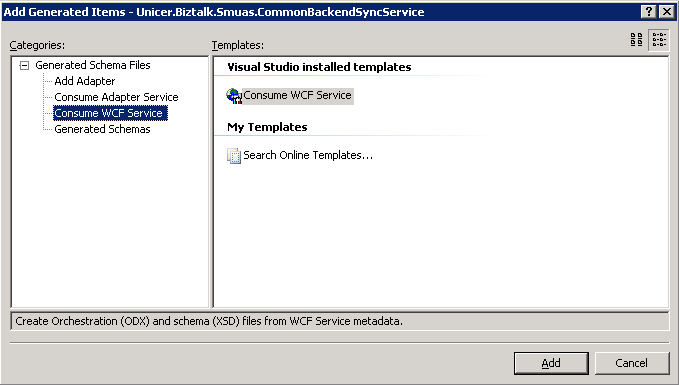
- And select Consume WCF Service to download metadata from a running service using MEX endpoint.
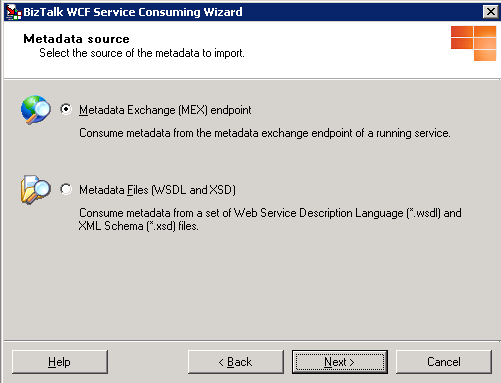
- In the BizTalk WCF Service Consuming Wizard, select the Metadata Exchange (MEX) endpoint.
- Put the Metadata Address (URL), like net.tcp://MyService/mex, and press the Get button.
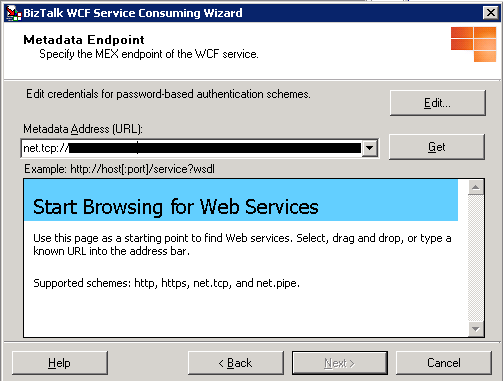
- You may get a warning that you cannot browse the metadata address. Ignore this, and press Next.
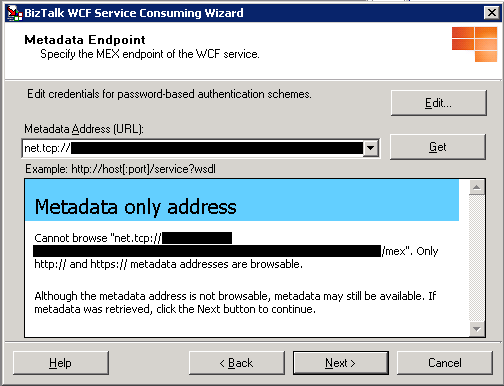
- The next step is the summary of metadata to be imported. Press Import.
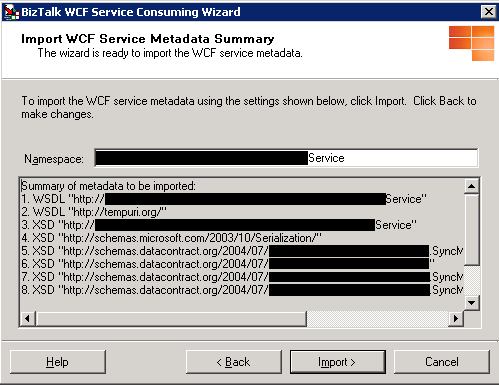
The following files are generated as an outcome of running this wizard.
- Metadata
- XML Schema Files
- Orchestration
- BizTalk Orchestration file (.odx)
- Port Binding Information Configuration
- {ServiceName}_Custom.BindingInfo.xml – Contains port configuration using WCF-Custom Adapter
- {ServiceName}.BindingInfo.xml – Contains port configuration using other WCF bindings as obtained from the MEX endpoint
The following transport types are supported in MEX endpoints:
- http, https, net.pipe, net.tcp



