

At their core, mainframes are high-performance computers with large amounts of memory and processors that process billions of simple calculations and transactions in real-time. The mainframe is critical to commercial databases, transaction servers, and applications that require high resiliency, security, and agility

Microsoft Host Integration Server (HIS) technologies and tools enable enterprise organizations to integrate existing IBM host systems, programs, messages, and data with new Microsoft server applications.
HIS allows IT administrators to securely and efficiently connect new systems to existing systems using industry-standard High-Performance Routing (HPR) and Transmission Control Protocol (TCP) over Internet Protocol (IP). This reduces operating expenses and total cost of ownership while supporting existing and new computing workloads.
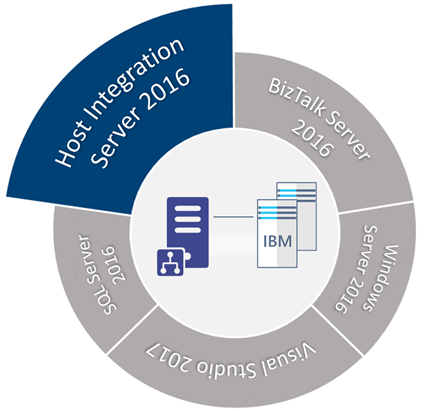
HIS 2016 is available in one technology package licensed as additional software to the core editions of Microsoft BizTalk Server 2016.
📝 One-Minute Brief
A free, step‑by‑step whitepaper that guides you through installing and configuring Host Integration Server 2016 on a standalone BizTalk Server 2016 environment. It explains HIS fundamentals, setup requirements, configuration steps, and how to apply cumulative updates, helping architects and administrators integrate IBM host systems with modern Microsoft platforms.
This whitepaper will provide a step-by-step guide to installing and configuring Host Integration Server 2016 in a standalone BizTalk Server environment running Windows Server 2016.
What’s in store for you?
This whitepaper will give you a detailed understanding of the following:
- Install Host Integration Server 2016
- Configure Host Integration Server 2016
- Install Host Integration Server 2016 Cumulative Updates
Where can I download it?
You can download the whitepaper here:
I hope you enjoy reading this paper, and any comments or suggestions are welcome.
You can also find, download, and enjoy several other free whitepapers of my own here:
- BizTalk Server and GDPR
- Step-by-step configuration to publish BizTalk operational data on Power BI
- BizTalk Server DB: Disaster Recovery, troubleshooting & best practices
- Installing and Configuring BizTalk360 in a Standalone Machine running BizTalk 2016
- Installing and Configuring Microsoft BizTalk 2013 R2 for RosettaNet
- Installing BizTalk Server 2016 in a Standalone Machine
- Installing BizTalk Server 2013 in a Standalone Machine
- Installing BizTalk Server 2016 in a Basic Multi-Computer Environment
- Installing BizTalk Server 2020 in a Standalone Machine
Hope you find this helpful! If you liked the content or found it useful and would like to support me in writing more, consider buying (or helping to buy) a Star Wars Lego set for my son.




Thanks for this detailed guide, Sandro! The step-by-step instructions made the installation process much clearer. I appreciate the insights on configuration options as well. Looking forward to applying this in my projects!
Hello Sandro
Did you ever get a chance to install/configure HIS 2020 to connect to a Payer (who has IBM) and send any healthcare transactions like eligibility?
We are looking for some help with the setup on how to send a transaction from our .NET app to HIS so it can send that transaction out to IBM.
Would you be able to either point to a detailed instruction guide and/or willing to help us out here?