


Triggered by a question on the BizTalk Forum, I started researching and testing whether the BAM Tool is really required to install EDI/AS2 Runtime functionality.
I was particularly interested in EDI functionality because I’m advising one of my clients to migrate from BizTalk 2006 R2 to 2010, and I really need to know the basic requirements
So, is BAM Tools a prerequisite for EDI/AS2 Runtime in BizTalk Server 2010?
That depends on the functionalities (features) you want to install, but for me the correct answer is NO.
📝 One-Minute Brief
Does the BizTalk EDI/AS2 Runtime require BAM Tools? The answer is “no” for basic EDI functionality, but “yes” for AS2 and Status Reporting. To use the EDI Runtime alone, you can bypass BAM configuration. However, if you need AS2 or built-in reporting features, BAM must be configured first. While technically optional for pure EDI, configuring BAM Tools is highly recommended for production environments to enable crucial monitoring and troubleshooting capabilities.
Considerations for Configuring the BizTalk EDI/AS2 Runtime
BizTalk EDI/AS2 Runtime is divided into 3 functionalities:
- BizTalk EDI Functionality
- BizTalk AS2 Functionality
- BizTalk EDI/AS2 Runtime Status Reporting
When you configure the BizTalk EDI/AS2 Runtime in BizTalk Server 2010, consider the following:
- Enterprise SSO, Group, and BizTalk Runtime must be configured prior to configuring BizTalk EDI/AS2 Runtime.
- BAM must be configured prior to enabling the AS2 and/or EDI/AS2 Runtime Status Reporting features.
- If you are only configuring EDI, then BAM is not required.
In resume:
- For the last two functionalities, BizTalk AS2 Functionality and/or BizTalk EDI/AS2 Runtime Status Reporting, BAM Tools must be configured!
- But if you want ONLY EDI functionality, you don´t need BAM Tools.
Proof of concept
I created a machine only with SQL installed (no Analysis Services and no Integration Services), and after installing BizTalk with these components:
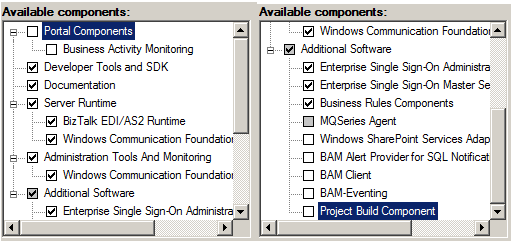
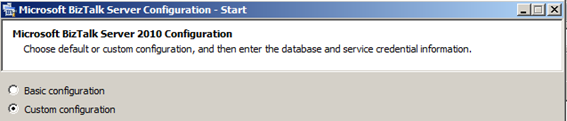
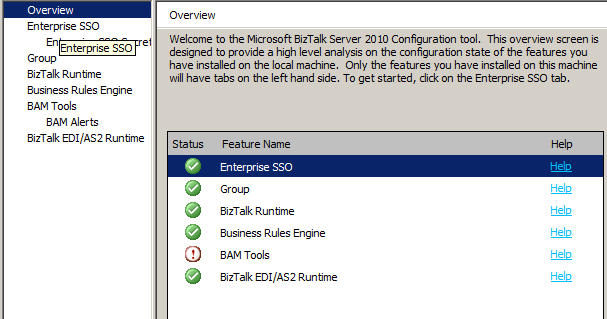
I opened the Microsoft BizTalk Server Configuration Wizard and selected the Custom configuration option:
Note: BAM Tools appears on the right tree because this is necessary only for AS2 and EDI/AS2 Status Reporting feature.
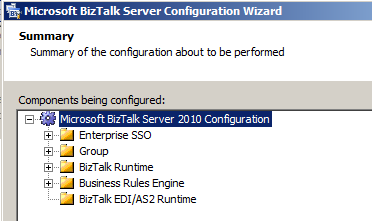
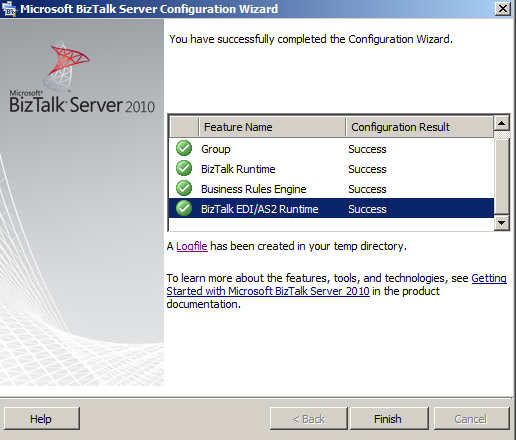
The next step was to configure the following components:
- Enterprise SSO
- Enterprise SSO Secret Backup
- Group
- BizTalk Runtime
- Business Rules Engine
- And BizTalk EDI/AS2 Runtime with only these two options selected:
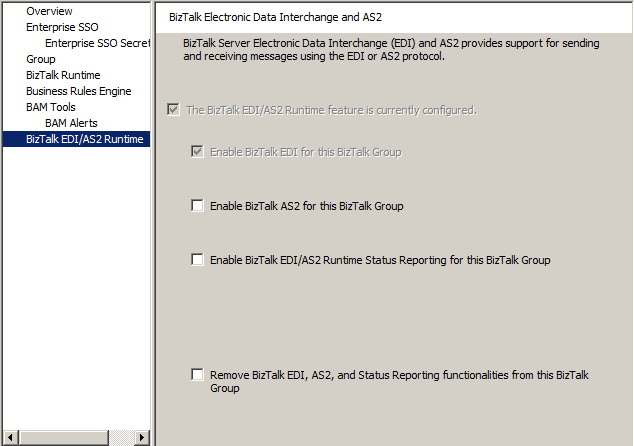
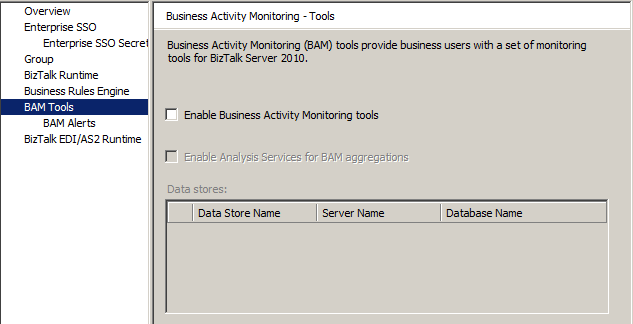
- Leave BAM Tools and BAM Alerts options Disable.
Configuration Summary
Conclusion
Although the BAM Tools are an optional requirement, and even if you don’t use AS2 functionalities, I advise you to install and configure them in order to benefit from all EDI functionalities that BizTalk Server 2010 has to offer you. Because Status Reporting is a critical tool for monitoring interchanges, troubleshooting failures, and maintaining visibility in production environments. Without it, you are essentially flying blind.
Hope you find this helpful! If you liked the content or found it useful and would like to support me in writing more, consider buying (or helping to buy) a Star Wars Lego set for my son.




This is a nice observation. For proof-of-concept development it’s ok to not have status reporting for EDI, But in every production environment, status reporting is a crucial part of EDI, so for production environment BAM Tools is required for EDI.
Hi Manoj,
I totally agree with you. You should have BAM Tools installed, even in development environment.
Just wanted to say this helped me out today 🙂
Nice 🙂
Sandro, thanks for all you do. You really are a life saver.