

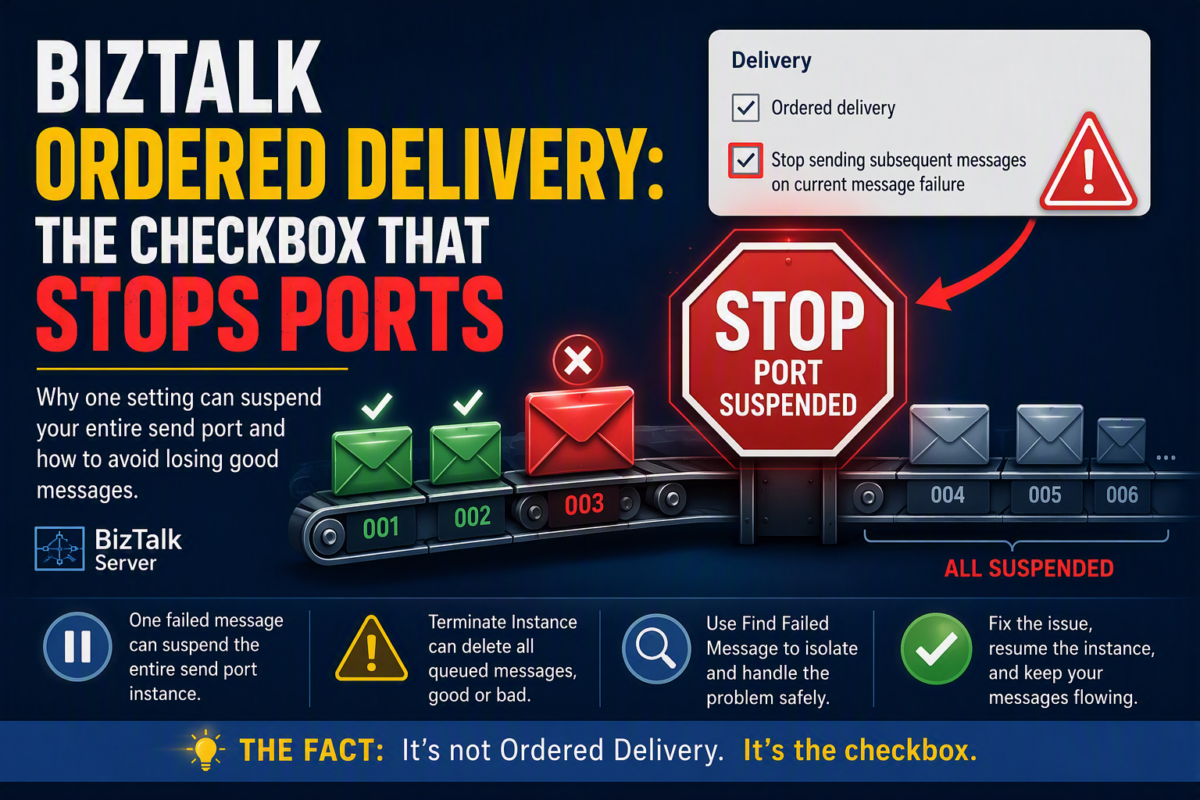
Ordered Delivery usually gets the blame when a BizTalk Server send port stops delivering. But “normal” Ordered Delivery on its own behaves reasonably well: if a message fails, it suspends that message, and the rest keep flowing.
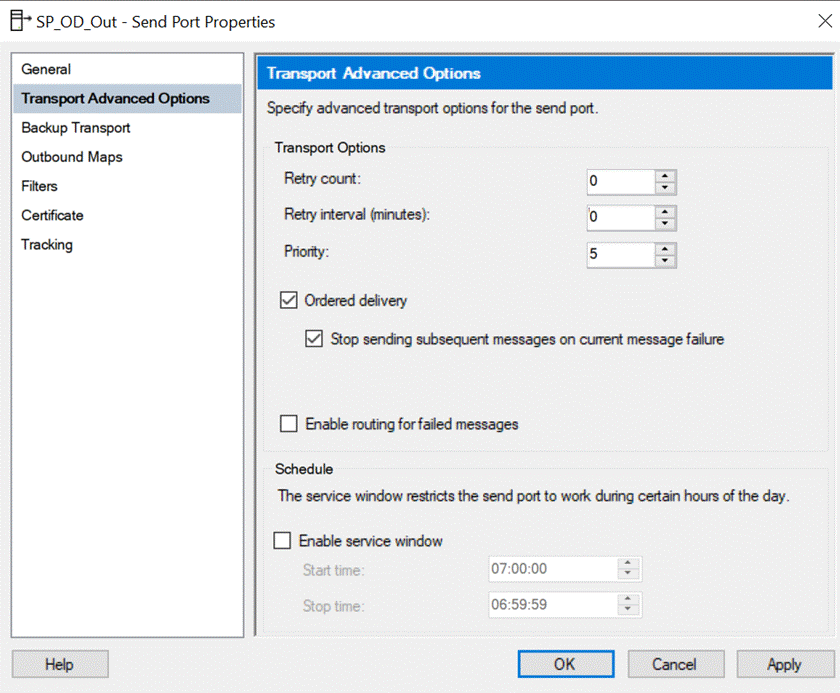
The real troublemaker is the little checkbox underneath it: Stop sending subsequent messages on current message failure. That is today’s fact. With that option enabled, a single failed message suspends the whole send port instance, together with every message queued behind it, even the ones that are perfectly valid. Once they are in that instance, you can no longer deal with them one by one.
📝 One-Minute Brief
Many people blame Ordered Delivery when a BizTalk Server send port stops processing messages. In reality, the behavior usually comes from the “Stop sending subsequent messages on current message failure” option. When enabled, a single failed message can suspend the entire send port instance and every queued message behind it. Without it, only the failed message is suspended while the remaining messages continue to be delivered. Understanding this distinction is critical for operations teams and for anyone planning a migration to Azure Integration Services.
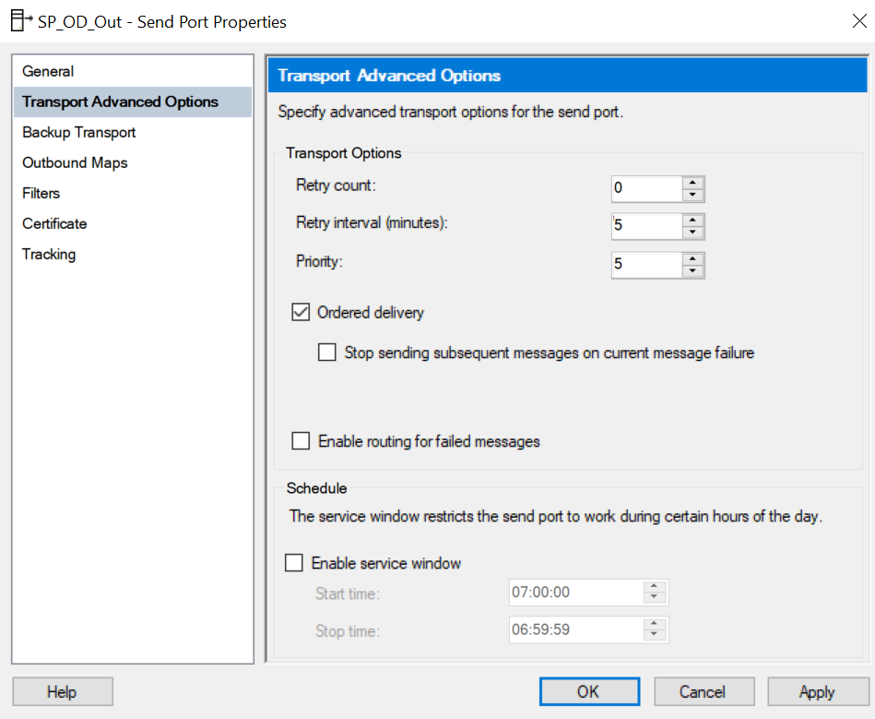
The checkbox only exists when Ordered delivery is enabled, so Ordered Delivery is the precondition, but it doesn’t turn one failure into a frozen queue.
Let’s prove it
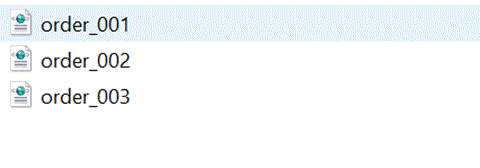
To force a failure on one specific message, I set the FILE adapter Copy mode to Create New and dropped a file named order_003.xml in the destination folder before sending ten messages (order_001 to order_010). Message 003 cannot be written because the file already exists. The other nine are perfectly fine.
The result? Only order_001 and order_002 were delivered. The order_003 you see below is the blocker file I created, not the real message.
Messages 004 to 010 had nothing wrong with them, and they never left BizTalk Server. And notice what is suspended. Not a message instance or several instances, but the port itself:
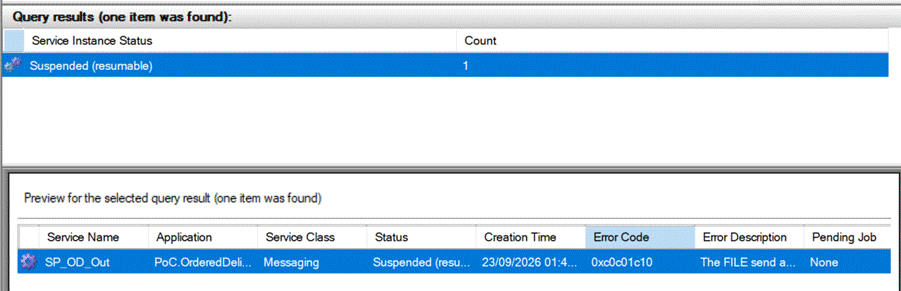
Now open that instance and look at the Messages tab. This is the part that surprises most people:
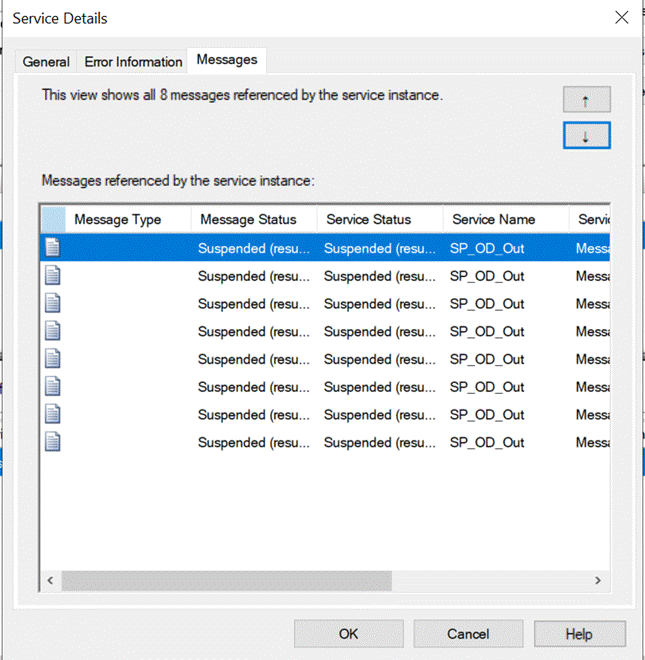
One bad message stops eight messages, and a single service instance holds them all – Eight messages referenced by one service instance: the failed one plus everything queued behind it
The trap: Terminate Instance
This is where it becomes an operations problem rather than a design detail. Because everything lives inside that one instance, the Administration Console gives you almost no granularity. If someone right-clicks the suspended instance and chooses Terminate Instance to get rid of the offending message, all eight messages go away with it, including the seven that never failed.
The safe way to reach the message blocking the pipe is to right-click the suspended instance and choose Find Failed Message. That opens a query containing the offending message only, which you can terminate or resume without destroying the queue behind it. Fix the root cause, then Resume the instance, and the remaining messages are delivered in order.
And with the checkbox unchecked?
Exactly the same test, same blocker, same ten messages, produces a completely different outcome. Only message 003 is suspended (as not resumable), and messages 004 to 010 are delivered normally. No frozen port, no instance holding valid messages hostage. What you get instead is a gap in the sequence: if orders 101, 102, and 103 arrive and 102 fails, 101 and 103 are delivered, and 102 is missing.
One detail worth knowing: unchecked does not mean “no impact at all”. Ordered Delivery still serializes the port, so while a message is being retried, the ones behind it wait. With the default settings of 3 retries every 5 minutes, that is about 15 minutes of delay before the failed message is finally suspended and the queue moves on. I used Retry count = 0 to make the demo immediate.
So the checkbox is really a business decision, not a technical one: do you prefer a gap in the sequence, or a full stop? If the downstream system cannot tolerate a missing message, the full stop is the right choice. Just make sure your operations team knows that terminating that instance destroys valid messages.
And in Azure Integration Services?
For anyone planning a migration, this is worth mapping properly. In Azure Service Bus, ordering is scoped by sessions: messages with the same SessionId are processed in FIFO order, while different sessions run in parallel, and a poison message affects only its own session. In BizTalk Server, one failure stops the whole port. So when you migrate a send port with Ordered Delivery, don’t just ask: do I need order?. Instead, also ask: order of what?.
The Fact
- Ordered delivery alone = the failed message is suspended, the rest keep flowing (with a gap).
- Ordered delivery + Stop sending subsequent messages on current message failure = the whole port instance is suspended, holding every queued message.
- You can’t handle those queued messages individually. Terminate Instance takes all of them. Use Find Failed Message instead.
- Before terminating anything, open the Messages tab and check how many messages you are really about to delete.
Simple as that!
Hope you find this helpful! If you enjoyed the content or found it useful and wish to support our efforts to create more, you can contribute towards purchasing a Sauron’s Action Figure for Sandro’s son- yep, not for me!


